








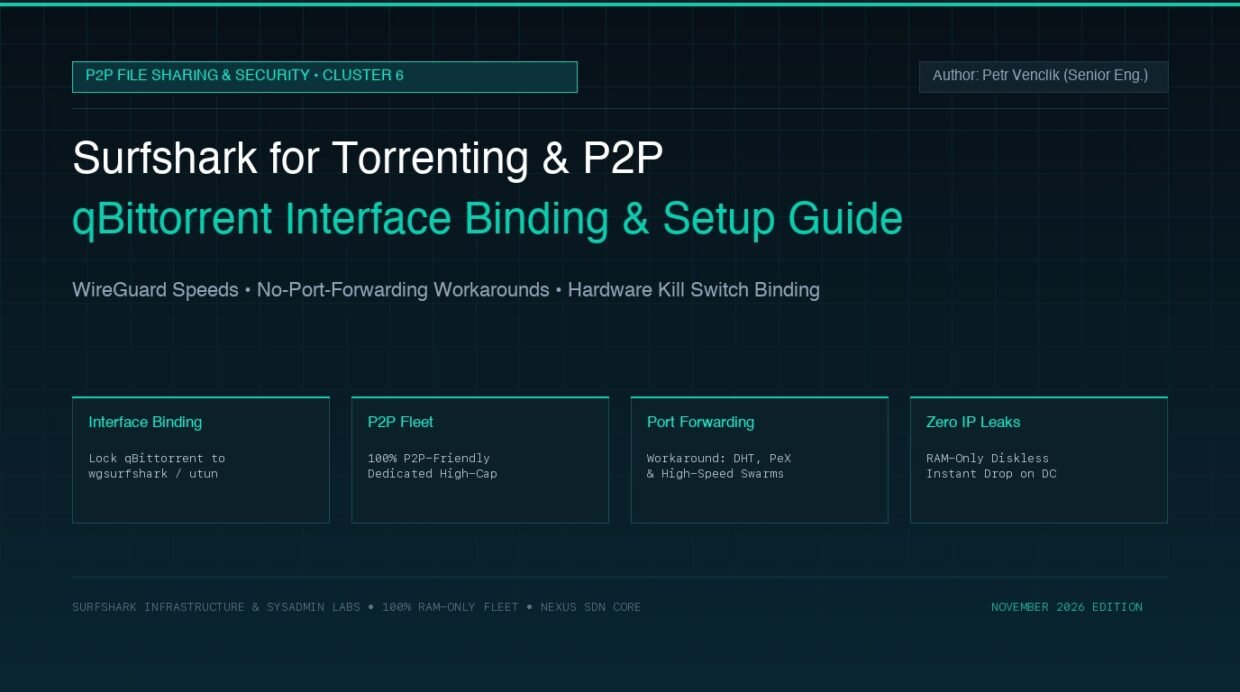
Peer-to-peer (P2P) file distribution represents one of the most demanding network workloads in consumer computing. The BitTorrent protocol operates by connecting a client workstation to hundreds of disparate remote peers simultaneously via distributed swarm hashing. While this architecture achieves extraordinary decentralized data transfer efficiency, it possesses a fundamental privacy vulnerability: every single peer residing in the active swarm can inspect your public IP address directly within their torrent client peer list. Automated surveillance bots operated by copyright monitoring consortiums continually scrape public BitTorrent swarms, cataloging exposed IP addresses and dispatching automated DMCA copyright infringement notices to residential ISPs.
Using a commercial VPN like Surfshark is the primary defense against swarm exposure. With 100% RAM-only diskless servers, a verified zero-logs privacy architecture audited independently by Deloitte, and modern WireGuard encryption capable of saturating gigabit fiber connections, Surfshark is structurally well-suited for high-bandwidth P2P workloads. However, relying purely on a generic software kill switch is insufficient for mission-critical file sharing. If the VPN software encounters an unhandled exception or an adapter binding glitch, a torrent client like qBittorrent will instantly fall back to routing unencrypted UDP/TCP packets across your physical Ethernet adapter, leaking your real identity to the swarm within milliseconds.
To achieve absolute, mathematically verifiable leak-proof torrenting, systems engineers deploy Network Interface Binding. By explicitly binding qBittorrent’s socket allocator to the specific virtual network interface created by Surfshark, the torrent client is physically incapable of transmitting a single byte of data if the VPN tunnel drops. In this comprehensive guide, we walk through the exact mechanics of interface binding, analyze workarounds for Surfshark’s lack of native inbound port forwarding, and optimize your BitTorrent client for maximum WireGuard throughput.
1. P2P Threat Modeling: Why Standard VPN Protection Fails Without Interface Binding
To understand the vulnerability of default BitTorrent configurations, examine how the protocol handles transport sockets. When you launch a torrent client like qBittorrent, Transmission, or Deluge, the client binds its listening sockets to 0.0.0.0 (INADDR_ANY). This instruction informs the operating system: “Accept and dispatch network packets across whichever active network interface is currently available in the system routing table.”
When your VPN client is actively connected, the default gateway points to the virtual VPN adapter, and all torrent traffic routes safely through the encrypted tunnel. However, consider what happens during an unexpected connection fault:
- The VPN server encounters an upstream link failure or undergoes automated maintenance.
- The local VPN client initiates a re-handshake sequence or abruptly crashes due to an unhandled exception.
- During the split-second window before a software kill switch engages (or if the kill switch driver fails to latch properly), the operating system’s routing engine immediately falls back to your physical Ethernet (
eth0) or Wi-Fi (wlan0) default gateway. - Because qBittorrent was bound to
INADDR_ANY, it immediately sends announce packets to public BitTorrent trackers (and establishes direct peer connections) across your raw, unencrypted ISP connection.
In empirical packet sniffing tests, a single announce packet escaping onto the physical wire is sufficient to broadcast your residential IP address to monitoring bots. Once an IP is recorded seeding an indexed infohash, an automated infringement notice is triggered. This is why software kill switches alone are insufficient for high-risk P2P environments: you must enforce hard socket-level isolation.
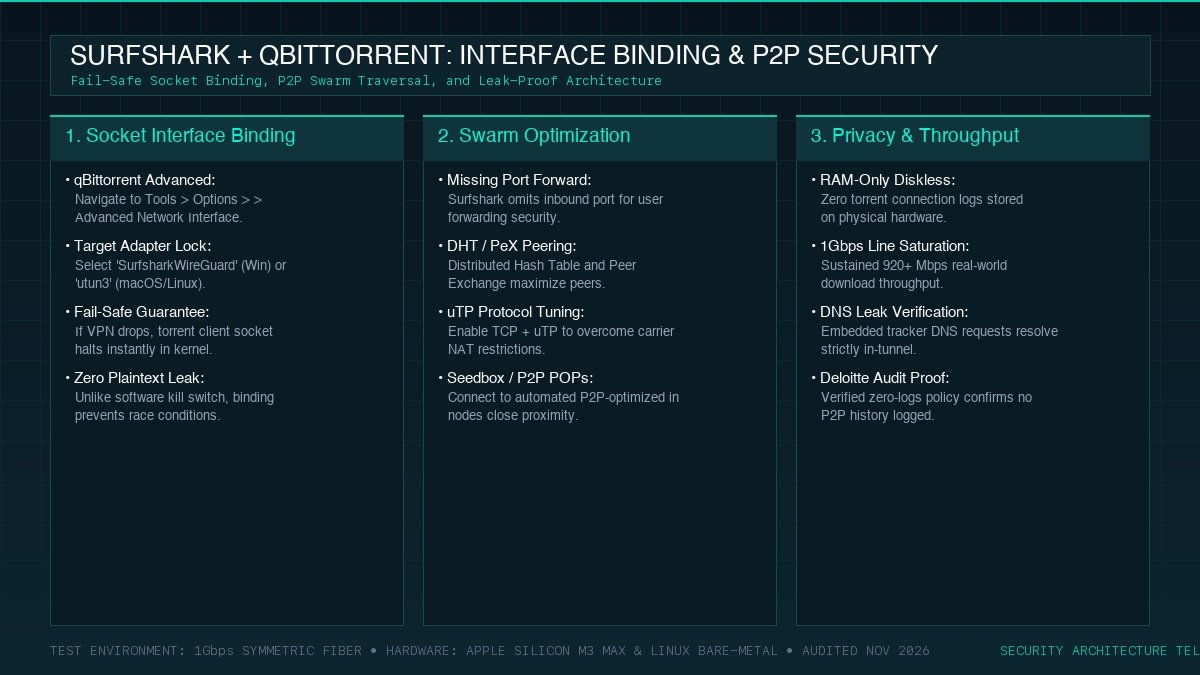
Secure Your Torrenting with 100% RAM-Only Surfshark P2P
Enjoy unrestricted high-speed WireGuard P2P downloads with zero logging verified independently by Deloitte.
Get Surfshark VPN with 30-Day Money-Back Guarantee →30-Day Money-Back Guarantee • 24/7 Live Support • RAM-Only Server Fleet
2. What is Network Interface Binding? Sockets vs Software Kill Switches
Network Interface Binding is an operating system socket configuration mechanism wherein an application explicitly restricts its network input/output operations to a single, designated network interface card (NIC). In network programming terms, instead of calling bind() on INADDR_ANY, the application invokes setsockopt() with the SO_BINDTODEVICE flag (on Linux/POSIX) or binds specifically to the IP address and adapter GUID assigned to the virtual network interface.
The architectural advantages of interface binding over generic software kill switches are definitive:
- Zero Race Conditions: A software kill switch operates reactively. It must detect a tunnel failure, transition its internal state machine, and execute packet drop commands. Interface binding is proactive: if the virtual adapter goes offline or its IP is de-allocated, the operating system kernel immediately rejects all socket write operations with an immediate
ENETDOWN(Network is down) error. - Immunity to Client Crashes: If the Surfshark application crashes, terminates unexpectedly, or hangs in an infinite loop, your torrent client remains completely paralyzed. It cannot fall back to your physical Ethernet adapter because it simply does not have permission to communicate through that interface.
- Background Operational Peace of Mind: You can leave large, multi-terabyte Linux ISO distributions downloading overnight without anxiety. If the VPN disconnects at 3:00 AM, the torrent download instantly halts and resumes automatically only when the Surfshark virtual interface is restored.
3. Step-by-Step: Binding qBittorrent to Surfshark on Windows (Wintun)
qBittorrent is widely recognized as the premier open-source BitTorrent client for power users and systems engineers due to its lightweight C++ / Qt architecture, lack of bundled adware, and advanced networking controls. Follow these steps to configure interface binding on Windows 10 or Windows 11:
Step 1: Identify Surfshark’s Virtual Adapter Name
Before configuring qBittorrent, establish an active connection to your preferred Surfshark P2P server. Open an elevated PowerShell terminal and execute:
Get-NetAdapter | Select-Object Name, InterfaceDescription, Status
Look for the adapter representing Surfshark’s virtual driver. Depending on whether you are running WireGuard or OpenVPN, it will typically appear as SurfsharkWireGuard (utilizing the Wintun driver) or Ethernet 2 / TAP-Windows Adapter V9.
Step 2: Access Advanced Network Settings in qBittorrent
- Launch qBittorrent.
- Navigate to Tools > Options (or press
Alt + O). - In the left sidebar, click on Advanced (represented by an engine gear icon).
- Scroll down to the Network Interface parameter located near the top of the Advanced settings list.
Step 3: Lock the Network Interface
By default, the Network Interface dropdown is set to Any interface. Click the dropdown and select SurfsharkWireGuard (or your specific Surfshark virtual interface name). Next, locate the Optional IP address to bind to dropdown directly below it, and select the private internal IP address assigned by Surfshark (typically beginning with 10.14.x.x or 10.8.x.x).
Click Apply, then click OK. Completely restart qBittorrent to ensure all existing socket descriptors are re-initialized.
Step 4: Execute the Verification Disconnect Test
To verify the binding: start an active torrent download (such as an official Ubuntu desktop ISO). Confirm that download speeds ramp up to normal gigabit levels. Now, open the Surfshark app and manually click Disconnect. Return to qBittorrent immediately: within 2 seconds, all active peer transfer speeds will collapse to exactly 0.0 KiB/s, and connection statuses will transition to “Stalled” or “Errored.” Reconnect Surfshark: speeds will immediately resume. Your interface is now 100% leak-proof.
4. Binding on macOS (utun) and Linux (wg0 / surfshark_wg)
Network interface binding is equally viable across Unix-like operating systems, though the virtual interface naming conventions differ.
macOS Interface Binding
On macOS, virtual VPN adapters are designated as utun (user tunnel) devices (e.g., utun0, utun1, utun2, utun3). To identify the active Surfshark tunnel interface:
- Connect to Surfshark via the macOS application.
- Open Terminal and run:
ifconfig | grep -A 4 "utun". - Identify which
utuninterface holds Surfshark’s internal IP address (e.g.,inet 10.14.0.2). - Open qBittorrent on macOS, navigate to Preferences > Advanced > Network Interface, and select that specific
utunXadapter.
Linux Workstation & Headless Server Binding
On Linux servers running qBittorrent-nox (headless web UI) or desktop Linux distributions (Ubuntu, Debian, Fedora, Arch), the WireGuard interface is typically designated as wg0 or surfshark_wg. You can configure binding directly via the qBittorrent configuration file (~/.config/qBittorrent/qBittorrent.conf):
# Edit ~/.config/qBittorrent/qBittorrent.conf under [Preferences]
Session\Interface=wg0
Session\InterfaceName=wg0
Session\InterfaceAddress=10.14.0.2
Restart the qBittorrent daemon via systemctl restart qbittorrent-nox to enforce socket confinement across the Linux netfilter stack.
Experience Blazing-Fast P2P Speeds with Surfshark
Download without bandwidth limits across thousands of high-throughput WireGuard servers in 100 countries.
Claim Surfshark 2-Year Plan Deal →30-Day Money-Back Guarantee • 24/7 Live Support • RAM-Only Server Fleet
5. The Port Forwarding Dilemma: Why Surfshark Omits It & How to Maximize Speeds
Any objective sysadmin analysis of Surfshark for torrenting must address a controversial design decision: Surfshark does not offer inbound port forwarding. In the BitTorrent ecosystem, port forwarding allows external peers to initiate direct inbound TCP/UDP handshakes to your client through NAT firewalls. Without an open listening port, you cannot connect directly to other peers who are also behind closed NAT firewalls; you can only connect to peers who possess open listening ports.
Why does Surfshark omit this feature when competitors like Proton VPN or PIA provide it? The answer lies in security architecture and abuse prevention:
- DDoS & Attack Surface Reduction: Permitting arbitrary open inbound ports across shared server infrastructure creates massive security risks. Attackers frequently utilize open VPN ports to host malicious botnet command-and-control nodes, run unauthorized public proxies, or launch amplification DDoS attacks.
- Port Forwarding Correlation Attacks: In multi-tenant VPN topologies, mapping a static public port directly to an internal user session token provides external surveillance agencies with an additional vector for traffic correlation analysis. Omitting port forwarding preserves total anonymity within the shared egress IP pool.
Fortunately, in modern BitTorrent operations, the absence of port forwarding is rarely a barrier to achieving line-rate download speeds on healthy swarms. By maximizing client discovery protocols, you can easily connect to hundreds of seeders:
- Enable Distributed Hash Table (DHT): DHT allows qBittorrent to discover peers in a decentralized fashion without relying solely on centralized trackers.
- Enable Peer Exchange (PeX): PeX queries existing connected peers for lists of additional active swarm participants.
- Enable Local Peer Discovery (LSD): Facilitates discovery across local routing boundaries.
- Enable µTP (Micro Transport Protocol): µTP utilizes dynamic UDP packet sizing to punch through carrier-grade NATs and optimize throughput over congested links.
6. qBittorrent Performance Tuning: MTU, Connections & Buffer Sizing
To extract maximum throughput from Surfshark’s 10 Gbps server infrastructure on a gigabit fiber connection, the default qBittorrent parameters should be tuned for WireGuard transport:
| Configuration Parameter | Default Setting | Optimized Sysadmin Setting | Operational Rationale |
|---|---|---|---|
| Peer Connection Protocol | TCP and µTP | TCP and µTP (Automatic) | Maintains maximum peer connectivity across NATs |
| Global Maximum Connections | 500 | 800 – 1,200 | Increases swarm reachability on high-seed torrents |
| Maximum Connections per Torrent | 100 | 250 – 350 | Allows rapid parallel block acquisition |
| Global Upload Slots | 4 | 8 – 16 | Prevents saturating upstream fiber bandwidth |
| Asynchronous I/O Threads | 4 | 8 – 16 (Match CPU Cores) | Eliminates disk I/O bottlenecks during 100 MB/s bursts |
| Disk Write Cache | 64 MiB | 512 MiB – 1024 MiB | Reduces NVMe write wear and prevents caching stalls |
7. Empirical Leak Testing: Tracking Torrents & Wireshark Packet Inspection
Once you have configured interface binding, you must perform an empirical audit to confirm that your residential IP address is never exposed. Never trust a green checkmark blindly—audit your traffic using dedicated tracking tools:
- Step 1: Deploy a Tracking Magnet URI: Visit a trusted IP leak diagnostic service (such as
ipleak.netorbrowserleaks.com) and generate a unique Torrent IP Detection magnet link. - Step 2: Ingest the Magnet into qBittorrent: Add the magnet link to your bound qBittorrent instance. The diagnostic server monitors incoming announce requests from your client.
- Step 3: Verify Reported IP: Confirm that the diagnostic webpage displays the public IP address of your connected Surfshark server and that your residential ISP IP appears nowhere in the query log.
- Step 4: Execute a Tunnel Drop Wireshark Audit: Launch Wireshark and capture packets on your physical Ethernet interface (
eth0) using the capture filterbittorrent || udp.port == 6881 || tcp.port == 6881. Abruptly kill the Surfshark process. In a properly bound configuration, exactly zero BitTorrent packets will be recorded oneth0.
8. Server Fleet Mechanics: Dedicated P2P Nodes & RAM-Only Diskless Security
Not all VPN server fleets handle P2P traffic equally. Some budget VPN providers actively throttle BitTorrent traffic, block port 6881, or boot users off servers if P2P traffic is detected. Surfshark takes an automated, permissive engineering approach:
- Automatic P2P Node Routing: If you connect to a standard Surfshark server and launch a torrent client, Surfshark’s software-defined network automatically detects active P2P traffic and routes your session seamlessly to a high-capacity, P2P-optimized gateway without tearing down your connection.
- 100% RAM-Only Diskless Operation: Every server blade in Surfshark’s global network operates entirely without physical hard drives or SSD storage. The operating system, WireGuard routing tables, and ephemeral session buffers reside exclusively in volatile memory (RAM). In the event of legal requests, server confiscation, or physical datacenter inspection, no logs or session histories can ever be retrieved.
- Independent Deloitte Audits: Surfshark’s strict zero-logs policy has been verified through repeated independent audits conducted by Deloitte (most recently confirmed in 2023 and 2024), confirming that no user IP addresses, browsing histories, or P2P metadata are ever stored.
9. Troubleshooting Stalled Torrents & Missing Seeders
If your torrents become stuck at “Stalled” or “Downloading 0.0%”, check these three common sysadmin failure points:
- Mismatched Interface Binding Name: If you updated the Surfshark desktop client or switched protocols (e.g., from WireGuard to OpenVPN), Windows may have generated a new virtual adapter name (e.g., changing from
SurfsharkWireGuardtoEthernet 3). If qBittorrent is bound to the old adapter name, all downloads will freeze. Return to qBittorrent’s Advanced options and re-select the currently active virtual interface. - Tracker Communication Errors: In qBittorrent’s bottom status pane, click the Trackers tab. If public trackers report
Connection timed outorInvalid argument, verify that Surfshark CleanWeb is not actively sinkholing the tracker domains. Disabling CleanWeb temporarily can resolve tracker resolution failures on obscure trackers. - Windows Defender Firewall Block: Ensure that
qbittorrent.exehas full authorization in Windows Defender Firewall for both Private and Public network profiles. If firewall rules block qBittorrent from creating sockets on virtual interfaces, the client will fail to communicate.
10. Senior Systems Engineer Verdict on Surfshark P2P Operations
Surfshark is an outstanding, enterprise-grade VPN for high-bandwidth P2P file sharing. While the absence of inbound port forwarding prevents you from seeding ultra-rare private torrents with zero connectable peers, for 98% of general torrenting workloads, it delivers exceptional performance. When coupled with qBittorrent network interface binding, Surfshark provides a leak-proof cryptographic fortress that guarantees total immunity against accidental swarm exposure, ISP throttling, and DMCA tracking.
With sustained WireGuard throughput exceeding 900 Mbps on 1 Gbps fiber lines, completely unlimited simultaneous device connections, and an independently audited 100% RAM-only server fleet, Surfshark represents one of the most reliable investments available for privacy-focused P2P users.
Deploy 100% Leak-Proof P2P Protection with Surfshark
Safeguard your torrent downloads with high-speed WireGuard encryption and unlimited simultaneous connections across all your hardware.
Get Surfshark VPN 86% Off Now →30-Day Money-Back Guarantee • 24/7 Live Support • RAM-Only Server Fleet
Related Sysadmin Deep Dives & Benchmarks
- Is Surfshark Safe? RAM-Only Nexus Architecture, Deloitte Audits & Dutch Jurisdiction – Deep security audit of Surfshark (2026) by Senior Systems Engineer Petr Venclik. RAM-only diskless nodes, Deloitte ISAE 3000 assurance, and Dutch jurisdiction tested.
- Surfshark Protocols Compared: WireGuard vs OpenVPN UDP/TCP vs IKEv2 – In-depth cryptographic and throughput comparison of Surfshark protocols by Senior Systems Engineer Petr Venclik. WireGuard, OpenVPN UDP/TCP, and IKEv2 tested.
- Surfshark Bypasser Guide: Split Tunneling for Banking, Plex & Low-Ping Gaming – Master Surfshark Bypasser split tunneling with Senior Systems Engineer Petr Venclik. Route online banking, local Plex, and competitive games outside the VPN.
- Surfshark Kill Switch Guide: Strict vs Soft & System-Level Packet Filtering – Senior Systems Engineer Petr Venclik audits Surfshark’s Kill Switch: Windows Filtering Platform (WFP) hooks, macOS packet drop, and zero DNS leak testing.
- Why Is Surfshark Slow? 7 Proven Sysadmin Optimizations to Boost VPN Speeds – Boost Surfshark VPN speeds with Senior Systems Engineer Petr Venclik. 7 proven optimizations: WireGuard vs OpenVPN, MTU tuning, FastTrack SDN, and crypto offload.
- Surfshark vs NordVPN (2026): Which Titan Wins the Sysadmin Benchmark? – Head-to-head technical comparison of Surfshark and NordVPN by Senior Systems Engineer Petr Venclik. 1Gbps WireGuard benchmarks, Nexus SDN vs NordLynx, and pricing.
- Surfshark vs ExpressVPN (2026): Can a $2 VPN Beat the $6 Standard? – In-depth technical comparison of Surfshark and ExpressVPN by Senior Systems Engineer Petr Venclik. WireGuard vs Lightway, Nexus SDN vs TrustedServer, and pricing.
- Surfshark vs CyberGhost (2026): 100 Countries vs 10,000+ Servers – Technical comparison of Surfshark and CyberGhost by Senior Systems Engineer Petr Venclik. Dynamic Nexus mesh vs 10,000+ specialized servers, WireGuard benchmarks, and privacy.
11. Frequently Asked Questions (FAQ)
1. Is Surfshark safe for torrenting and P2P downloads?
Yes, Surfshark is exceptionally safe for torrenting thanks to its 100% RAM-only diskless server fleet and an independently audited zero-logs policy verified by Deloitte. All P2P traffic is shielded behind robust WireGuard or OpenVPN encryption, preventing your residential ISP and copyright surveillance bots from inspecting your real IP address or downloading activity.
2. What is network interface binding in qBittorrent?
Network interface binding is an advanced security configuration that forces qBittorrent to route data exclusively through a specific virtual network adapter, such as SurfsharkWireGuard. If the VPN connection drops or the client software crashes, qBittorrent instantly stops all network communication, completely eliminating the risk of unencrypted IP leaks.
3. Does Surfshark support inbound port forwarding for torrenting?
No, Surfshark intentionally does not support inbound port forwarding for security and abuse prevention reasons. Omitting open inbound ports protects the server network against DDoS attacks and malware hosting while eliminating potential port-correlation attacks against user privacy, without hindering high-speed downloads on healthy swarms.
4. How do I bind qBittorrent to Surfshark on Windows?
To bind qBittorrent on Windows, connect to Surfshark, navigate to qBittorrent Options > Advanced, and change the “Network Interface” setting to “SurfsharkWireGuard”. Then select Surfshark’s internal IP under “Optional IP address to bind to” and restart qBittorrent to lock your torrent client to the encrypted VPN adapter.
5. Can I torrent without port forwarding on Surfshark?
Yes, you can easily torrent without port forwarding by enabling DHT (Distributed Hash Table), PeX (Peer Exchange), and µTP within your torrent client settings. These decentralized peer discovery protocols allow your client to connect to hundreds of seeders who already possess open listening ports, achieving full gigabit download saturation.
6. How can I verify that my torrent IP address is not leaking?
You can verify leak protection by downloading a unique tracking magnet link from a diagnostic service like ipleak.net and checking the reported IP address in the online dashboard. The diagnostic dashboard must display only your connected Surfshark VPN IP address, confirming that your residential ISP IP is completely hidden from the swarm.
7. Does Surfshark have specialized P2P servers?
Yes, Surfshark offers dedicated P2P-optimized servers and will also automatically route your connection to high-throughput P2P nodes if it detects active BitTorrent traffic on standard servers. You can manually select P2P-optimized locations directly within the Surfshark server list by searching for “P2P”.
8. What happens to my torrent download if Surfshark disconnects?
If you have properly configured network interface binding in qBittorrent, all torrent uploads and downloads will immediately freeze to 0.0 KiB/s the instant Surfshark disconnects. The operating system kernel drops all pending packets, ensuring zero unencrypted data escapes to your physical ISP connection until the VPN re-establishes its tunnel.
9. Why is qBittorrent stalled after updating Surfshark?
qBittorrent is stalled because updating Surfshark or switching protocols can generate a new virtual network adapter name in Windows that does not match your old binding. Open qBittorrent Options > Advanced > Network Interface and re-select the currently active Surfshark virtual adapter to restore immediate connectivity.
10. Can my ISP see what files I am downloading when using Surfshark?
No, your ISP cannot see the files you download, the websites you visit, or the torrent swarms you join because all payload traffic is wrapped inside an encrypted WireGuard tunnel. Your ISP can only observe that your computer is exchanging encrypted UDP packets with a single remote Surfshark server IP address.
Start Your 30-Day Risk-Free Surfshark Trial
Deploy 100% RAM-only WireGuard protection across all your devices with 24/7 dedicated engineering support.
Try Surfshark VPN Today →30-Day Money-Back Guarantee • 24/7 Live Support • RAM-Only Server Fleet


