
You have finally found a quiet seat in a café abroad. Coffee ordered, headphones in, ten minutes to catch up with a Spanish program. Then the player decides your location is more interesting than your subscription. Excellent. Another tiny border you did not remember crossing.
A Spanish IP address can help websites recognize your connection as coming from Spain. The usual way to get one is to open a VPN app, choose Spain and connect. You can do that from a laptop or phone without becoming the family network engineer.
There are a few useful details to get right first, especially around RTVE Play, traveling inside the EU and online banking. Here is the practical version, with NordVPN, ExpressVPN and Surfshark.
Why Would You Want a Spanish IP Address?
Your public IP address gives websites a clue about where your internet connection starts. A VPN routes your traffic through another server, so sites generally see that server’s address instead. Choose a Spanish location and the country associated with that address should be Spain.
That can be useful in several everyday situations:
- You live in Spain and travel: you want to keep a familiar Spanish browsing location while checking websites and accounts you already use.
- You work with a Spanish website: you want to inspect country-based redirects, offers or localization from a Spanish connection.
- You use shared Wi-Fi: you want an encrypted connection to your VPN server while browsing from a hotel, airport or coworking desk.
- You are comparing regional websites: you want to see how a Spanish version behaves, while remembering that language, account settings and delivery details also matter.
A Spanish IP does not change your GPS position, billing address or account residence. Think of it as changing the return address on your internet connection. Your passport remains exactly where you left it.
Spanish Streaming: Check the Programme and Your Travel Rights
RTVE explains that some RTVE Play content has territorial or time-based restrictions. The relevant question is whether your particular program is available where you are. A Spanish VPN connection is not a guarantee that every live channel or episode will play.
There is also a useful shortcut if you are temporarily traveling within the EU. Eligible paid online content subscriptions should remain available as they are at home under EU portability rules. Try your normal account first. Free services can choose whether to offer portability, so do not assume the same rule covers everything.
A VPN does not replace a subscription or override a platform’s terms. If you are on holiday in Málaga and need your own country’s IP instead, select that country in the app. Spain is the right choice only when a Spanish connection is what you actually need.
Three VPN Options for a Spanish IP
NordVPN, ExpressVPN and Surfshark list Spain in their official server information. Start with country availability, app compatibility and the number of devices you want to use. Those are more useful buying criteria than a speed promise that cannot account for your own connection.
| VPN | Spain availability | Useful starting point | Current offer |
|---|---|---|---|
| NordVPN | Listed on its Spain page | The detailed walkthrough below | Check current offer |
| ExpressVPN | Listed in its server directory | Choice of Spanish city locations | Check current offer |
| Surfshark | Listed in its server directory | Unlimited simultaneous devices on paid subscriptions | Check current offer |
Compare the total subscription charge, renewal terms and support for your devices before buying. For a broader comparison, see our NordVPN vs Surfshark guide.
How to Get a Spanish IP Address with NordVPN
NordVPN’s official Spain page confirms Spanish connections. For a first setup, keep things simple: use a regular country connection before experimenting with extra routing options.
- Choose your plan. Check the current offer and create your account.
- Install the official app. Download it from NordVPN or your device’s official app store, then sign in.
- Find Spain. Open the country list or use search. Menu names can differ between desktop, phone and TV apps.
- Connect to Spain. Wait until the app shows that the connection is active. Quick Connect may choose another country, so check the selected location.
- Check the result. Open a public IP lookup in your browser and confirm that it reports Spain. Then reopen the website you wanted to use.
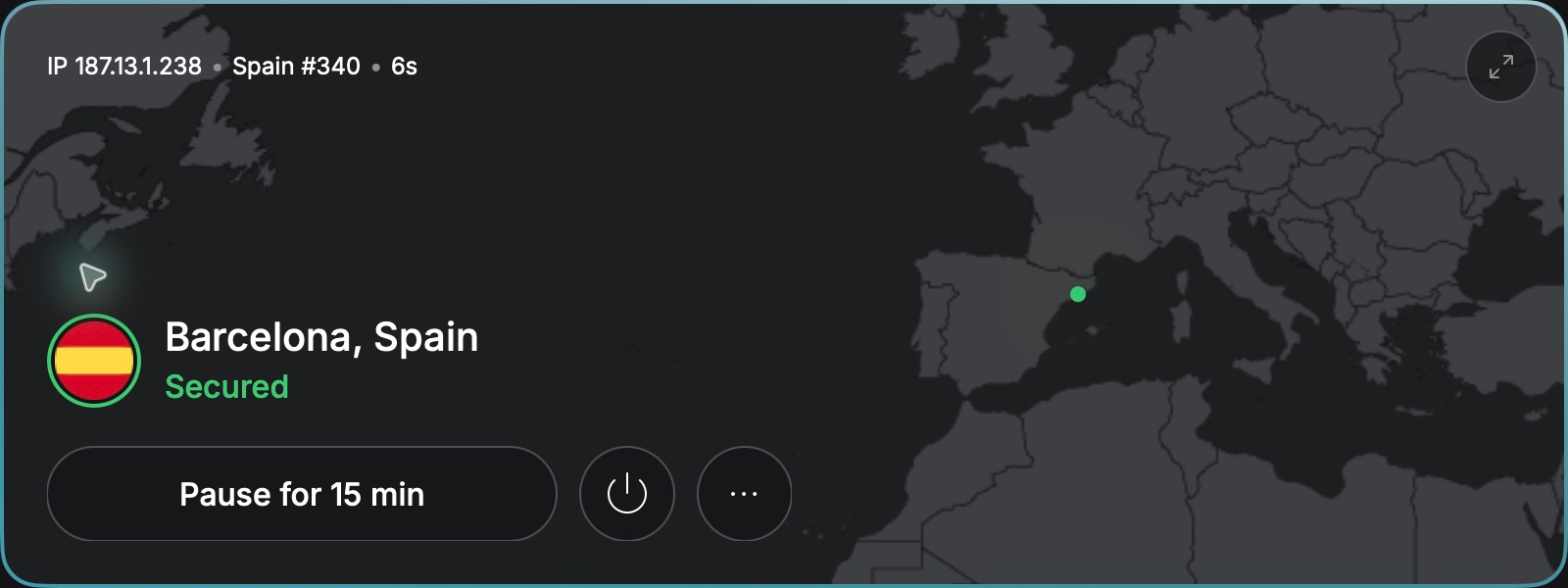
If this is your first VPN installation, our full NordVPN setup guide gives you more room to get familiar with the app. There is no prize for finding every advanced setting before your coffee gets cold.
How to Connect with ExpressVPN or Surfshark
ExpressVPN
ExpressVPN’s server directory lists Spanish locations including Madrid and Barcelona. A city choice can be useful when you want to try an alternative connection.
- Install the official app and sign in.
- Open its location picker and search for Spain.
- Select a Spanish location, connect and check your public IP country.
Surfshark
Surfshark lists Spain in its server directory. Its paid plans support unlimited simultaneous devices, which is handy when your travel bag contains a small electronics department.
- Install Surfshark and sign in.
- Search the locations list for Spain.
- Connect, wait for confirmation and verify the country in an IP lookup.
Connected, but Something Still Does Not Work?
Start with the boring checks. They are usually more useful than reinstalling everything and blaming the café.
- The IP lookup shows another country: confirm Spain is selected and the browser is not excluded through split tunneling. If lookup services disagree, ask VPN support to check the address.
- A website remembers your old location: close it and reopen it after connecting. A private browser window can help diagnose saved session data, though it does not change your account country or GPS.
- Video still fails: check the program’s availability, your account and the service’s VPN policy. Try another Spanish server if appropriate; repeated connection changes cannot fix missing rights.
- Your bank requests verification: follow its process. A changed or shared IP can trigger additional security checks. Use the bank’s official support or your trusted mobile connection if needed.
- The hotel Wi-Fi never connects: complete its sign-in page first, then start the VPN. If performance is poor, compare with mobile data to identify the weak link.
Also keep the security benefit in proportion. HTTPS already encrypts most web connections. A VPN adds network privacy; you still need updates, strong passwords and a healthy suspicion of surprising login links.
Final Thoughts
Getting a Spanish IP is usually the easy part: choose a provider, select Spain and verify the connection. The useful part is knowing which problem you are solving, whether that is local browsing, checking your own website or adding privacy on shared Wi-Fi.
Crossing the border next? Our Portuguese IP guide covers the same idea with Portugal’s services. You can also follow the country guides for Japan, Mexico and Thailand.
Ready to try a Spanish connection? Check the current NordVPN offer and follow the setup above.
FAQ
Can I get a Spanish IP while outside Spain?
Yes. Connect to a Spanish VPN location and check that your public IP is recognized as Spanish. Whether a particular website accepts the connection is a separate question.
Will a Spanish IP guarantee access to RTVE Play?
No. Availability depends on the program, rights, your location and the service’s restrictions. Some content is available internationally without changing your IP.
Do I need a VPN for my paid Spanish subscriptions in another EU country?
Often you will not during temporary travel. Eligible paid services should provide your home content under EU portability rules. Check your account and the provider’s travel guidance first.
Does selecting Madrid change my phone’s GPS location?
No. A VPN changes the public IP used by traffic routed through it. GPS, location permissions and account details can still indicate another place.
Can I keep my normal IP for one app?
Some VPN apps support split tunneling, allowing selected traffic to bypass the VPN. Availability varies by platform. Traffic you exclude will use your ordinary connection.
Exploring another destination? Our guide to getting a Bahamas IP address covers the same idea for an island getaway.