







Prediction markets have evolved into one of the most accurate real-time sentiment tools for global events, political outcomes, and economic indicators. At the center of this ecosystem is Polymarket, a decentralized platform that settles trades via smart contracts and USDC stablecoins.
Despite operating on blockchain infrastructure, Polymarket’s primary web interface enforces strict geographic restrictions. Depending on where you connect from, you may find the interface completely inaccessible or restricted from placing order book trades.
This guide breaks down how Polymarket identifies your location, why ordinary proxy tools get flagged, and which virtual private networks offer the features necessary for stable, secure access.
Also trading on Kalshi, Binance, or Bybit? Read our companion 2026 guide to the Best VPNs for Crypto Trading, Kalshi, Binance & Bybit in 2026 to see why Static and Dedicated IPs prevent automated exchange account freezes.
Polymarket’s Dual Architecture: International vs. Regulated Access
Understanding how to access Polymarket begins with recognizing that the platform operates under two distinct models:
- The International Platform (
polymarket.com): Uses non-custodial crypto wallet connections and USDC settlement on the Polygon network. This platform blocks visitors from jurisdictions where prediction markets clash with local gambling laws or unfulfilled licensing requirements. - Regulated Regional Exchanges: In specific jurisdictions, such as the United States, separate CFTC-regulated entities operate with mandatory Identity Verification (KYC) and fiat currency settlement. State-level rules also create local restrictions within these markets.
The international platform maintains an active geoblock against a wide array of countries, including France, the United Kingdom, Germany, Italy, Poland, Portugal, Belgium, Australia, Singapore, and China. In other regions, such as India, the site itself remains open, but users frequently face local banking and fiat-to-crypto gateway restrictions.
Why Standard VPNs Struggle with Polymarket
Most people use VPNs to bypass streaming library blocks or encrypt public Wi-Fi traffic. However, prediction markets enforce detection systems that go beyond basic IP lookups.
When you connect to Polymarket, the front-end checks your IP against known commercial datacenter ranges. If the connection looks like standard server traffic rather than a residential internet connection, the system restricts order submission or blocks market data feeds altogether.
To maintain a stable connection, a VPN must offer specific advanced capabilities:
- Traffic Obfuscation (Stealth Technology): Scrambles VPN packets so they mimic standard HTTPS web traffic. This bypasses Deep Packet Inspection (DPI) firewalls designed to detect VPN protocols.
- IP Range Cycling: Frequent refreshment of server IP pools ensures that if one address gets flagged, clean alternative nodes are instantly available.
- Strict Leak Prevention: Built-in Kill Switch functionality and IPv6/DNS leak protection prevent your real IP address from slipping through during temporary network drops.
Top 5 VPNs for Polymarket Compared
The following providers feature the necessary obfuscation protocols, server density, and leak protection required to maintain uninterrupted access.
| Provider | Server Fleet / Countries | Simultaneous Devices | Obfuscation Tech | Standout Feature |
|---|---|---|---|---|
| NordVPN | 9,500+ / 149 | 10 | Dedicated Obfuscated Servers | NordWhisper protocol & Double VPN |
| Proton VPN | 20,000+ / 148 | 10 | Stealth Protocol | Swiss jurisdiction & Secure Core |
| ExpressVPN | 3,000+ / 113 | 10 to 14 | Automatic on all servers | Lightway protocol & low latency |
| Surfshark | 4,500+ / 100 | Unlimited | Camouflage Mode | IP Rotator & budget pricing |
| CyberGhost | 12,000+ / 100 | 7 | None (Standard Encryption) | Romanian NoSpy privacy servers |
1. NordVPN: Best Overall for Speed and Reliability
NordVPN delivers consistent access through its specialized obfuscated servers. When enabled, these servers disguise VPN encapsulation as ordinary HTTPS traffic, rendering it invisible to automated network filters.
- Performance: Its proprietary NordLynx protocol delivers low latency, which is essential when executing time-sensitive orders on rapidly moving market order books.
- Privacy Structure: Operating from Panama with an audited zero-logs policy, NordVPN processes all server data entirely in RAM, meaning no data persists on hard drives upon reboot.
- Security: Features Double VPN routing (passing traffic through two intermediate servers) and a reliable Kill Switch.
2. Proton VPN: Maximum Privacy and Swiss Oversight
For users who prioritize audited security above all else, Proton VPN is a standout option. Based in Switzerland, it operates outside of major international intelligence-sharing alliances.
- Open-Source & Audited: Every Proton application is completely open-source and subject to independent third-party audits.
- Stealth Protocol: Designed specifically to bypass aggressive network blocks and VPN throttling without sacrificing speed.
- Secure Core: Routes traffic through hardened, physically protected datacenters in privacy-friendly countries (like Switzerland and Iceland) before routing to the exit server.
3. ExpressVPN: Seamless Automated Configuration
ExpressVPN simplifies the setup process by integrating traffic obfuscation directly into every server node rather than requiring manual toggle switches in the settings menu.
- Lightway Protocol: Built from the ground up for speed, ExpressVPN’s Lightway protocol connects almost instantly and handles network switches smoothly.
- Global Distribution: Excellent coverage across tier-one data hubs ensures low ping times regardless of your physical location.
- RAM-Only Infrastructure: TrustedServer technology wipes all system state on every server restart.
4. Surfshark: Best Choice for Multi-Device Power Users
Surfshark stands out by offering unlimited simultaneous connections on a single account subscription, making it ideal for managing multiple setups across desktop and mobile.
- Camouflage Mode & IP Rotator: Automatically rotates your exit IP address every few minutes without interrupting the active VPN tunnel.
- MultiHop Routing: Allows customized double-hop connections to chain two permitted jurisdictions together.
- Value: One of the most cost-effective long-term options without compromising on security fundamentals.
5. CyberGhost: Straightforward Interface for Standard Connections
CyberGhost offers a massive network footprint with user-friendly client software. While it lacks specialized obfuscation protocols for heavily filtered networks, its raw server volume makes it a solid option in moderately restricted environments.
- NoSpy Infrastructure: Independently operated servers located in CyberGhost’s headquarters in Romania offer extra physical security.
- Extended Trial & Guarantee: Generous money-back windows give ample time to verify compatibility with your personal workflow.
Selecting the Right Country Server
Connecting to a server in a non-restricted jurisdiction is only step one. Optimizing your location choice requires balancing three key variables:
- Proximity and Latency: The physical distance between you and the exit node directly dictates your ping. Lower ping ensures your buy/sell orders reach the matching engine without delay.
- Server Density: Choose countries with high server counts (e.g., Spain, Japan, Mexico, or Brazil). High capacity means lower server load and fewer flagged IP addresses.
- Jurisdictional Stability: Prefer locations with clear, stable regulatory stances regarding digital asset platforms. Spain and Switzerland are popular choices for European connections, while Japan and Brazil offer stable routing in the Asia-Pacific and Americas regions respectively.
How to Set Up and Troubleshoot Your Connection
To maintain a seamless trading session without triggering unexpected location flags, follow this operational checklist:
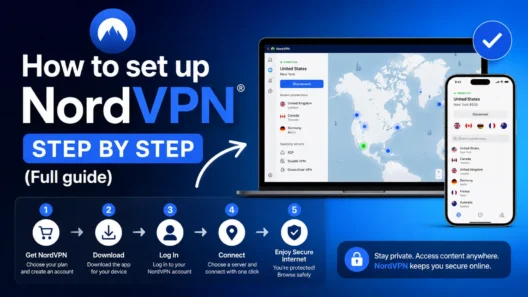
Setup Steps
- Enable the Kill Switch: Verify in your VPN settings that internet access is blocked automatically if the VPN connection drops unexpectedly.
- Activate Obfuscation/Stealth: Switch to protocols like NordLynx/Obfuscated, Stealth, or Camouflage Mode.
- Connect to a Permitted Country: Select a nearby non-restricted exit node (e.g., Spain or Switzerland).
- Clear Browser Cache and Cookies: Web browsers often store residual location tokens that contradict your new IP address.
- Launch Polymarket and Connect Wallet: Open your browser and establish your Web3 wallet session. Keep the VPN active for the entire duration of your session.
Troubleshooting Blocked Connections
- Clear Web Storage: If a page fails to update, clear your browser cookies and site storage, then refresh.
- Switch Exit Nodes: Disconnect and select a different server within the same permitted country to get a fresh IP address.
- Check for DNS Leaks: Run a leak test to ensure your system isn’t leaking your ISP’s default DNS servers outside the encrypted tunnel.
- Change Protocol: Switch from WireGuard/OpenVPN to a dedicated stealth option to bypass deep packet inspection.
Contractual Terms vs. Legal Realities
Using a VPN carries important operational distinctions that every user should understand:
- Terms of Service Compliance: Bypassing geographic restrictions violates Polymarket’s contractual terms of service. If an account is flagged for unauthorized location masking, the platform reserves the right to restrict trading access or freeze wallet interaction on the front end.
- KYC Requirements: A VPN alters your network path; it does not bypass mandatory identity verification. Regulated platforms requiring government-issued IDs cannot be accessed merely by changing your IP address.
- Sanctioned Territories: Access from heavily sanctioned jurisdictions involves multiple layers of restrictions beyond IP filtering, extending to payment gateways, stablecoin issuer controls, and blockchain compliance monitoring.
Summary
Navigating geographic restrictions on Polymarket requires a reliable VPN equipped with traffic obfuscation, strict zero-logs policies, and fast exit servers in permitted countries. By choosing a provider with hardened security infrastructure and following proper leak-prevention habits, you can ensure stable and secure access to global prediction markets.