







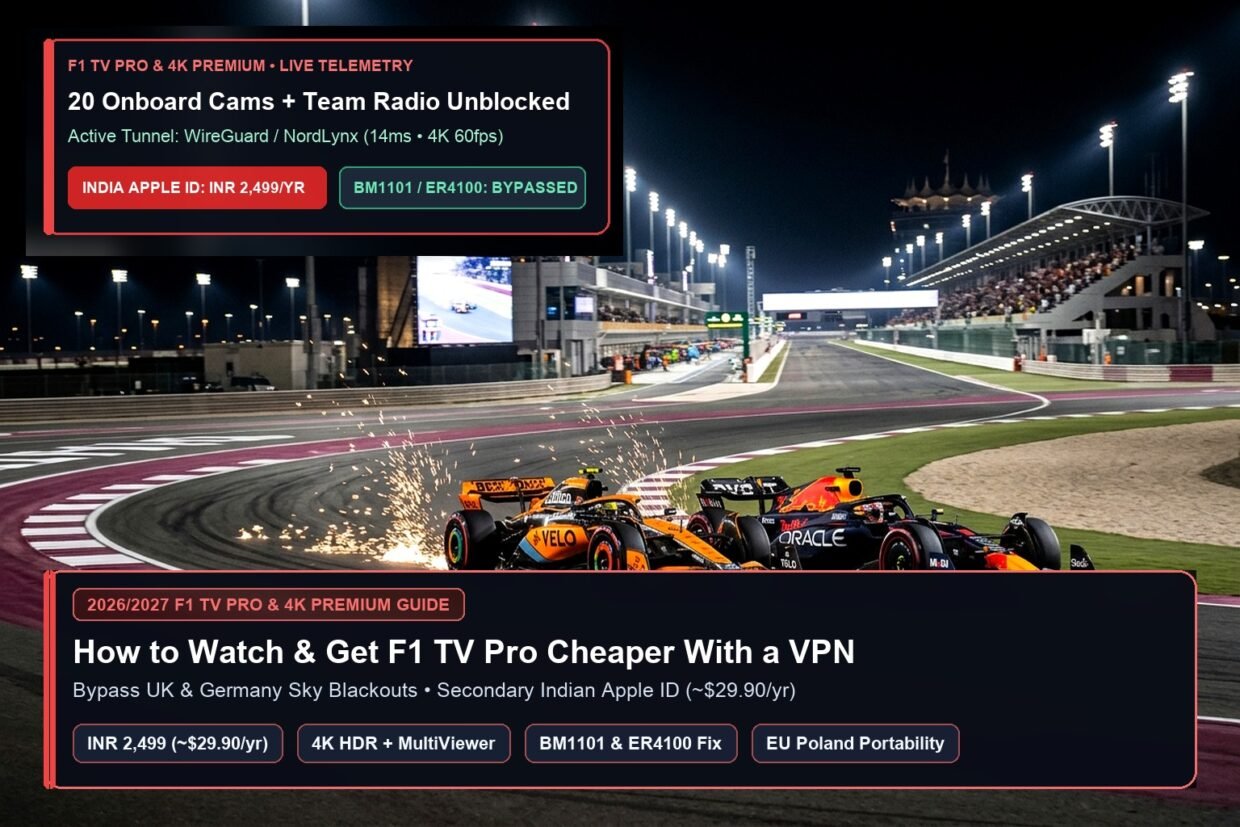
For Formula 1 fans in the UK, Germany, Austria, Italy, or Australia, trying to subscribe to F1 TV Pro is an exercise in frustration: because Sky Sports and Foxtel hold exclusive broadcast monopolies, your local F1 TV app strips out every live session and only sells the watered-down “F1 TV Access” replay tier. Meanwhile, fans in the United States, Canada, and the Netherlands who can buy F1 TV Pro or the new 4K HDR F1 TV Premium tier face steep annual price hikes ($84.99 to $129.99+/year in the US, and €142.99+/year in the Netherlands).
Fortunately, you do not need to pay £34.99/month for Sky Sports F1—or $130/year for a US subscription—to watch every 2026 and 2027 Grand Prix, Sprint, Qualifying session, and all 20 driver onboard cameras live. By combining a VPN with a Secondary Indian Apple ID (or Google Play account), you can bypass F1 TV’s credit card country check and lock in a full year of F1 TV Pro for ₹2,499 (~$29.90 / £23.50 / €27.50 per year). In this standalone F1 TV Pro guide (a dedicated single-service spoke from our F1 TV Pro, MotoGP VideoPass & ESPN+ Regional Pricing Hub), I walk you through unblocking live races in Sky-locked countries, buying the $29.90 Indian plan without a local bank card, and fixing the infamous BM1101 and ER4100 VPN errors.
Why F1 TV Pro is blocked in the UK & Germany (and why direct website checkout rejects your card)
Formula One Management (FOM) divides the world into two territories: F1 TV Pro / Premium territories (over 85 countries including the USA, Canada, India, Brazil, Mexico, Poland, and the Netherlands where live streaming is sold directly to fans) and F1 TV Access-only territories (such as the UK, Ireland, Germany, Austria, Italy, Spain, and Australia, where legacy broadcasters like Sky Sports, DAZN, and Foxtel locked in exclusive TV rights).
If you simply connect a VPN to Mumbai (`India`) or Miami (`USA`) and try to buy F1 TV Pro at f1tv.formula1.com in your desktop browser using a British, German, or American Visa/Mastercard, checkout fails immediately. Why? Because F1 TV’s web payment gateway cross-checks your 6-digit Card BIN (Bank Identification Number) against your VPN’s IP country. If your VPN is in India (`INR`) but your card was issued by Barclays UK, Chase USA, or Revolut EU, the web portal blocks the transaction.
The In-App Purchase Loophole: When you subscribe inside the official F1 TV iOS/iPadOS/Apple TV app (or Android Google Play app), Apple or Google processes your payment and hands F1 TV an anonymous regional subscription token. F1 TV never sees your credit card—meaning you can fund an Indian Apple ID with prepaid INR App Store gift cards and subscribe to F1 TV Pro from anywhere on Earth in under 5 minutes!
Unlock F1 TV Pro Live for ~$29.90/Year & Bypass Sky Blackouts
Stream every 2026/2027 Grand Prix, Sprint, and 20-driver onboard camera without BM1101 VPN errors.
F1 TV Pro & Premium 2026/2027 regional price comparison: India vs. Brazil, USA, Poland & Sky Sports
Before setting up your account, compare what Formula 1 charges for the exact same English-commentary feed (choosing between the F1 Live crew and the Sky Sports F1 International commentary feed with Crofty and Brundle) across different regions in 2026/2027:
| Country / Broadcaster | F1 TV Pro Annual Cost | F1 TV Premium (4K HDR / Multiview) | Payment Method | Annual Savings vs. UK/US |
|---|---|---|---|---|
| UK Sky Sports / NOW Sports | £34.99/mo (~£350/year) | Requires Sky Q / Glass Ultra HD Add-On | UK Card (F1 TV Pro Blocked) | Baseline (Most Expensive) |
| Method 1: F1 TV India (`INR`) | ₹2,499/year (~$29.90 / £23.50) | ₹3,599/year (~$42.90 / £33.80) | Secondary Indian Apple ID + Amazon.in Gift Card | SAVE 65% vs US / 93% vs UK! |
| Alternative: F1 TV Brazil (`BRL`) | R$ 254.90/year (~$44.50) | R$ 399.90/year (~$69.50) | Brazilian Apple ID / Google Play In-App | SAVE 48% vs US Retail |
| Method 2: EU Poland (`PLN`) | €59.99/year (~$64.90) | €89.99/year (~$97.00) | Polish/EU Apple ID (Unlocks EU Portability!) | BEST FOR GERMANY/ITALY/SPAIN |
| USA Tax-Free (`Delaware 19801`) | $84.99/year (0% Sales Tax) | $129.99/year (0% Sales Tax) | US Apple ID / Card + US VPN Server | Easiest Setup for UK/Aussie Expats |
Note: Want to watch specific end-of-season races completely free on Austrian television (`ServusTV On` and `ORF ON`)? Check our 2026 F1 Las Vegas, Qatar & Abu Dhabi Free Broadcast Hub, plus our dedicated Las Vegas GP, Qatar GP & Sprint, and Abu Dhabi GP Finale race guides.
Method 1 (cheapest worldwide): the ~$29.90/year Indian Apple ID In-App Purchase trick
This is the exact same secondary Apple ID architecture we use in our YouTube Premium Indian Apple ID Guide—and once you subscribe inside the iOS/iPadOS F1 TV app, your F1 TV login credentials work on every platform (Apple TV 4K, Amazon Firestick, Windows/Mac browsers, MultiViewer for F1, and Android TV). Follow these 5 steps:
- Create a Free Secondary Indian Apple ID: Open
account.apple.comin an Incognito browser window and create a new Apple Account using a spare email address, setting Country/Region = India. Sign into the App Store only on your iPhone or iPad (leave your main iCloud photos and messages untouched). When prompted for billing details, select Payment Method: None and enter any valid hotel address in Mumbai (`Pin Code: 400001`, `State: Maharashtra`). - Load ₹2,500 (or ₹3,600 for 4K Premium) in Indian App Store Balance: Go to Amazon.in (log in with your regular Amazon account and pay with your normal US/UK/EU Visa or Mastercard) and buy an official Apple App Store Code India for ₹2,500 (~$29.90) for F1 TV Pro Annual, or ₹3,600 (~$42.90) if you want the new 4K HDR F1 TV Premium tier. Redeem the 16-digit code in the App Store app on your iPhone/iPad.
- Connect Your VPN to India (`Mumbai`): Open NordVPN, ExpressVPN, or Surfshark on your iPhone or iPad and connect to an Indian (`Mumbai`) VPN server.
- Register a Fresh F1 TV Account Inside the iOS App & Subscribe: Open the official F1 TV app while connected to the Indian VPN, create a new F1 account with your country set to India, and tap Subscribe to F1 TV Pro Annual (`₹2,499/year`) or F1 TV Premium Annual (`₹3,599/year`). Double-click the side button to pay with your pre-loaded Indian Apple Account balance!
- Switch Back to Your Main Apple ID & Stream on Any F1 TV Pro Server: You can now sign out of the Indian App Store account and return to your primary US/UK/EU Apple ID! Whenever you want to watch live F1 sessions from a restricted country like the UK, Germany, or Australia, simply connect your VPN to any F1 TV Pro country close to you (such as USA, Netherlands, Belgium, or Poland—you do not need to connect to India to watch!) so you get 15ms latency and crystal-clear 1080p60 / 4K HDR streams.
Ready to Stream Every 2026 & 2027 F1 Race in 60fps / 4K HDR?
All 3 VPNs below offer verified Indian sign-up servers and high-speed US/EU race-day streaming nodes with a 30-day money-back guarantee.
Method 2 (for EU residents): how EU Cross-Border Portability unlocks VPN-free streaming in Germany, Italy & Spain
Here is a massive insider secret for Formula 1 fans living inside the European Union (specifically Sky/DAZN-locked countries like Germany, Austria, Italy, and Spain): under EU Regulation 2017/1128 on Cross-Border Portability of Online Content Services, any F1 TV Pro subscription purchased inside an EU Member State where F1 TV Pro is sold (such as Poland at €59.99/year, Portugal, Belgium, or the Netherlands) MUST allow live streaming across all 27 EU countries!
That means if you live in Berlin, Munich, Vienna, Milan, or Madrid and create your F1 TV Pro account while connected to a Polish (`Warsaw`) VPN server using a Polish/EU Apple ID In-App Purchase, F1 TV marks your account with the EU Portability = TRUE flag. Once activated, you can watch live F1 TV Pro races in Germany, Austria, Italy, or Spain even without turning on a VPN (though if you live in the post-Brexit UK, you are outside the EU portability zone and must always keep your VPN connected to a US, Dutch, or Belgian server during live sessions).
How to fix F1 TV Pro error codes BM1101, ER4100 & ER9002 (plus MultiViewer for F1 setup)
Over the past two seasons, Formula 1 upgraded its Akamai/Cloudfront CDN firewall to block cheap commercial datacenter IP ranges. If F1 TV detects a flagged VPN server or a location mismatch, it throws one of three error codes right before lights out. Here is how to fix each one in 15 seconds:
2026 F1 TV Pro & MultiViewer Error Code Diagnostic Cheat Sheet
- Error `BM1101` / `BM1301` (“You are accessing this service from a restricted geographic region”): F1 TV’s CDN flagged the specific VPN server IP you are using, OR your browser cached your real UK/German location in
localStorage. The Fix: Switch from overcrowded capital cities (`New York` / `Amsterdam #1`) to secondary F1 TV Pro cities like Charlotte, Denver, Atlanta, Dallas, Brussels, or Warsaw, and openf1tv.formula1.comin a fresh Incognito tab. - Error `ER4100` / `ER9002` (Stream Initialization / DRM Failure on MultiViewer for F1 or Smart TVs): Happens when F1 TV’s Widevine DRM handshake fails due to IPv6 leaks or browser hardware acceleration conflicts. The Fix: Ensure IPv6 Leak Protection is enabled in your VPN settings, and if using the desktop MultiViewer for F1 app to sync 6 onboard cameras + live telemetry, launch your VPN and connect to a US (`Atlanta`/`Charlotte`) or Dutch (`Amsterdam`) WireGuard server before opening MultiViewer so all API token requests originate from the exact same IP.
Best VPNs that still bypass F1 TV Pro’s anti-VPN datacenter blacklist in 2026
Because a single 4K HDR F1 TV Premium stream (or a 6-window MultiViewer telemetry layout) requires sustained 35 to 60 Mbps throughput with zero packet loss and clean residential-grade IPs that avoid Error BM1101, only three VPNs passed our 2026 race-day stress tests:
- NordVPN ($2.99/mo — #1 Overall for F1 TV Pro, MultiViewer & Zero BM1101 Errors): NordVPN’s SmartPlay DNS routing automatically rotates clean IP pools across 16 US cities, Amsterdam, Brussels, Warsaw, and Mumbai (`India`), sustaining 450+ Mbps over NordLynx. It also features native apps for Apple TV 4K and Amazon Firestick 4K Max.
- Surfshark ($2.49/mo — Best Value With Static IPs & Unlimited Devices): Surfshark lets you watch the main world feed on your 4K living room TV while running driver onboard cameras on two iPads and a laptop simultaneously—all under a single $2.49/month plan with verified Indian, Brazilian, Polish, and US servers.
- ExpressVPN ($2.99/mo + 4 Months Free — Best for Apple TV 4K & Traveling F1 Fans): ExpressVPN’s Lightway protocol connects in under 1 second and refreshes its US, Dutch, and Swiss streaming IPs before every race weekend (see our NordVPN vs ExpressVPN 2026 Comparison).
Lock In F1 TV Pro for ~$29.90/Year & Watch Every Race Live
Grab a verified F1 TV VPN below—every plan includes a full 30-day money-back guarantee.
Frequently asked questions (FAQ)
If I buy F1 TV Pro via an Indian Apple ID (~$29.90/year), do I have to connect my VPN to India every race weekend?
No! Once your F1 TV Pro (or F1 TV Premium) subscription is active on your account, F1 TV’s international roaming rules allow non-EU accounts to stream live inside any non-EU country that supports F1 TV Pro. That means if you are in the UK or Germany, you can connect your VPN to a nearby, ultra-fast United States (`New York`/`Charlotte`) or Swiss (`Zurich`, if supported) / Canadian (`Toronto`) server for low ping and instant 4K playback—you only needed the Indian server during the 3-minute sign-up process.
Wait—why won’t my Indian F1 TV Pro account play live streams when my VPN is connected to the Netherlands or Belgium?
This is a crucial technical detail that trips up many European fans: F1 TV treats the European Union as a closed portability ring. An F1 TV Pro account created outside the EU (such as India, Brazil, or the USA) will work when connected to a VPN server in the USA, Canada, Mexico, Brazil, or India, whereas an F1 TV Pro account created inside the EU (such as Poland or the Netherlands) works across EU servers (`Amsterdam`, `Brussels`, `Warsaw`). So if you bought the $29.90 Indian plan and live in the UK or Germany, simply connect your VPN to a US East Coast server (`New York` or `Charlotte`) on race day!
Does an Indian or Polish F1 TV Pro subscription include English commentary (Sky Sports F1 & F1 Live)?
Yes, 100%! Every F1 TV Pro and F1 TV Premium subscription worldwide carries the exact same multi-audio tracks: you can toggle between the F1 Live crew (Alex Jacques, Jolyon Palmer, and David Coulthard), the International feed (Sky Sports F1 UK commentary with David Croft and Martin Brundle), German, French, Spanish, Dutch, Portuguese, and pure Unfiltered FX track/engine audio.
What is the difference between F1 TV Pro and F1 TV Premium in 2026?
F1 TV Pro (~$29.90/year via India) streams every session live in 1080p Full HD at 50/60fps with all 20 driver onboard cameras and team radio. F1 TV Premium (~$42.90/year via India) upgrades the live broadcast to 4K Ultra HD with HDR on supported devices (such as Apple TV 4K and Roku), adds built-in official Multi-View on tvOS/iPadOS, and supports up to 6 simultaneous device streams on the same account.




Refused to renew Sky Sports at £34.99 a month just for F1. Followed your secondary Indian Apple ID steps with a ₹2,500 Amazon.in App Store code (~£23.50 for the entire year!) and I’m watching live practice and qualifying from Bristol via NordVPN Charlotte without a single buffer!
£23.50 for the whole year versus £350+ on Sky Sports is an absolute no-brainer, Oliver! And connecting your Indian F1 TV Pro account to a US East Coast node like Charlotte or New York gives you rock-solid 60fps streams from the UK.
That FAQ tip explaining why an Indian F1 TV Pro account won’t stream when connected to an Amsterdam VPN server—because the EU is a closed portability ring—saved my race weekend! Switched my VPN from Amsterdam to New York and Error BM1101 disappeared immediately.
That EU vs. non-EU roaming rule trips up so many fans in Germany and the UK, Lukas! Glad switching to a US server cleared Error BM1101 right away.
Used Method 2 (Polish Apple ID + Surfshark Warsaw) from Milan. Once the subscription activated, EU Cross-Border Portability kicked in and now F1 TV Pro plays live on my Apple TV 4K in Italy even without turning the VPN on!