





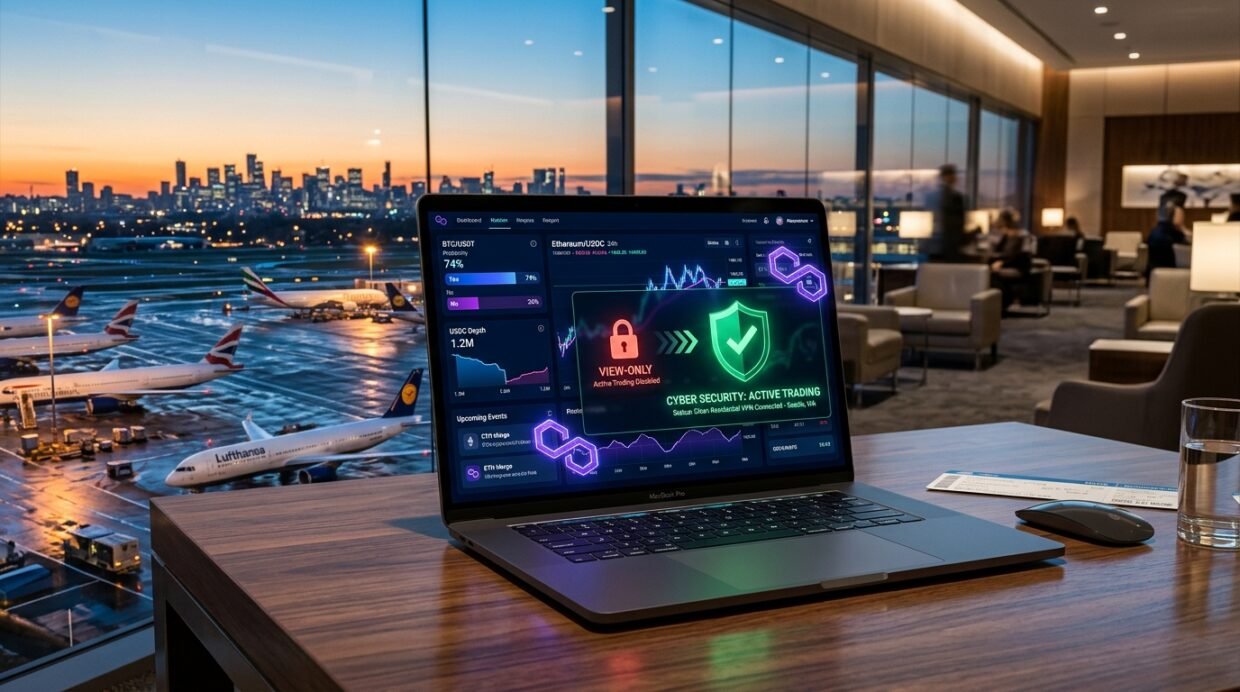
If you open `polymarket.com` during a business trip, vacation, or airport layover in the United States, the United Kingdom, France, Singapore, or Poland, your screen immediately locks into a red “View-Only Mode” banner (`Trading is unavailable in your region`). Even worse, turning on a cheap or overcrowded commercial VPN server frequently triggers a Cloudflare WAF block on Polymarket’s Central Limit Order Book (`clob.polymarket.com`), causing your Buy/Sell limit orders to fail silently after you sign the transaction.
As a dedicated 100% Polymarket Abroad access manual expanding on our Best VPNs for Crypto Trading, Kalshi, Binance & Bybit Hub and our Kalshi Abroad Trading Guide, this article explains the technical split between Polymarket’s geo-fenced web frontend and its non-custodial Polygon (`USDC.e`) smart contracts, maps out 2026’s restricted vs. unrestricted jurisdictions, and shows you how to trade safely abroad using a clean residential IP or 1-to-1 Dedicated IP.
Why Polymarket triggers “View-Only Mode”: frontend UI geo-fence vs. Polygon smart contracts
Unlike centralized exchanges such as Binance or Bybit—which hold custody of your funds and can freeze your account balance if you log in from a restricted country—Polymarket is a non-custodial decentralized prediction market running on the Polygon PoS blockchain. When you connect to `polymarket.com`, your traffic passes through three distinct layers:
Layer 1: Web UI Geo-Fence (`polymarket.com`)
Checks your browser’s IP address against Cloudflare’s Geo-IP database. If your IP resolves to the US, UK, France, or Singapore, the React frontend hides the Buy/Sell order ticket and displays View-Only Mode, while still allowing withdrawals.
Layer 2: Off-Chain Order Book (`clob.polymarket.com`)
When you sign an EIP-712 limit or market order in MetaMask, Phantom, or your embedded Magic.link proxy wallet, the signed payload is POSTed to `clob.polymarket.com`. Overused datacenter VPN IPs get blocked here by Cloudflare’s bot firewall (`HTTP 403`).
Layer 3: Polygon PoS Smart Contracts (`USDC.e` / CTF)
Your Yes/No conditional outcome tokens (`ERC-1155`) and `USDC` collateral sit inside your own Polygon smart contract proxy wallet (`Gnosis Safe`). The blockchain itself has zero IP checks—meaning your funds can never be confiscated on-chain.
Polymarket 2026 country restriction matrix: blocked regions vs. clean VPN trading hubs
Before you connect a VPN to access Polymarket while traveling abroad, you must know which countries trigger automatic `View-Only Mode` blocks under Polymarket’s Terms of Service and regulatory agreements in 2026, and which low-latency hubs allow unrestricted order-book execution:
Bypass Polymarket “View-Only Mode” Abroad With a Clean Dedicated IP
Avoid shared VPN IP blacklists and Cloudflare CLOB API rejections with a 1-to-1 Dedicated IP or residential NordVPN Meshnet tunnel.
3 safe VPN architectures for Polymarket: Home Meshnet, 1-to-1 Dedicated IP & clean WireGuard
Why do some traders complain that Polymarket still shows “View-Only Mode” or throws an `Order Placement Failed` toast notification even with a VPN turned on? Because Polymarket’s Cloudflare WAF cross-references known high-abuse VPN datacenter subnets (just like we documented in our Cloudflare Turnstile & CAPTCHA Loop Fix Guide) and caches your previous country inside `localStorage`. Use one of these three clean architectures instead:
- Architecture 1 — NordVPN Home Meshnet (100% True Residential ISP IP When Traveling): If you live in an unrestricted country (such as Canada, Germany, Switzerland, Brazil, or the UAE) and travel to New York, London, or Paris, leave NordVPN running on a home desktop, Mac mini, or GL.iNet Brume 2. When you connect via NordVPN Meshnet Traffic Routing on your laptop abroad, `polymarket.com` and `clob.polymarket.com` see your genuine home residential fiber IP—passing every compliance and anti-bot check with zero friction.
- Architecture 2 — 1-to-1 Dedicated IP in Switzerland, Germany, Netherlands, or Canada: If you don’t have a home computer running in an unrestricted region, activate a 1-to-1 Dedicated IP from NordVPN, ExpressVPN Pro, or Surfshark in Zurich (Switzerland), Frankfurt (Germany), Amsterdam (Netherlands), or Toronto (Canada). Because that IPv4 address is assigned exclusively to your account, it never gets flagged by Cloudflare rate-limiting during high-volatility election or macro news spikes.
- Architecture 3 — Clean Browser Profile + System Kill Switch (Fixing the Cached `View-Only` Bug): Here is a critical detail: if you accidentally open `polymarket.com` on hotel Wi-Fi in the US or UK before turning on your VPN, Polymarket writes a geo-restriction flag into your browser’s IndexedDB / `localStorage` and session cookies! Even after you connect your VPN to Zurich, the banner stays stuck until you press `Cmd+Shift+Delete` (or `Ctrl+Shift+Delete`) to clear site data for `polymarket.com`—or better yet, keep a dedicated Brave / Chrome Profile strictly for Web3 trading with your VPN’s Per-App Split Tunneling & Kill Switch locked on.
Running Automated Polymarket CLOB Python / TypeScript Trading Bots?
Export a static WireGuard `.conf` profile from Surfshark, Proton VPN, or NordVPN to bind your bot’s WebSocket & REST calls to a clean Swiss or Dutch endpoint.
Wallet OPSEC, custom Polygon RPCs & how to withdraw `USDC` even inside a blocked country
To keep your Polymarket portfolio 100% responsive and resilient while traveling internationally, follow these three Web3 operational security rules:
3 Essential Polymarket Web3 & Wallet Rules for Travelers
- 1. Connect With a Self-Custody Wallet (MetaMask, Rabby, or Phantom) Instead of Email/Google Login: When you create a Polymarket account using a native Web3 wallet (`MetaMask`, `Rabby`, or `Hardware Ledger`), you control the owner key of your Polygon Gnosis Safe proxy wallet directly—with zero reliance on third-party email magic links (`Magic.link`) that might send verification emails showing login IP warnings.
- 2. Switch Your Wallet’s Polygon RPC Endpoint If Quotes Lag on Hotel Wi-Fi: Public Polygon RPC endpoints (`polygon-rpc.com`) sometimes throttle VPN subnets. Inside Rabby or MetaMask, set your Polygon Mainnet (`Chain ID 137`) RPC URL to a dedicated privacy-respecting endpoint like 1RPC (`https://1rpc.io/matic`) or your own free Alchemy / Infura key so balance updates and redemption signatures confirm in under 2 seconds.
- 3. Emergency Rule — Withdrawals & Redemptions ALWAYS Work Without a VPN: Even if you are standing in the middle of Manhattan or London with no VPN and `polymarket.com` is in View-Only Mode, Polymarket explicitly leaves the Withdraw (`USDC` / `USDC.e`) and Redeem Winning Shares buttons unlocked! You can always withdraw your cash balance or redeem settled positions back to your personal Polygon wallet from any IP address in the world.
Trade on Polymarket Anywhere With Zero “View-Only” Interruptions
Select a high-speed, zero-leak VPN with clean Swiss, Canadian, and German IPs—all backed by a 30-day money-back guarantee.
Crypto Exchanges, Prediction Markets & Online Banking Safely Abroad
Every guide in this cluster is tested with live 2026 server benchmarks, regional payment workarounds, and error-code fixes:
Dedicated IP & Meshnet architecture to prevent exchange KYC freezes abroad.
Avoid Withdrawal-Only mode & Face++ triggers using Home Meshnet or a Dedicated IP.
Bypass Tier-1 travel geo-blocks & whitelist static IPs for Unified Trading APIs.
Pass CFTC location checks outside the US using a home residential US ISP IP.
Prevent automated fraud locks on hotel Wi-Fi using residential IP routing.
Stop 180-day account limitations abroad with 7-day Dedicated IP seasoning.
Approve high-value SEPA, SWIFT & ACH transfers abroad without compliance holds.
Avoid Sherlock ATO selfie locks & combine Split Tunneling with Street Mode.
Turn your home PC, Mac mini, or Raspberry Pi into a free 24/7 residential ISP exit node.
Frequently Asked Questions (FAQ)
Why does Polymarket still say “View-Only Mode” even after I connected my VPN to Switzerland or Canada?
Two things cause this: first, if you loaded `polymarket.com` before turning on your VPN, the web app cached your restricted country status inside your browser’s Local Storage (`localStorage`) and cookies. Connect your VPN to Zurich, Frankfurt, or Toronto first, then open an Incognito/Private window (or clear site data for `polymarket.com`) and reconnect your wallet. Second, verify at `ipleak.net` that your browser does not have a WebRTC or IPv6 leak exposing your hotel’s local IPv6 address.
Can Polymarket freeze my `USDC` funds if my VPN disconnects for a second while I’m traveling in the US or UK?
No. Because Polymarket is non-custodial and your `USDC` and conditional outcome tokens live inside your own Polygon smart contract wallet (`Gnosis Safe`), a temporary VPN drop simply causes the `polymarket.com` web interface to revert to View-Only Mode (preventing you from placing new Buy/Sell orders on the CLOB). Your existing open positions remain untouched on-chain, and you can still withdraw your `USDC` or redeem settled markets at any time.
How do I unblock Polymarket in France, Poland, or Singapore where local ISPs block the domain via DNS?
In France (following the ANJ regulatory action), Poland, and Singapore, local broadband and mobile carriers block `polymarket.com` at the ISP DNS resolver level (`NXDOMAIN` or government redirect page) in addition to Polymarket’s own UI geo-block. Connecting to NordVPN, ExpressVPN, or Surfshark routes all DNS lookups through encrypted private DNS inside the WireGuard/Lightway tunnel, bypassing both the ISP domain block and the frontend View-Only restriction in a single click.
What is the difference between Polymarket and Kalshi when traveling abroad with a VPN?
They are exact opposites geographically! Kalshi is a CFTC-regulated US dollar exchange that only allows US residents connected from a clean US IP address (see our How to Trade on Kalshi Abroad With a VPN Guide). Polymarket blocks US IPs and operates globally on Polygon `USDC` across non-restricted international jurisdictions such as Switzerland, Canada, Germany, the Netherlands, Japan, and Latin America.


