






Paramount Plus can be a bit of a headache. One day everything plays fine, and the next day you hit play and get slapped with Error 131 instead of the show you wanted to watch. You’re not alone. This exact problem pops up across Reddit all the time, and the pattern is pretty clear: Paramount blocks ProtonVPN’s IP ranges aggressively.
The good news is that there are a few steps that actually help in real-world situations. The bad news is that sometimes Paramount simply blocks entire IP ranges, and there’s nothing you can do on your side until Proton rotates them. Either way, here’s the full breakdown of what works most often.
1. Check if NetShield is enabled
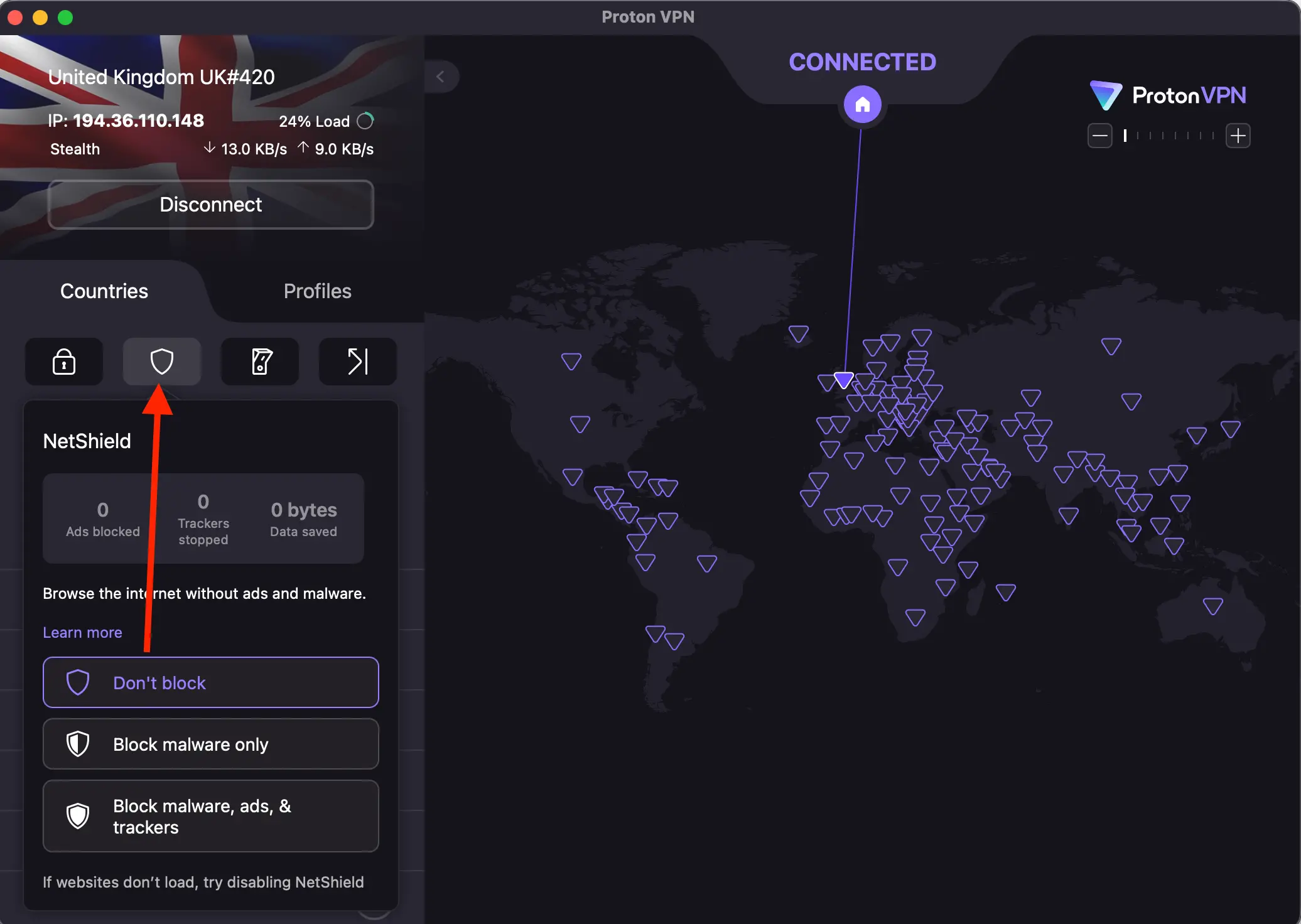
NetShield is great for blocking ads, but streaming platforms sometimes treat it as suspicious traffic.
Turn it off, reconnect, reload Paramount, and test again. For a few users, this was the only thing they had to change to get rid of Error 131.
2. Switch to different US servers
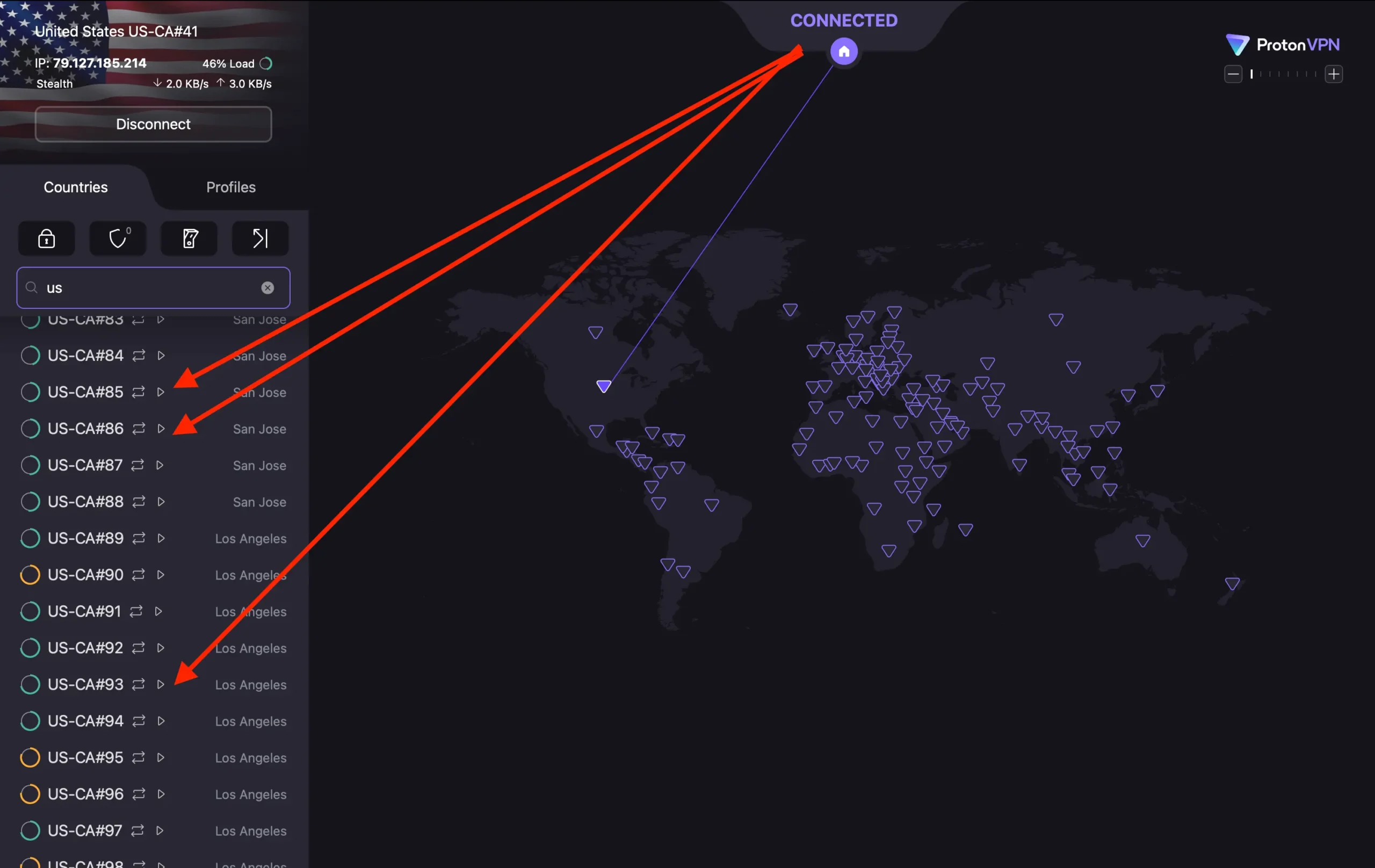
Paramount is extremely quick at flagging ProtonVPN’s IP ranges. That means:
- Some US servers won’t work at all
- Some will work for a few hours
- Others are completely fine
What usually performs best:
- US Streaming
- US Plus
- Large metro servers like New York, Chicago, Miami
“Fastest server” isn’t useful here because it can easily land you on an already-blocked IP.
3. Change your protocol
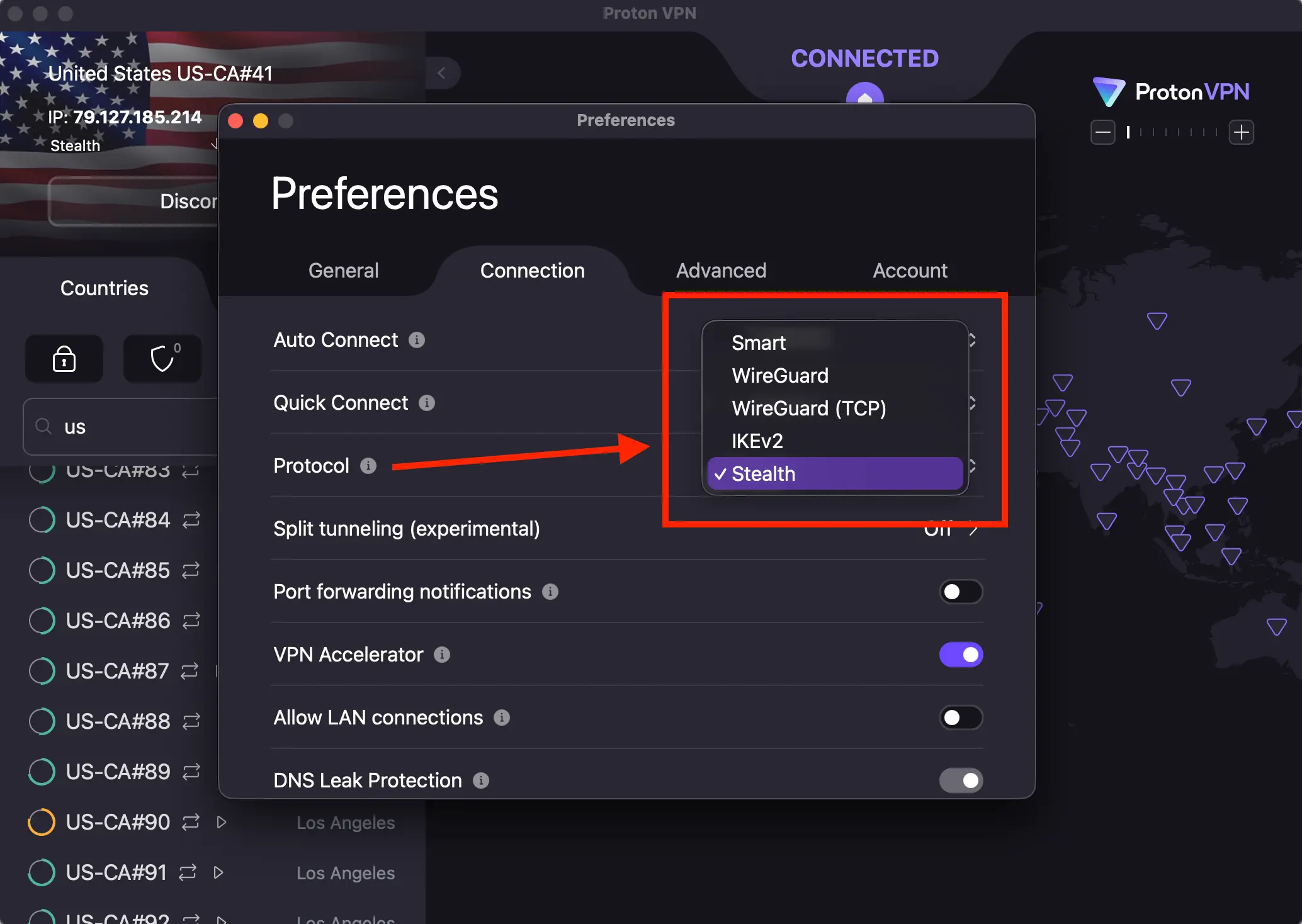
It sounds trivial, but protocol switching helps more often than you’d expect. Sometimes WireGuard gets flagged while IKEv2 or OpenVPN passes through just fine.
Try cycling through:
- WireGuard
- IKEv2
- OpenVPN UDP
- OpenVPN TCP
And restart your browser after each switch.
4. Clear your browser cache
Paramount tends to remember your previous IP location.
If you opened Paramount once without a VPN, your browser might still hold cached data that forces the error even after reconnecting through Proton.
Clear your cookies and cache. It solves more streaming issues than people think.
5. Don’t use custom DNS
Proton’s support team asks this constantly for a reason. Any custom DNS, encrypted DNS, proxy, or privacy add-on can confuse Paramount Plus and trigger Error 131.
Use your system defaults or Proton’s built-in DNS only.
6. Try the ProtonVPN browser extension
Surprisingly, this helps in a handful of cases.
Sometimes the desktop app gets blocked, but the Chrome or Firefox VPN extension slips through without issues.
It’s not guaranteed, but it’s worth trying.
7. When nothing works, it’s usually IP blocking
Here’s the truth:
NordVPN rotates IPs much faster
ProtonVPN uses fewer ranges that Paramount can block quickly
That’s why some users say Nord works instantly and Proton doesn’t get in at all.
It’s not a configuration mistake. It’s literally just Paramount identifying Proton’s IPs faster than Nord’s.
8. When to contact Proton Support
If you’ve tried everything above and Paramount still throws Error 131, then the problem is very likely tied to a specific server’s IP address.
Proton’s support team can:
- check the server logs
- confirm whether the IP has been flagged
- forward the issue to the network team for rotation
Sometimes the only real solution is waiting for the IP block to be refreshed.
Quick checklist (do this in order)
- Turn off NetShield
- Try US Streaming or US Plus servers
- Change protocols
- Clear browser cookies and cache
- Reconnect the VPN
- Try the ProtonVPN browser extension
- If it still fails, it’s an IP block and Proton needs to refresh the range