






If you’re trying to use Stremio with ProtonVPN but without Real Debrid, you’re not alone. I was in the exact same spot, trying to figure out if this setup even makes sense. Most threads I found were full of “just get Real Debrid” replies, which wasn’t helpful at all. I wanted to know: can I run Stremio safely and smoothly through ProtonVPN, especially on Android TV? Here’s everything I’ve figured out so far.
The Goal: Safe Streaming Without Extra Subscriptions
I don’t mind paying for tools that work, but I wasn’t looking to stack subscriptions just to stream content. Stremio looked like a solid alternative to Kodi, especially with its clean UI and good community add-ons. But the moment you start going beyond public domain stuff, VPN becomes a must.
ProtonVPN has been my go-to for years — solid speeds, strong encryption, no-logs, and the paid plans allow me to use WireGuard, which is super helpful when setting it up on devices like routers. What I wanted to avoid was Real Debrid. Nothing against it, but I didn’t want to give my info to yet another service.
So the question was: can you actually make this work — Stremio + ProtonVPN — without the need for Real Debrid?
If you’re looking to try it yourself, the paid Plus plan is what you’ll need for full device/router setup. Here’s the exact ProtonVPN plan I use – it includes WireGuard and all the features mentioned above.
What I Tried First: Android TV + ProtonVPN App
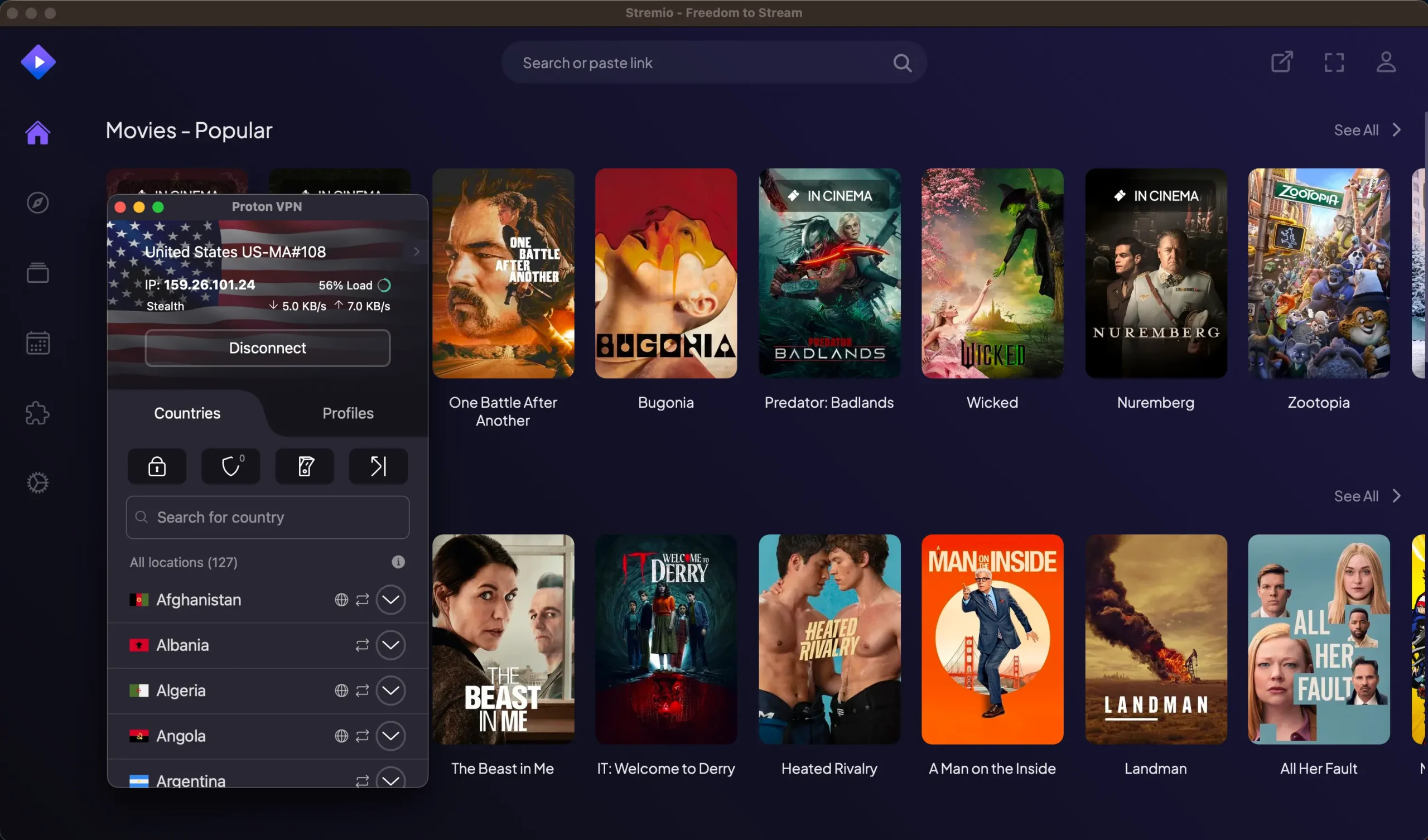
The easiest test was just to install ProtonVPN on my Nvidia Shield and run it alongside Stremio. On paper, this should work. I launched ProtonVPN, connected to a US server, opened Stremio, and loaded a few streams.
Result? Mixed bag.
Some sources worked, others timed out. Playback quality was decent when it worked, but I had occasional buffering spikes. More importantly, there’s no way to “bind” Stremio to ProtonVPN on Android like you can with qBittorrent on desktop. So if ProtonVPN disconnects (which happens sometimes), there’s a chance Stremio keeps running unprotected — and that’s a no-go.
The Real Problem: No App-Level Binding on Android
On a desktop, it’s easy to set up a kill switch or even bind apps to specific network interfaces. On Android TV? Not so much. [Source: ProtonVPN official Android TV guide]
There’s no built-in firewall to say “only allow Stremio to access the internet when VPN is on.” ProtonVPN has a kill switch, but it’s system-wide. That means if the VPN drops, the whole internet connection on the device gets cut off — which is fine, but not ideal if you want to keep other apps running.
I looked into using something like NetGuard or AFWall+, but those require root access or tricky setups that aren’t worth the hassle unless you’re running custom ROMs.
The Best Solution I Found: VPN on the Router
After digging through Reddit and other forums, the most reliable answer kept coming up: just move the VPN tunnel to your router.
If you install ProtonVPN (WireGuard config) directly on your router and route your Android TV’s traffic through it, you remove all the risk of the VPN disconnecting on the device. Everything going out from the TV goes through the VPN – clean and simple.
That’s what I ended up doing.
Setting It Up
- I have an Asus router running Merlin firmware, which supports WireGuard through custom scripts
- Downloaded the WireGuard config from my ProtonVPN dashboard
- Created a dedicated SSID (Wi-Fi network) that routes all traffic through the VPN
- Connected my Shield TV to that network
Boom. Now my Android TV is always behind ProtonVPN. No more guessing whether the VPN is active or not. And the performance? Surprisingly good.
ProtonVPN’s US servers give me enough bandwidth for 1080p streaming, sometimes even 4K depending on the source. And best of all — no leaks, no “uh-oh” moments, no pop-ups from my ISP.
Setting up ProtonVPN via WireGuard on a router isn’t hard, and they even give you the config files per device. Here’s where you can grab a config once you’re subscribed.
Is Real Debrid Still Necessary?
Here’s the deal: Real Debrid is mostly used to unlock high-quality streams from premium hosts. If you skip it, you’ll probably get fewer links, and sometimes lower quality. But if you’re using Stremio mainly for free or community-based sources (like public domain content or some open trackers), it’s totally doable.
That said, not all add-ons behave the same. Torrentio, for example, works well but can be hit-or-miss without RD. Some users say they only get SD sources or long buffer times. In my case, with VPN routed via router and a decent internet connection (100 Mbps down), I could stream 720p or 1080p content without major issues — but again, your mileage may vary.
Privacy Concerns in the US (or Anywhere)
Another thing that came up a lot on Reddit: is it safe to use Stremio without Real Debrid in the US?
Short answer: if you’re not behind a VPN, no. People reported getting warning letters from their ISP after using Stremio, especially with torrent-based add-ons. The moment they switched to a VPN (like Proton), those letters stopped.
So even if you’re not doing anything sketchy, it’s better to stay safe. ProtonVPN has strong encryption and doesn’t log activity, so even if someone comes knocking, there’s nothing to hand over.
Still, I’d never recommend streaming pirated stuff. But if you’re just looking to protect your connection, avoid bandwidth throttling, or access geo-blocked content, ProtonVPN is a must.
Bonus Tips
Here are a few extra things that helped me:
- Enable kill switch on ProtonVPN (even if running via app): good fallback if you’re not using router VPN
- Use WireGuard instead of OpenVPN: much faster and easier to configure
- Check your IP on your TV after connecting to Proton: just open a browser and Google “What’s my IP” to confirm you’re tunneled
- Avoid public DNS like Google while using VPN: switch to Proton’s DNS or use encrypted DNS to reduce leaks
- Install Stremio desktop version for extra control: if you’re using a laptop or PC, you can bind the app better than on Android
Final Thoughts
So can you run Stremio with ProtonVPN and no Real Debrid? Absolutely — but it takes a bit of work.
If you just install both apps on your Android TV and hit connect, you might be fine… or you might be leaking traffic without knowing. The safe way is to set up ProtonVPN on your router and funnel the whole device through it. That way you don’t have to rely on app-level controls or hope your kill switch saves you.
And if you’re still not getting the stream quality you want, then maybe Real Debrid is worth a second look — but it’s not a must. You can absolutely use Stremio without it, especially for more casual viewing or when you’re okay waiting a few more seconds for sources to load.
I’ve been using this setup for a few weeks now and I’m pretty happy with it. It’s private, solid, and doesn’t cost me anything extra beyond what I already pay for ProtonVPN.
If you’re curious, here’s the ProtonVPN plan I recommend — make sure it includes WireGuard support.
Frequently Asked Questions
Can I use Stremio without Real Debrid?
Yes, but expect fewer and sometimes lower-quality sources. It still works fine for casual streaming, especially with good community add-ons.
Is ProtonVPN fast enough for streaming?
Yes, especially with the Plus plan and WireGuard. I’ve streamed 1080p and even some 4K with no issues.
How do I set up ProtonVPN on a router for Android TV?
Download the WireGuard config from your ProtonVPN account and install it on a supported router (like Asus with Merlin firmware). Then route your TV’s traffic through it.
Does Stremio work with ProtonVPN on Android?
It does, but you can’t bind the app to the VPN. If ProtonVPN disconnects, Stremio might keep running unprotected unless you use a router-based setup.
Will I get DMCA notices if I use a VPN with Stremio?
If you’re properly connected to a no-logs VPN like ProtonVPN, you’re unlikely to get any notices. Without a VPN, users have reported DMCA warnings.