






Let’s be honest, few things ruin a perfect summer weekend more than realizing you can’t watch one of the most dramatic Formula 1 races of the year just because you’re traveling, living abroad, or your local broadcaster is stubbornly holding the rights hostage. The Hungarian Grand Prix has a reputation for heat, chaos, and the kind of unexpected drama that makes even non-F1 fans sit up straight.
And I’ll say it right away: No matter where you are on the planet, there’s always a way to watch – if you know how. I’ve been there, missed too many live starts thanks to geo-blocks and clueless hotel TVs. Here’s how to make sure you never miss a lap again, no matter if you’re on the road, in a different continent, or just want to switch languages and commentary styles.
The Golden Ticket: F1 TV Pro (and How to Use It Like a Pro)
If you love Formula 1, F1 TV Pro is the platform that makes everyone else jealous. You get every single session, live and on-demand. You can pick from multiple onboard cameras, listen in on team radios, dive into endless stats, and often switch between different languages for commentary.
The interface is slick, the streams are stable, and you can watch on any device – phone, tablet, laptop, or TV. This is what I use myself when I’m traveling, and after years of VPN experiments, I’d never go back to relying just on cable.

How to set up F1 TV Pro, wherever you are:
- Register directly at f1tv.com, pay for a monthly or annual pass (you’ll need a valid card or PayPal, but most international cards work).
- Log in and pick the country you’re currently in (F1 TV Pro works in most of Europe, Americas, much of Asia, Australia and beyond – but not everywhere due to local exclusivities).
- If you land in a country where F1 TV Pro isn’t available, just fire up a VPN (see the next section), set your location to a country like Spain, Austria, Portugal, Mexico, or the Netherlands – and you’re back in the game.
Personal tip: Always test your F1 TV Pro access a day before the race – sometimes, you’ll need to clear cookies or reconnect your VPN for a smooth experience.
Geo-blocks and How to Defeat Them (The VPN Section)
If you travel, work remotely, or just happen to live in a place where F1 coverage is exclusive to a certain broadcaster, you’ll know the pain of geo-blocked streams. But let’s keep this simple:
- VPNs (Virtual Private Networks) are your best friend for unlocking content.
- The main job of a VPN? It “moves” your location virtually, so streaming platforms think you’re watching from a different country.
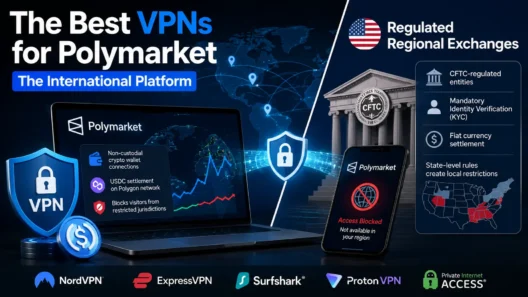
My three VPN picks for F1 streaming:
- NordVPN: Fast, stable, and covers pretty much any country you’ll ever need.
- Surfshark: Budget-friendly and allows unlimited devices (perfect for family or group sharing).
- ExpressVPN: Reliable, works well on smart TVs and Apple TV, and barely ever gets blocked.
| My 3 Best VPN for F1 | Offer + Discount | URL |
|---|---|---|
| NordVPN | 77% off + 3 months free | Try NordVPN |
| ExpressVPN | 61% off + 6 months free | Try ExpressVPN |
| SurfShark | 87% off + 2 months free | Try SurfShark |
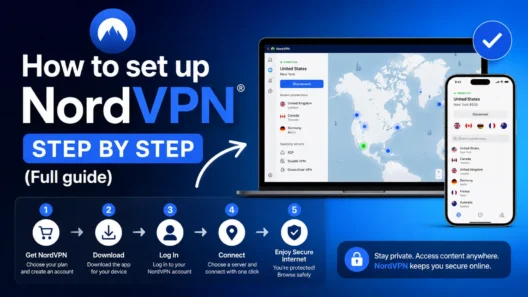
How to use a VPN for F1:
- Download and install your VPN of choice.
- Connect to a country where your streaming platform (F1 TV Pro, DAZN, ORF, Sky Sports…) is available.
- Clear cookies, refresh the page, and start streaming.
- If the stream won’t play, switch to a different server or try incognito mode in your browser.
Bonus tip: Some streaming services are pickier than others. F1 TV Pro is usually forgiving. Sky Sports F1, DAZN, or ORF might need a bit more patience with server selection.
Not Just F1 TV: Other Top International Broadcasters
Depending on where you are, you can watch the Hungarian GP on many channels. Here’s my shortlist with what actually works (and what you’ll need):
United Kingdom
- Sky Sports F1: The premium experience. All sessions live, English commentary, in-depth analysis, available via Sky Go, NOW TV, and various satellite/cable packages.
- Need a UK IP address if you’re abroad. Some services require a local payment card.
Austria & Germany
- ORF (Austria): Sometimes offers free live streams, but only inside Austria (use a VPN on Vienna!).
- ServusTV (Austria/Germany): Occasional free-to-air races, reliable for big events.
- Sky Sport DE (Germany): Paid, full English/German coverage, available on multiple platforms.
- All need a local IP – VPN is your ticket in.
United States
- ESPN: All races live, English commentary, accessible via cable or streaming (Hulu + Live TV, YouTube TV, Sling).
- Some require US payment details, but often have free trial periods.
Italy
- Sky Italia: Paid, top-tier coverage.
- TV8: Free-to-air, but only some races (check the schedule).
Spain
- DAZN: Paid, high-quality stream, Spanish commentary.
- Trial periods can help if you’re only abroad temporarily.
Poland
- Eleven Sports: Paid, includes F1, Polish commentary.
Other regions
- Fox Sports (Australia, Latin America), TSN (Canada), Supersport (Africa), and more.
- Each with their own geo-blocks and access rules.
My rule of thumb: If you have a favorite language or commentary style, stick to the broadcaster from that country. For English, Sky and ESPN are the go-tos. For pure access and features, F1 TV Pro wins.
Devices: Watching F1 on Phone, Laptop, TV, and More
Most platforms (F1 TV Pro, DAZN, Sky Sports apps) now support streaming on nearly everything:
- Mobile/Tablet: iOS and Android apps, sometimes via browser.
- Laptop/Desktop: Browser-based, smoothest experience, easiest with VPN.
- Smart TV: Dedicated apps for many platforms, but sometimes a VPN isn’t natively supported – use router-level VPN, Chromecast, AirPlay, or HDMI cable from your laptop.
- Streaming sticks: Amazon Fire Stick, Apple TV, Google Chromecast – check for official apps, or cast from mobile.
Quick tip: If your hotel TV is “dumb,” an HDMI cable and a laptop will always save the day. Always pack one for race weekends!
Final Checklist: My Hungarian GP F1 Survival Kit
- VPN ready, tested on both phone and laptop
- F1 TV Pro account up-to-date
- Streaming app installed on all devices (don’t leave this for the last minute!)
- HDMI cable in my bag (you never know…)
- Backup: favorite broadcaster’s trial or highlights channel just in case
Conclusion
If you love F1, the Hungarian Grand Prix is one of the races you never want to miss. Whether you’re on a beach in Thailand, stuck at an airport, or simply want to watch in your language of choice, there’s always a way to join the action.
With the right streaming service, a reliable VPN, and a little preparation, you’ll never be left out again. See you on race day – wherever you are!
FAQs & Troubleshooting
How can I watch the Hungarian F1 Grand Prix from abroad?
You can stream the race live using platforms like F1 TV Pro, Sky Sports F1, DAZN, ORF, or ESPN. If you encounter geo-blocks, use a VPN to connect via a country where your chosen platform is available.
Which streaming platform is best for global F1 fans?
F1 TV Pro is the top choice for most fans because it offers live coverage, multiple camera angles, and on-demand replays in most countries worldwide.
Do I need a VPN to watch F1 abroad?
A VPN is essential if your favorite streaming service is blocked in your region. With a VPN, you can change your virtual location and access F1 streams from anywhere.
Can I watch F1 on my phone or smart TV?
Absolutely. Most major streaming services support smartphones, tablets, smart TVs, and even streaming sticks like Fire Stick or Chromecast.
Is it legal to stream F1 using a VPN?
In most countries, using a VPN for streaming is allowed, but always check your local laws. Most streaming sites discourage VPNs but rarely penalize personal use.