





When Russia pulled the plug on Roblox, it left over 18 million players in digital silence. Since December 2025, Roblox has been officially blocked across the country due to government concerns over “uncontrolled content and communication.” The ban isn’t temporary, and the restrictions are more advanced than a simple IP block.
But let’s get one thing straight from the start:
Yes, you can still play Roblox in Russia.
You just need the right tools.
There are two working methods in 2026:
- Using a VPN with stealth protocols (most reliable)
- Using DPI bypass tools (for advanced users, without a VPN)
This guide breaks down both options what works, what doesn’t, and how to get Roblox back up and running whether you’re on PC, Android, or iOS.
Why Roblox is Blocked in Russia
This isn’t about Roblox being “down” or overloaded. The block is intentional and enforced at the ISP level through deep packet inspection (DPI) and TSPU hardware, which scans your internet traffic in real time.
If you open the Roblox app, the system detects the connection signature and shuts it down—sometimes silently, sometimes with an error like “Connection failed” or “Can’t join server.”
These restrictions are constantly evolving. That’s why basic VPNs and free proxies stopped working months ago.
Method 1: VPN (Best for Most Users)
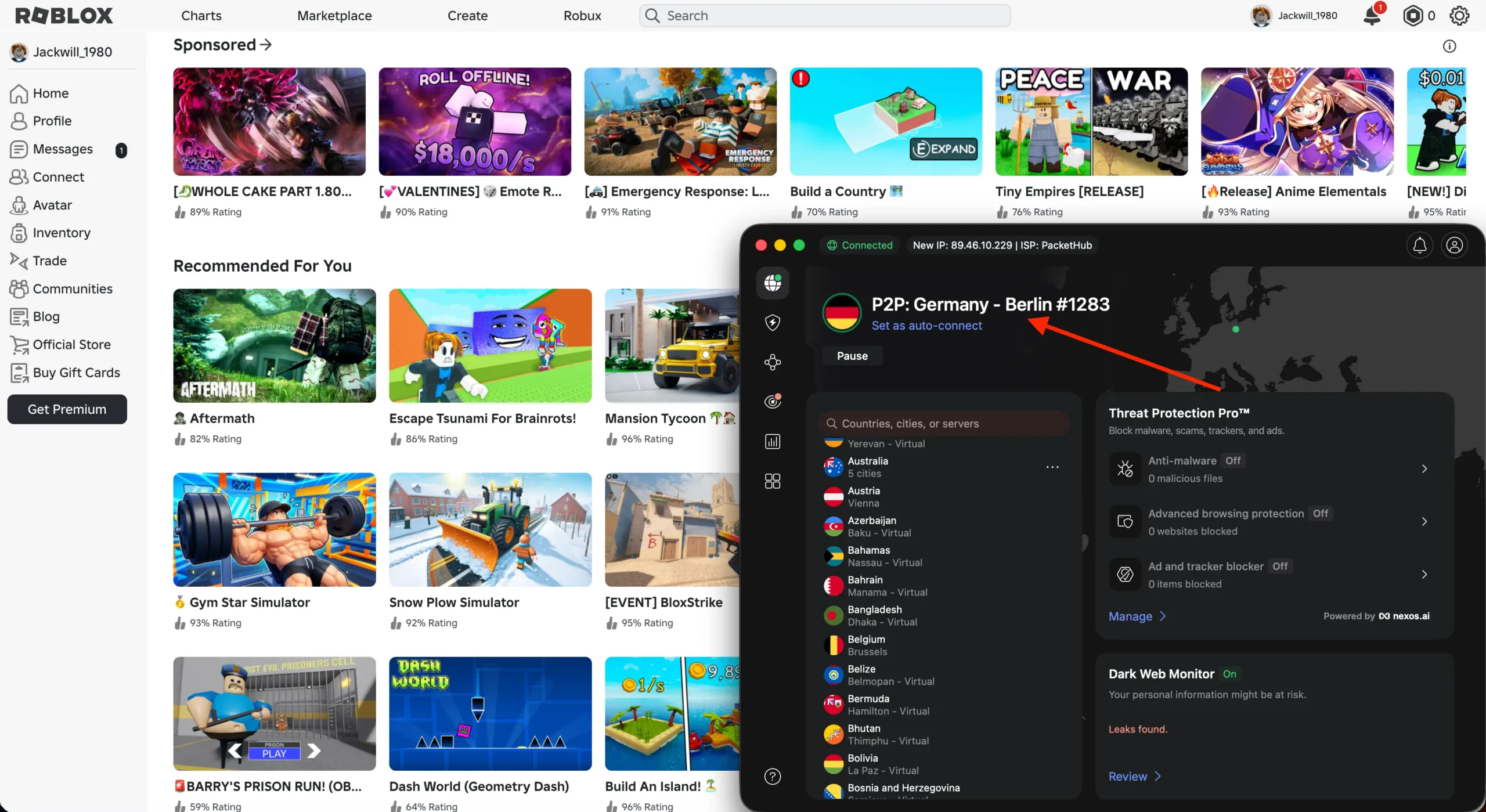
If you want a plug-and-play solution that works across all devices including smartphones, consoles, and PCs then a VPN is still the safest and easiest way to go.
What Kind of VPN Works?
Not every VPN can beat Russian censorship in 2026. Most popular apps (like ProtonVPN, Windscribe, or TunnelBear) are either blocked or too slow.
What you need is a VPN that supports stealth protocols or obfuscation technologies that disguise your encrypted traffic to look like normal browsing.
Best VPNs for Roblox in Russia
| VPN | Stealth Mode | Avg Ping (Frankfurt – EU) | Notes |
|---|---|---|---|
| NordVPN | ✅ Obfuscated servers | 50–80 ms | Great on PC and mobile |
| Surfshark | ✅ NoBorders Mode | 60–90 ms | Good for families, cheap |
| ExpressVPN | ✅ Lightway + Obf. | 60–90 ms | Premium stability |
💡 Pro Tip: Connect to servers in Finland or Germany for the best balance of speed and stability.
How to Use a VPN to Play Roblox in Russia
On PC (Windows/macOS)
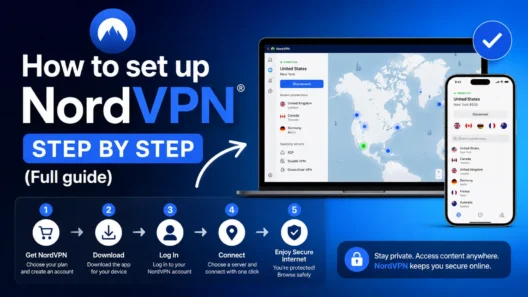
- Download a VPN app with stealth support (e.g., NordVPN)
- Connect to an EU server (e.g., Germany or Finland)
- Launch Roblox – it should load instantly
- Enjoy smooth gameplay and secure traffic
On Android
- Install the VPN app from the provider (or via APK if Play Store is blocked)
- Activate stealth mode or enable obfuscation
- Set “per-app VPN” (optional) to only run Roblox through VPN
- Start playing
On iOS
- Use Shadowrocket with custom configuration (e.g., Reality protocol)
- Import your VPN node via QR code or VLESS link
- Create rules to route only *.roblox.com through the VPN
- Works great and saves battery
Method 2: DPI Bypass – Play Roblox in Russia Without a VPN
If you’re tech-savvy or simply want the fastest possible connection to Roblox, you don’t necessarily need a VPN. There’s a clever workaround used by gamers in Russia: DPI (Deep Packet Inspection) bypass tools.
These tools don’t encrypt your traffic or change your IP. Instead, they simply confuse the censorship system so it can’t detect Roblox traffic in the first place.
How It Works
Russia’s censorship tech looks for specific patterns in your internet packets—like a “fingerprint” that matches Roblox’s servers. DPI bypass tools modify or fragment those packets, breaking the pattern and letting your data through unnoticed.
Think of it like tricking a guard dog by covering your scent.
Best DPI Bypass Tools in 2026
| Tool | Platform | Setup Difficulty | Best For |
|---|---|---|---|
| GoodbyeDPI | Windows | ⭐⭐ Medium | Low-ping gaming on PC |
| Zapret | Linux | ⭐⭐⭐ Advanced | Tech-savvy users |
| AccessBlox | Windows | ⭐ Easy | Roblox-specific solution |
AccessBlox: The Easiest DPI Bypass for Roblox
AccessBlox is a lightweight Windows tool built specifically to bypass the Roblox block. It wraps around GoodbyeDPI and configures everything automatically.
- No need to install a VPN
- No need to change your IP
- Just run, click start, and launch Roblox
You can find AccessBlox on trusted GitHub repositories or Telegram groups dedicated to Roblox access.
DPI Bypass vs. VPN: What’s Better?
Here’s how both solutions compare:
| Feature | VPN (e.g. NordVPN) | DPI Bypass (e.g. AccessBlox) |
|---|---|---|
| Works on all devices | ✅ Yes | ❌ PC only |
| Changes IP | ✅ Yes | ❌ No |
| Protects privacy | ✅ Yes | ❌ No |
| Bypasses Roblox ban | ✅ Yes | ✅ Yes |
| Ping/latency | ⚠️ Slightly higher | ✅ Lower (local routing) |
| Setup difficulty | ⭐⭐⭐⭐⭐ Easy | ⭐ Hard |
| Cost | 💲 Paid plans | ✅ Free |
💬 Bottom line:
- Use VPN if you want privacy, flexibility, and the ability to buy Robux
- Use DPI bypass if you’re on a PC and want the lowest ping without spending money
Many gamers actually combine both: run a DPI bypass first to get into Roblox, then layer a VPN like ExitLag on top to stabilize the connection to game servers.
How to Use DPI Bypass (Step-by-Step)
Windows + AccessBlox
- Download AccessBlox from GitHub or Telegram
- Unzip and run the .exe file (no installation needed)
- Click “Start Bypass”
- Wait for confirmation: “DPI bypass active”
- Launch Roblox – it should connect normally
🔒 Tip: No firewall rules needed. This is a local patch; no admin rights required.
What About Buying Robux in Russia?
This is where VPN comes in handy again.
Even if you can play Roblox using DPI tools, you’ll hit a wall when trying to:
- Buy Robux with a Russian credit card
- Use Google Pay or PayPal
- Access the gift card store
The solution? Use a VPN to change your IP to an allowed country, then redeem a gift card.
Steps to Buy Robux:
- Connect to a VPN server in Germany or Finland
- Visit a trusted store like: Plati.market
- Pay in rubles via local methods (SBP, QR code, crypto)
- Redeem your gift card at roblox.com/redeem
- Buy Robux with your new credit balance
💡 Roblox won’t ban you for using gift cards or VPNs—just avoid sketchy “free Robux” scams.
More Than Just a Game: Roblox as Digital Freedom
For many Russian kids and teens, Roblox wasn’t just entertainment—it was their main social outlet. Building games, chatting with friends, creating outfits or running virtual cafes—it was a whole world. When that was taken away, it hit hard.
In late 2025, small street protests even popped up in cities like Tomsk and Kazan. Teens held up signs like “Roblox = Freedom” or “Unban Our World.” While ignored by the mainstream, it highlights one thing: Roblox matters to this generation.
The ban didn’t silence them—it made them smarter. Since the block began, thousands of kids have learned:
- How to use GitHub and Telegram securely
- What DPI and packet fragmentation means
- How to configure advanced VPN clients
- How to scan QR codes to import proxy settings
In trying to block a game, the authorities accidentally inspired a generation of digital natives.
Looking Ahead: Will Roblox Return to Russia?
There are rumors of a “Russian Roblox” clone being developed with government support. But let’s be honest—closed platforms with local-only moderation and no global community won’t have the same magic.
Roblox’s power lies in:
- Millions of global games
- Freedom to create and monetize
- Real communities that span the world
Unless the block is lifted, the only realistic way forward is through VPNs and bypass tools. And the community has proven it’s up to the challenge.
FAQ: Roblox Unblock 2026
Can I get banned for using a VPN with Roblox?
No. VPN use is not against Roblox’s rules. Just don’t abuse region-switching for unfair advantages.
Will Roblox run lag-free with a VPN?
If you choose the right server (e.g., Finland, Germany) and use protocols like WireGuard or Reality, ping stays under 100 ms.
What’s the best option: VPN or DPI bypass?
For most users, VPN is more stable and safer. But if you’re on PC and want the lowest ping possible, DPI bypass tools like AccessBlox are a great option.
Can I use both?
Yes! Some gamers run DPI bypass to get into Roblox, then launch ExitLag or a gaming VPN to optimize routing.
Is it legal to use these tools in Russia?
Using a VPN or bypass tool is legal for personal use, but distributing anti-censorship content can be risky. Stay informed and cautious.
Final Thoughts: Your Way Back Into Roblox
In 2026, Roblox is still blocked in Russia. But that doesn’t mean it’s gone.
Whether you:
| Best VPN for Roblox | Offer + Discount | URL |
|---|---|---|
| NordVPN | 77% off + 3 months free | Try NordVPN |
| SurfShark | 87% off + 2 months free | Try SurfShark |
- Run AccessBlox or GoodbyeDPI to sneak past filters
- Combine tools to get both speed and freedom
…you’ve got options. The block isn’t the end of the road. It’s just a challenge—and one that the community has already learned to overcome.
So take back control.
Choose your method.
And we’ll see you back in the Metaverse.