January was a surprisingly busy month for NordVPN. Not the flashy kind of busy with marketing buzzwords everywhere, but the kind that shows up when you actually use the apps day to day. Security questions got addressed head on, the server network quietly expanded again, and several apps received updates that fix real annoyances instead of inventing new ones.
Here’s a clear rundown of what changed and why it’s worth paying attention.
NordVPN and the alleged Salesforce breach
Let’s start with the topic everyone immediately asked about.
At the beginning of the year, some users raised concerns around a supposed Salesforce related breach. NordVPN responded publicly and directly, which is exactly what you want to see in situations like this. After reviewing the claims, NordVPN confirmed that no VPN infrastructure was compromised, no passwords were exposed, and no user activity data was leaked.
This lines up with how NordVPN is structured in the first place. There are no activity logs to leak, authentication systems are isolated, and sensitive VPN systems are not tied to third party CRM platforms in a way that would expose traffic or identities.
From a security perspective, this was mostly noise. From a transparency perspective, NordVPN handled it correctly by addressing it openly instead of pretending the discussion did not exist.
Nearly 30 new virtual locations added
NordVPN continues to expand where physical servers simply are not practical.
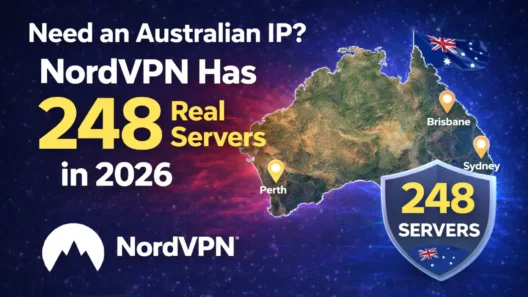
In December 2025, the network gained almost 30 new virtual locations, pushing the total to 79. These are countries where building or operating physical infrastructure would be unreliable, legally complicated, or simply unsafe. Instead, users get an IP address from that country while traffic is handled through secure, stable data centers elsewhere.
In practice, this means more options for people who need access to region specific services, local websites, or banking systems while still keeping performance predictable.
What matters here is not just the number. It’s the approach. NordVPN is very clear about which locations are virtual, how they work, and why they exist. There’s no guessing involved, which is something a lot of providers still fail at.
Call Protection launches on Android
This is one of those features you do not think about until it saves you time.
NordVPN introduced Call Protection for Android in the US, UK, Canada, and Japan. When an incoming call looks like a scam, spoofed number, or known fraud source, the app warns you before you answer.
If you have ever sprinted across the room only to see a fake bank call or extended warranty nonsense, you already understand the value here.
Automatic call blocking
The January Android update went a step further. You can now automatically block scam and telemarketing calls instead of just being warned about them.
Inside the app, you simply open Call Protection, head to Call blocking, choose the categories you want gone, and let your phone stay quiet. This feature is available on certain subscription plans and only in supported regions, but when it works, it genuinely improves daily phone use.
This is not a VPN feature in the traditional sense. It is more about digital hygiene, and honestly, it fits NordVPN’s ecosystem better than yet another toggle buried in settings.
macOS app changes
Both the direct download version and the App Store build received updates, with the direct version getting a bit extra attention.
Cleaner layout and better navigation
The sidebar now uses sharper icons and spacing that actually makes sense. Feature tabs feel less cramped, and the overall layout is calmer. NordVPN also removed extra navigation bars that did not add much value. Moving around the app feels simpler and faster.
New Profile menu
There is now a proper Profile menu in the toolbar. Account details, settings, help, and logout are exactly where you expect them to be. This is a small change, but it removes friction, especially if you manage multiple devices or subscriptions.
IPv6 fix with Threat Protection Pro
One important technical fix deserves a mention. On IPv6 networks, enabling advanced browsing protection inside Threat Protection Pro sometimes caused pages not to load at all. That issue is now resolved.
If you run macOS on modern networks or travel a lot and connect to hotel WiFi, this fix alone makes the update worth it.
Browser extension improvements
The Chrome and Edge extensions also received updates, mostly focused on stability.
Server selection logic was improved, so connections feel more consistent. Fewer random reconnects, fewer strange location picks. On top of that, several background optimizations and bug fixes were rolled out to keep things smooth.
This is not headline grabbing stuff, but browser extensions live or die by reliability. Quiet updates like this are usually the best ones.
The bigger picture
January’s updates tell a pretty clear story.
NordVPN is not trying to reinvent itself every month. Instead, it is tightening weak spots, expanding coverage where it makes sense, and adding features that solve everyday problems. Scam calls, cluttered app navigation, unreliable virtual locations, IPv6 quirks. These are things real users run into.
If you already use NordVPN daily, most of these changes will feel subtle but positive. If you are considering it in 2026, the direction is reassuring. Fewer gimmicks, more polish, and a clear focus on security and usability.
That is exactly what a mature VPN product should look like.