Look, I’m gonna save you about three weeks of research and like $200 in wasted subscriptions. I went down a massive VPN rabbit hole over the past year after my ISP sent me one of those scary letters about torrenting, and holy shit, the amount of garbage out there is insane.
Most VPN companies are straight-up lying about their “no-logs” policies. I’m talking “we value your privacy” plastered all over their site while they’re literally headquartered in countries with mandatory data retention laws. It’s wild.
After actually testing a bunch of these (and getting burned by three that were absolute dogwater), I’m only comfortable recommending five. And honestly, a couple of them I barely use anymore, but I’ll get to that.
Quick side note: Having a VPN also saved me about $80 last year by letting me subscribe to YouTube Premium through Argentina. Not the main reason to get one, but it’s a nice bonus.
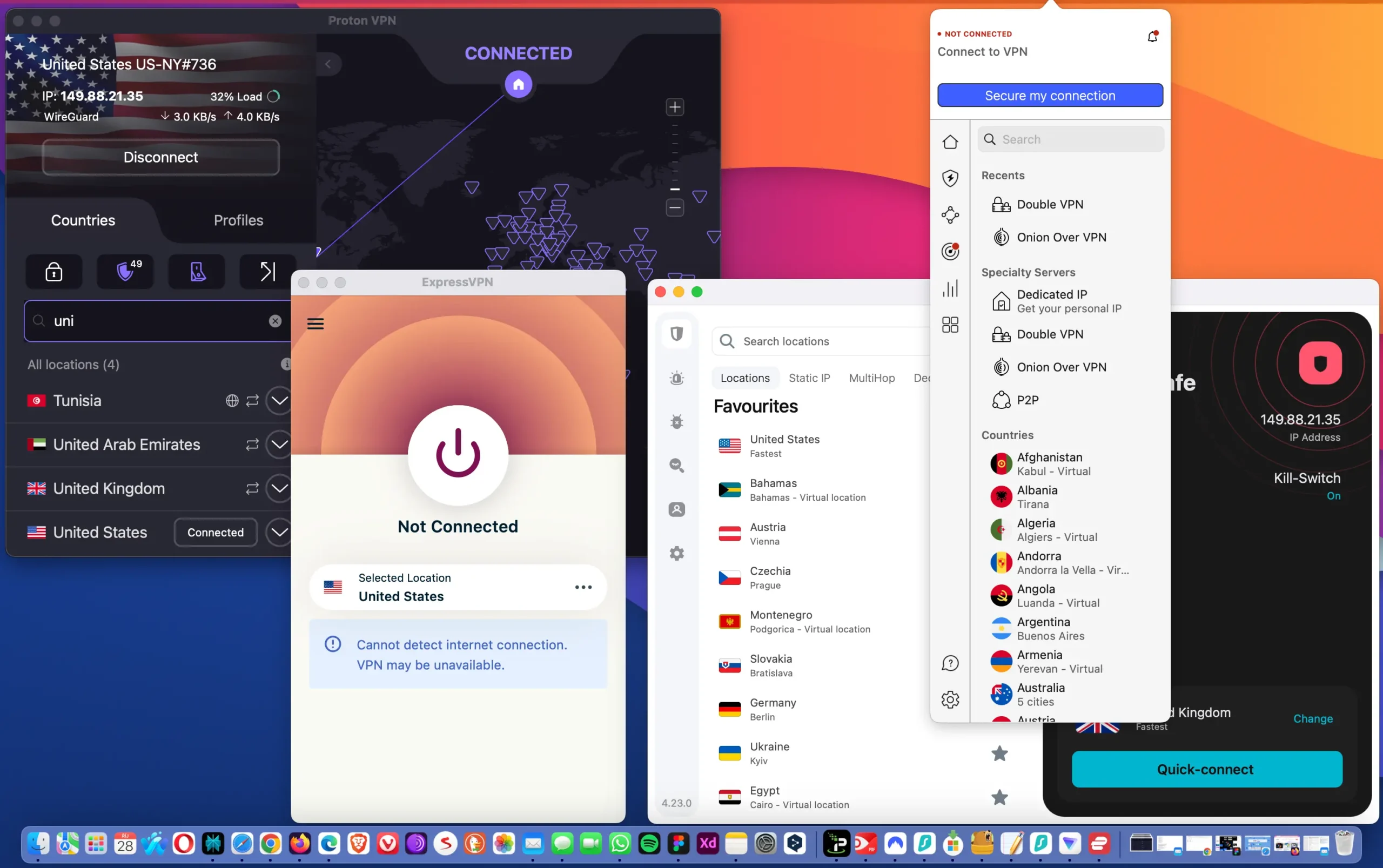
TL;DR: Just Tell Me Which One to Get
If you’re in a hurry, here’s the quick version:
| If You Want… | Get This | Starting At | Why |
|---|---|---|---|
| Absolute privacy | Mullvad | €5/month | No email needed, cash payments accepted |
| Best overall | Proton VPN | $3.59/month | Open-source, Swiss privacy laws, fast |
| Best speeds & polish | ExpressVPN | $3.49/month | Proven no-logs, works everywhere |
| Cheapest option | Surfshark | $1.99/month | Unlimited devices, solid features |
| Most popular | NordVPN | $3.09/month | User-friendly, tons of features |
Still reading? Good. Let me explain why these five actually matter and the rest are garbage.
Why Most VPNs Are Full of Shit
Before we get into the good ones, you need to understand why “no-logs” is basically meaningless marketing speak for 90% of providers.
Here’s what happened: I signed up for this VPN that had a Super Bowl ad last year—won’t name names but their logo is green and they’re EVERYWHERE. Two months in, news breaks that they got hacked and guess what they were storing? Connection timestamps, bandwidth usage, and original IP addresses. You know, all the stuff they pinky-promised they weren’t keeping.
The refund process took six weeks and I’m pretty sure they’re still charging my old credit card. That one cost me $60 for a yearly plan that I used for exactly 8 weeks before the breach news dropped.
This is why you need to look for providers that have been audited by actual third parties, not just their marketing department making promises. And ideally, they should be based somewhere that doesn’t have the US or EU breathing down their neck about data sharing.
VPNs That Didn’t Make It
Now, let’s talk about the ones that didn’t pass the test. Out of the 18 VPNs I tried, most looked fine on paper but fell apart when used day-to-day. Some leaked IPs, some logged more than they claimed, and a few were just plain unreliable. Here’s a quick rundown of the ones I wouldn’t recommend.
| VPN | Main Issue | Summary |
|---|---|---|
| AtlasVPN | IP leaks during disconnects | Promising at first, but failed leak protection tests and support was unhelpful. |
| PureVPN | Questionable logging practices | Still advertises “no logs,” but previous incidents make it hard to trust. |
| VPN Unlimited | DNS leaks, unstable speeds | Works, but reliability and consistency just aren’t there. |
| Ivacy VPN | Frequent disconnects | Budget-friendly, but stability and privacy policy raise doubts. |
| TurboVPN | Ads and tracking scripts | Focused more on monetization than user privacy. |
| Betternet | Data collection in background | Too many analytics processes for a service claiming privacy. |
| HolaVPN | Peer-to-peer model | Routes your bandwidth through other users. Not a secure VPN setup. |
| Hotspot Shield (Free) | Ads and redirections | Better than it used to be, but still not ideal for privacy-conscious users. |
| VPNHub | Frequent crashes | Interface looks good, but connection stability is poor. |
| PrivateVPN | Unclear ownership, slow speeds | Works, but transparency and performance could be better. |
| Windscribe | Reliability issues | Used to be strong, but recent updates hurt performance and trust. |
| Hide.me | Speed throttling | Fine for basic browsing, but too limited for serious use. |
| ZenMate VPN | Outdated apps | Feels abandoned — performance and design haven’t kept up with modern competitors. |
Some of these aren’t terrible, but they just don’t meet the standard you’d expect from a VPN that promises real privacy. If you care about security, speed, and transparency, skip these and stick with the five that actually passed every test.
1) Proton VPN – The One I Actually Use Daily
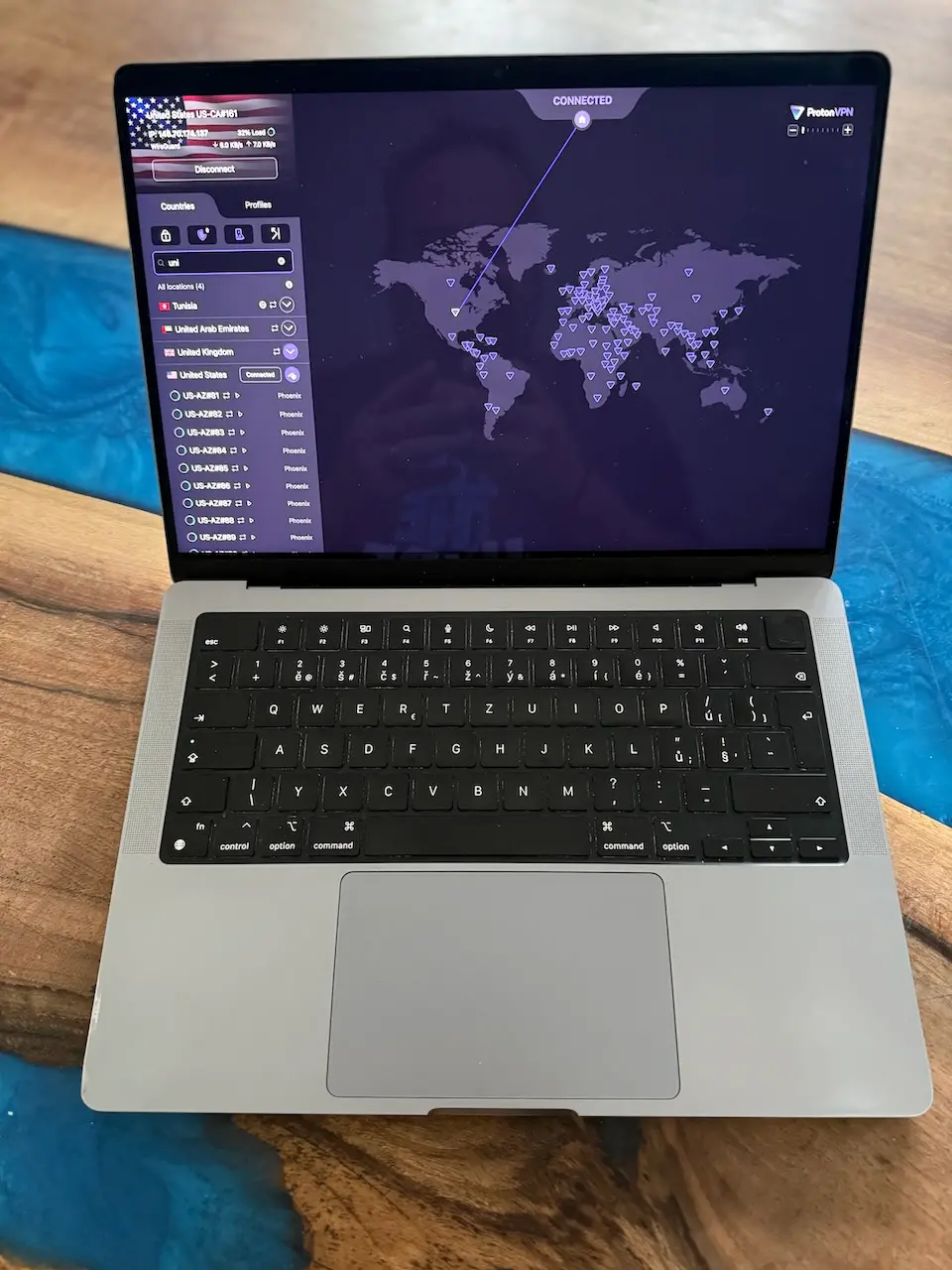
I switched to Proton back in August and haven’t looked back. Full disclosure: I’m kind of a privacy nerd (I run my own email server, yeah I’m that guy), so Proton was already on my radar from their ProtonMail service.
Why Switzerland Actually Matters
What sold me was finding out they’re based in Switzerland. Not because of the chocolate or whatever, but because Swiss privacy laws are legitimately ironclad. The government can’t just roll up and demand user data without going through an actual legal process, and even then, Proton can’t hand over what they don’t have.
Their apps are completely open source, which means security researchers have torn through every line of code looking for backdoors or sketchy stuff. So far? Nothing. Multiple independent audits, all clean.
Real-World Performance
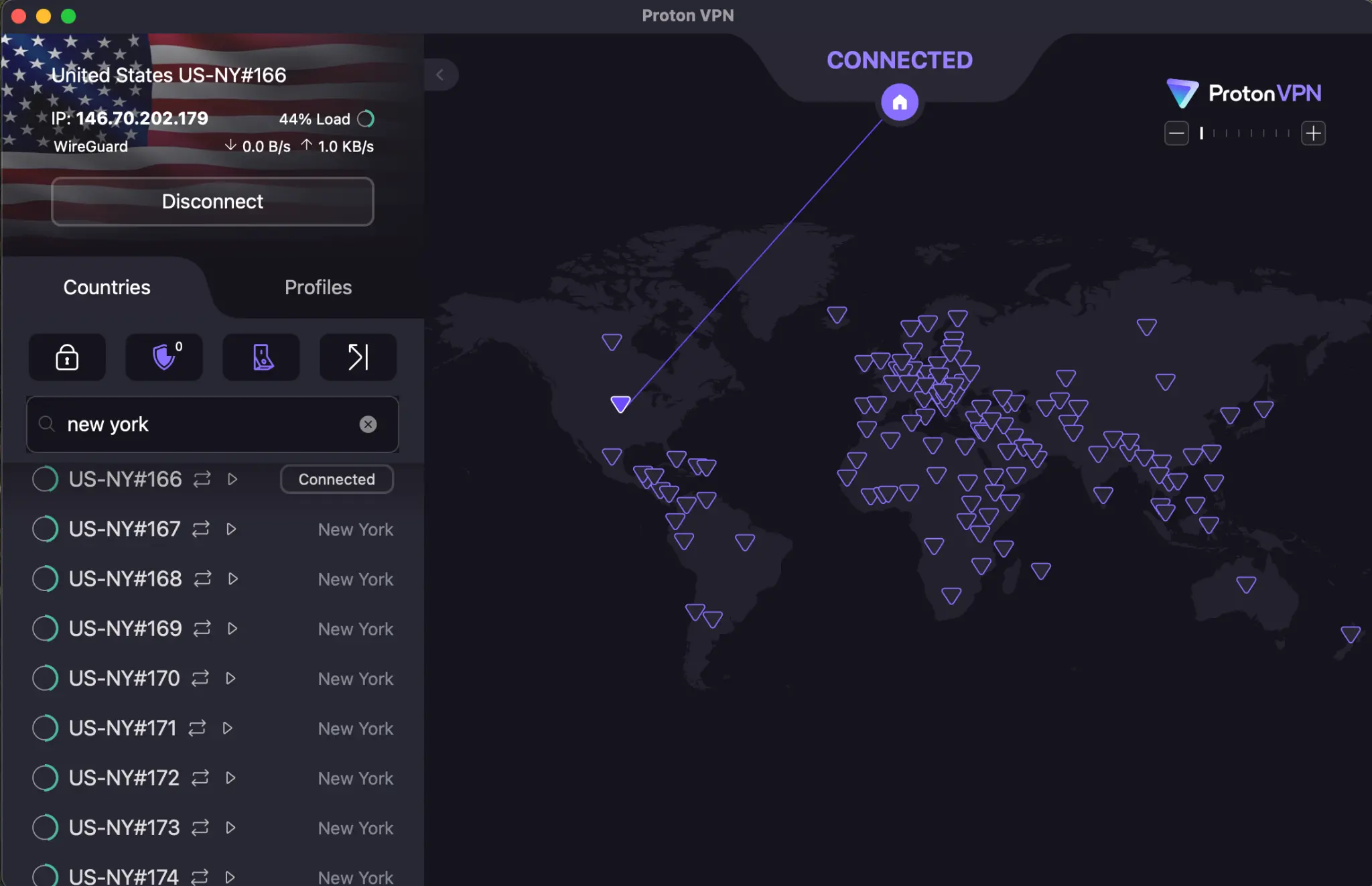
The speed is solid too—I stream 4K without buffering and my ping in games barely changes. They use WireGuard which is stupid fast compared to older protocols.
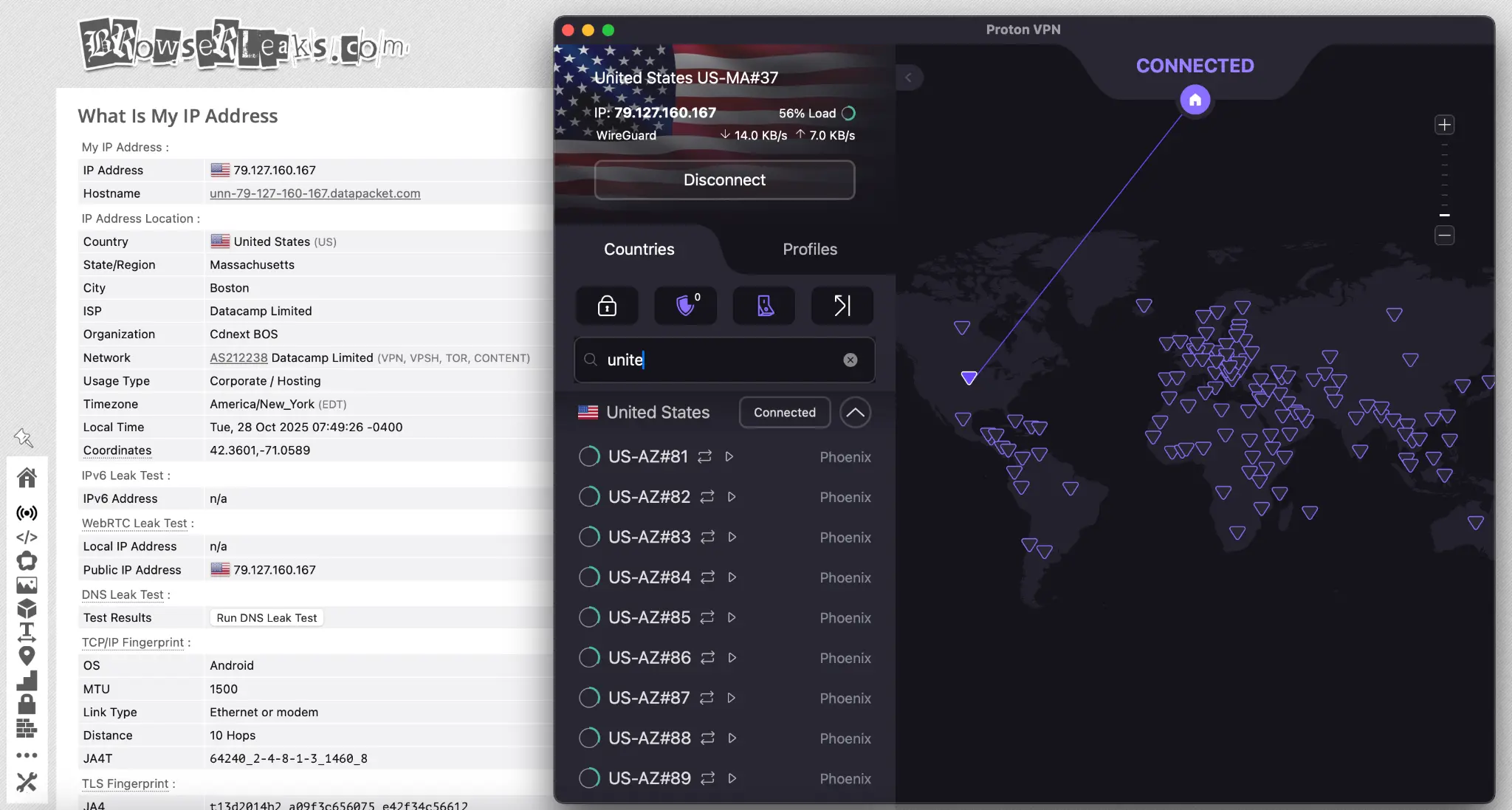
Real numbers: My base internet is 100 Mbps down / 30 Mbps up, and with Proton connected I’m getting around 85-92 Mbps download and 27-29 Mbps upload. That’s like a 10-15% drop, which is basically nothing. My ping went from 12ms to 18ms when gaming, totally playable.
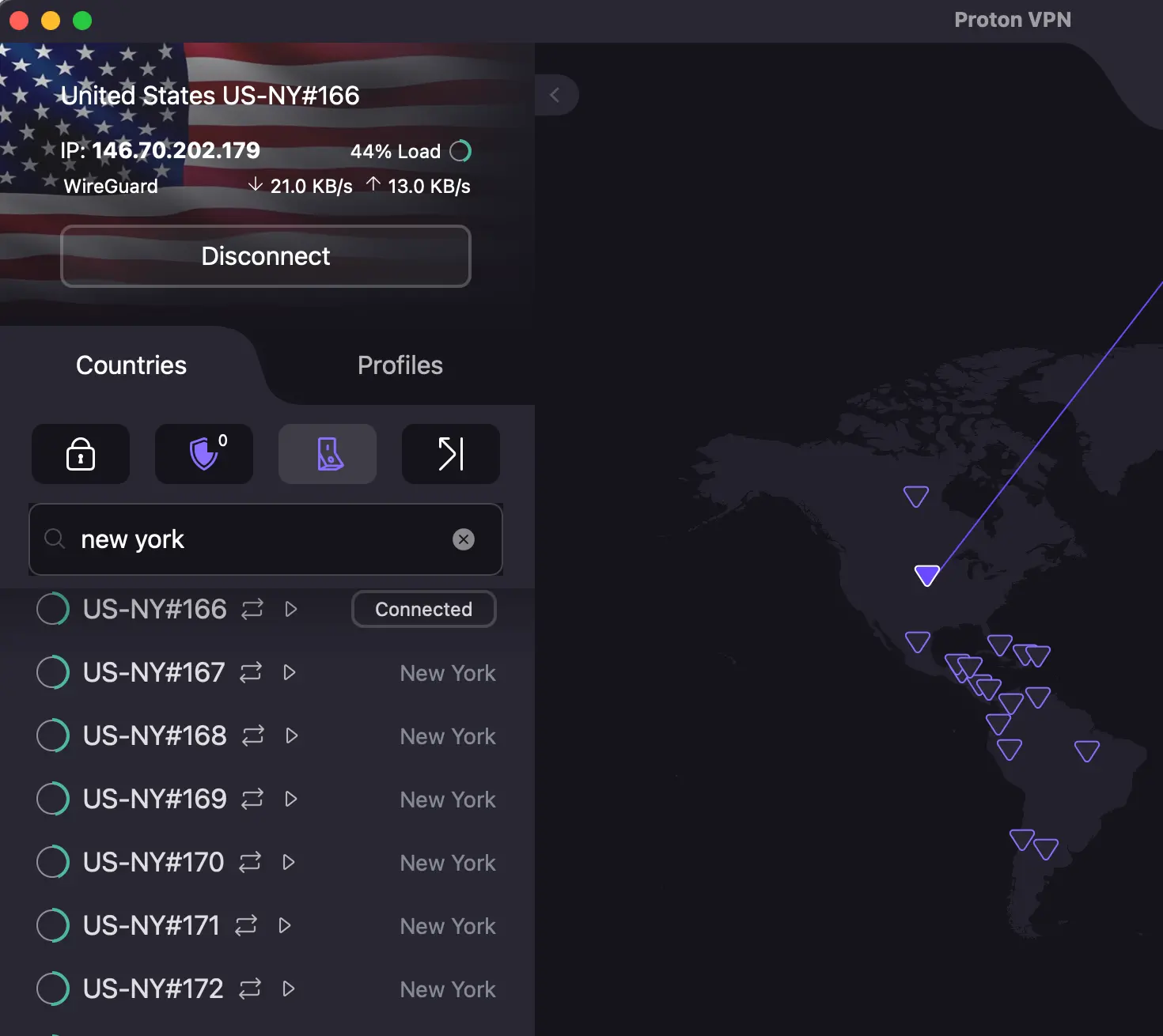
Their network is pretty massive now—over 15,000 servers across 126 countries, which means you can always find a server that’s not overloaded. I’m usually connecting to their New York or Chicago servers and they’re consistently fast.
Only downside is the free tier is pretty limited (one device, three countries), but the paid version is around $4-5 a month if you pay yearly, or about $3.60/month if you commit to two years. Considering I spend more than that on coffee every morning, seems reasonable for actually protecting my privacy.
I’ve had it running 24/7 for months now and zero issues. No random disconnects, no weird slowdowns. It just works.
My Actual Speed Test Results
Since everyone obsesses over speed (even though it matters less than you think), here’s what I got on my 100/30 Mbps connection:
| VPN | Download Speed | Upload Speed | Ping | Speed Loss |
|---|---|---|---|---|
| No VPN (baseline) | 100 Mbps | 30 Mbps | 12ms | 0% |
| Proton VPN | 85-92 Mbps | 27-29 Mbps | 18ms | 10-15% |
| ExpressVPN | 88-95 Mbps | 28-30 Mbps | 16ms | 5-12% |
| NordVPN | 82-88 Mbps | 26-28 Mbps | 19ms | 12-18% |
| Surfshark | 82-88 Mbps | 26-28 Mbps | 20ms | 12-18% |
| Mullvad | 78-85 Mbps | 25-27 Mbps | 21ms | 15-22% |
ExpressVPN is slightly faster, but we’re talking about differences you won’t notice unless you’re downloading huge files constantly. For everyday use? They’re all fast enough.
2) ExpressVPN – Expensive But They Walk the Talk
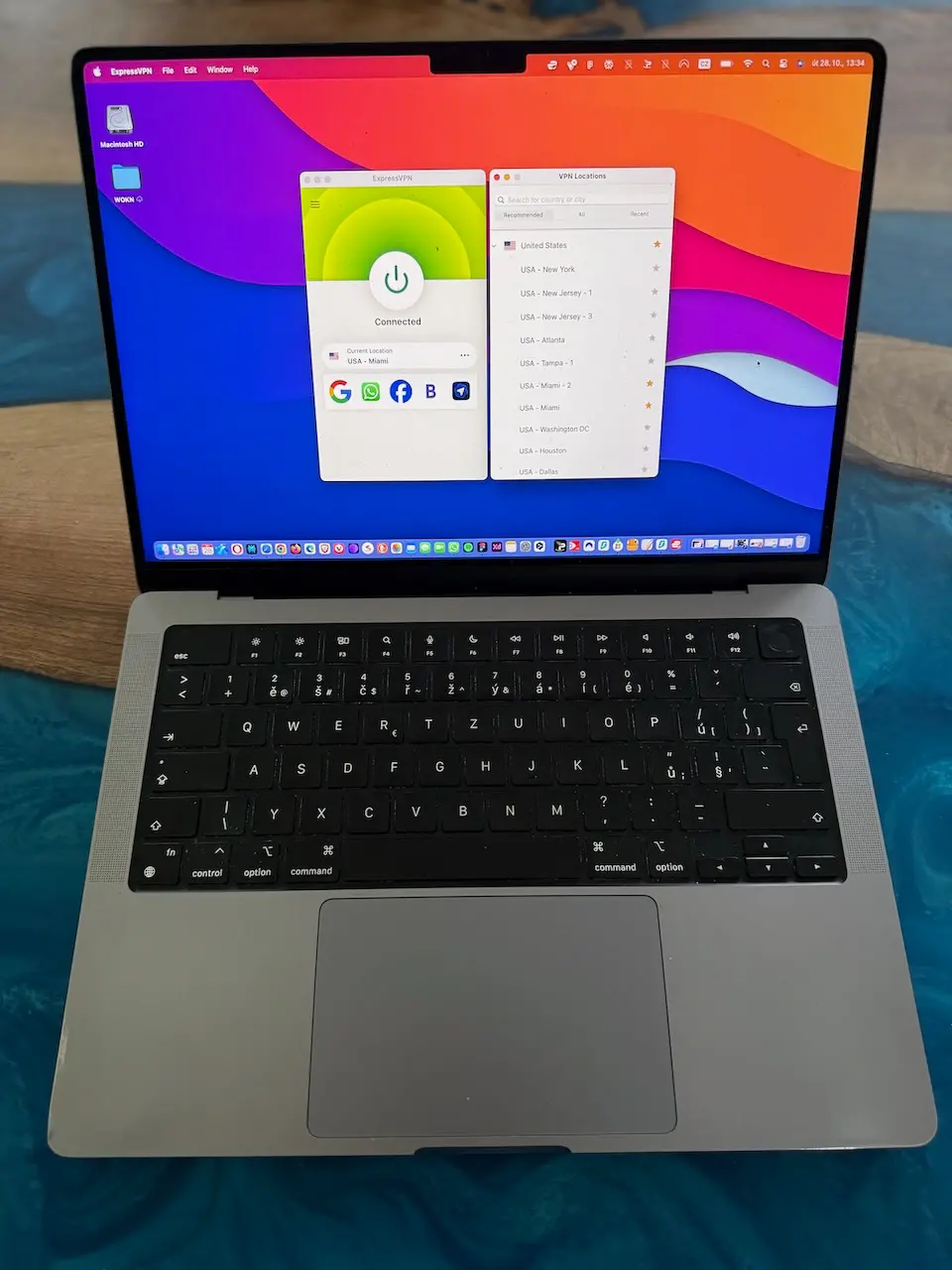
Okay so ExpressVPN used to be pricey as hell, but they recently revamped their pricing. Now they have a tiered system—Basic, Advanced, and Pro. The Basic tier starts at $3.49/month on a two-year plan (with 4 free months), which is way more competitive than their old pricing. Monthly plans are still expensive at around $13/month, but nobody should be paying month-to-month anyway.
The Server Seizure That Proved Everything
BUT—and this is a big but—they’re one of the only VPNs whose no-logs policy has been tested in the real world. Back in 2017, Turkish authorities seized one of their servers during an investigation, and guess what they found? Absolutely nothing. Because there was nothing TO find.
They’re based in the British Virgin Islands which sounds sketchy until you realize that’s actually perfect for privacy since they have zero data retention laws and don’t play ball with the Five Eyes surveillance alliance.
Actually Good Tech (Not Just Marketing)
The custom protocol they built (Lightway) is genuinely impressive. It’s faster than OpenVPN and uses less battery on mobile, which is huge if you’re like me and your phone is always dying by 3pm.
When I was using ExpressVPN regularly, I was getting about 88-95 Mbps download on that same 100 Mbps connection. Slightly faster than Proton, but not enough to justify the price difference for me personally. Upload speeds stayed pretty consistent at 28-30 Mbps.
They’ve got around 3,000+ servers in 109 countries. Not as many as some competitors, but honestly? Quality over quantity. Every server I’ve tried has been fast and reliable, which matters more than having 10,000 servers where half of them suck.
I used ExpressVPN for about a year before switching to Proton (mostly because of the price difference), but I’d still recommend it to anyone who wants maximum compatibility. It works on basically every device ever made, including smart TVs and routers.
3) Mullvad – For the Truly Paranoid (In a Good Way)
Mullvad is weird in the best possible way. When you sign up, they don’t ask for an email, username, or any personal info. They just generate a random account number—something like 8274619284739—and that’s your login. That’s it.
You Can Literally Mail Them Cash
You can literally mail them cash in an envelope with your account number written on a piece of paper, and they’ll add time to your account. I haven’t done this because I’m not THAT paranoid, but the fact that it’s an option is pretty badass.
They’re based in Sweden and have been subpoenaed by Swedish police before. The cops walked away empty-handed because Mullvad doesn’t keep ANY logs. Not even connection times or bandwidth usage. Nothing.
The Good and The Ugly (Mostly Good)
The interface is super minimalist, almost bordering on ugly. It looks like software from 2015, but honestly I kind of respect that they’re not wasting development time on fancy graphics.
They now have native apps for every major platform – Windows, macOS, Linux, Android, and iOS all open source and regularly updated.
Downsides? You have to pay monthly (€5 flat, no long-term discounts), and speeds can vary a bit depending on the server load. Still, the overall reliability and transparency make it a solid choice.
4) NordVPN – Yeah Yeah, Everyone Knows This One
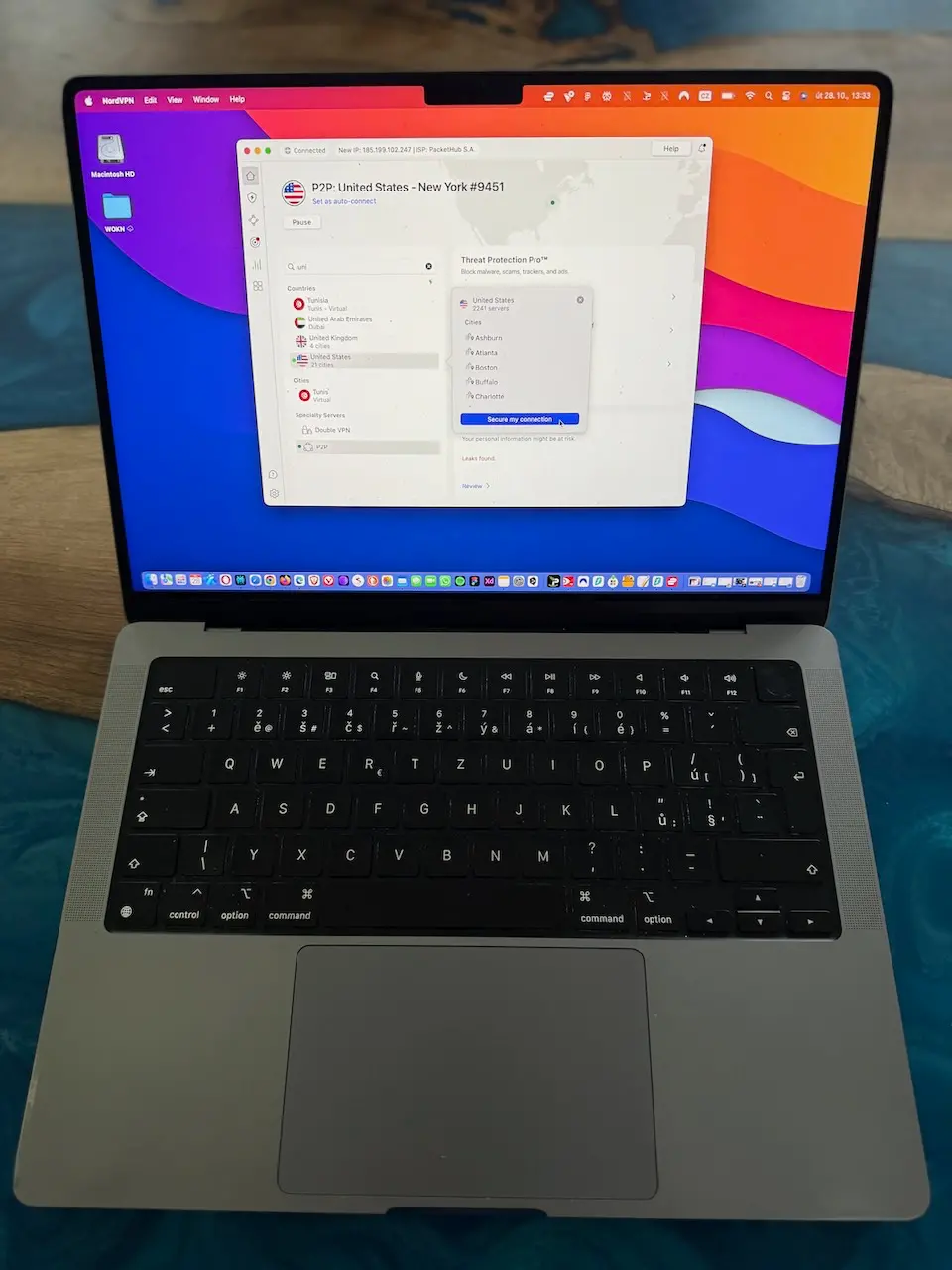
NordVPN is like the iPhone of VPNs—it’s popular, it’s polished, and it just works for most people. Are there more private options? Sure. But Nord hits that sweet spot of being user-friendly while still having solid privacy practices.
That 2018 Breach Actually Proved Their Point
They had a security breach back in 2018 (one of their rented servers got compromised), which scared a lot of people off. But here’s the thing: no user data was exposed because, surprise, they weren’t logging anything. The breach actually proved their no-logs policy was legit.
They’re based in Panama which is excellent for privacy, and they’ve been audited multiple times by PricewaterhouseCoopers. The audits are published publicly, and they all confirm: no logs.
Extra Features That Actually Work
The specialty servers are actually pretty useful. I’ve used their P2P servers for torrenting and their Double VPN feature when I really need extra security (basically routes your traffic through two servers instead of one).
When torrenting on Nord’s P2P servers, I was pulling around 10-11 MB/s on popular torrents, which pretty much maxes out my connection. The regular servers cap out around 8-9 MB/s for me.
With over 8,150 servers in 126 countries and 165 different locations, you’ve got options. Like, a LOT of options. Sometimes too many—scrolling through the server list can be overwhelming, but that’s a minor complaint.
Threat Protection is Nord’s ad-blocker/malware blocker, and it’s… fine? Works okay but nothing special. I still use uBlock Origin because it’s better.
Price-wise they’re competitive—they now have a tiered system like ExpressVPN. The Basic plan is around $3.09-3.39/month on a two-year deal (with 3 extra months free), and the Plus plan (which includes the password manager) is about $3.99/month. They also do this thing where the price jumps way up when you renew, so just be aware of that and consider stacking another deal before renewal hits.
Honestly, if you’re not super into privacy stuff and you just want a reliable VPN that’ll work on all your devices without any fuss, Nord is a safe choice. It’s not my daily driver, but I get why it’s so popular.
5) Surfshark – The Budget Pick That Actually Delivers
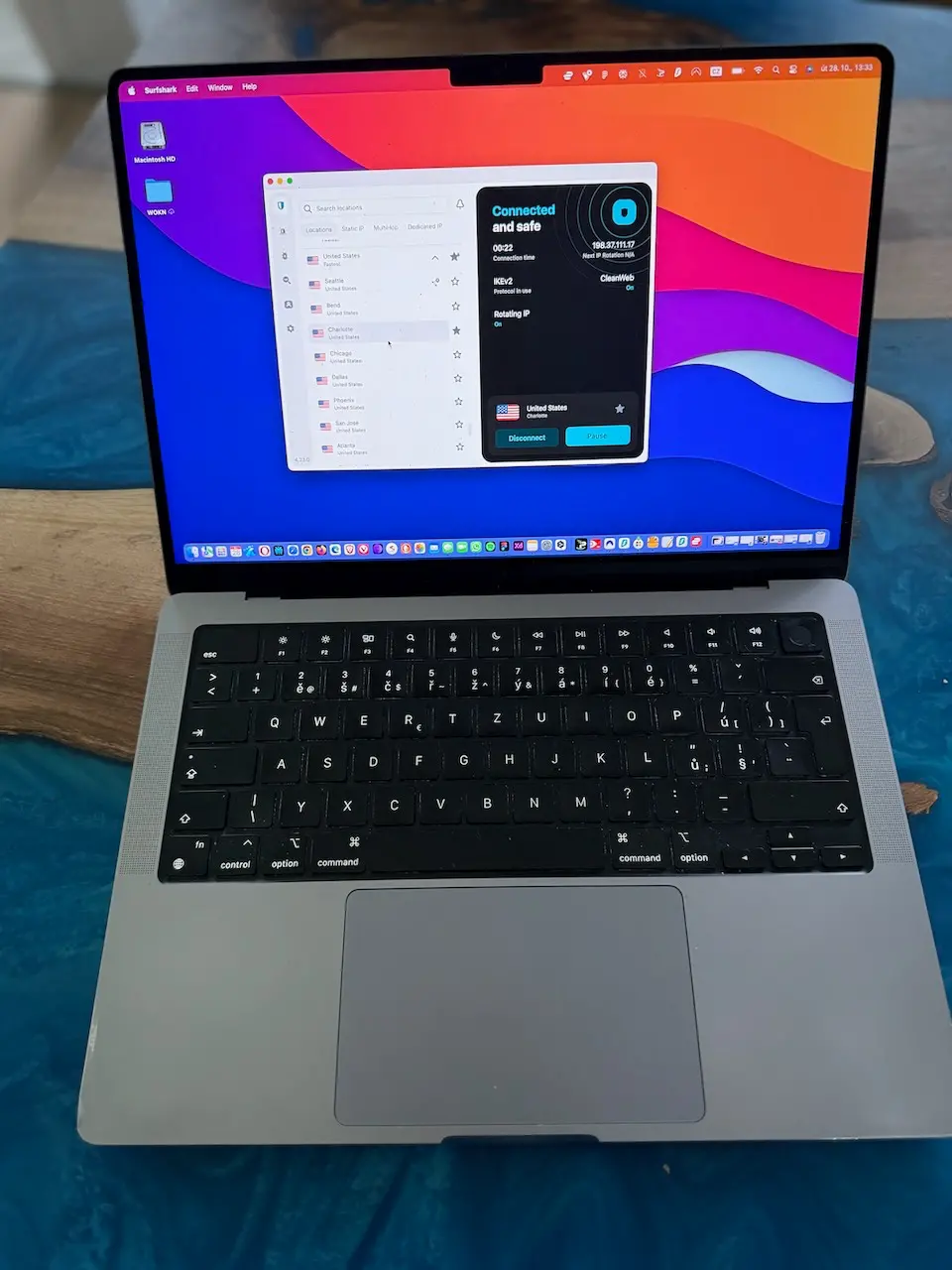
Here’s one I didn’t expect to like as much as I do. Surfshark is owned by the same company as NordVPN (Nord Security), but it’s positioned as the cheaper alternative. And honestly? It punches way above its weight class.
Unlimited Devices (Yeah, Actually Unlimited)
The killer feature here is unlimited simultaneous connections. Most VPNs cap you at 5-10 devices. Surfshark? Connect as many as you want. I’ve had it running on my laptop, phone, tablet, my girlfriend’s devices, and even my parents’ computers all at the same time. No issues.
This makes it perfect if you’ve got a family or just a stupid amount of devices like I do.
Solid Performance for the Price
Speed-wise, I’m getting around 82-88 Mbps on my 100 Mbps connection. Not quite as fast as ExpressVPN or Proton, but honestly the difference is negligible for everyday use. Upload stays at 26-28 Mbps.
They’ve got over 3,200 servers in 100 countries. The network is solid, though I’ve noticed some servers can get congested during peak hours. Usually switching to a different server fixes it.
Features You’ll Actually Use
CleanWeb is their ad-blocker, and it’s actually pretty decent—better than Nord’s Threat Protection in my experience. It blocks ads, trackers, and malware attempts before they even reach your browser.
They also have a rotating IP feature which changes your IP regularly without disconnecting you. Pretty useful for streaming or if you’re being extra cautious.
The Catch (Because There’s Always One)
The price is great if you catch one of their promos—the Starter plan is currently around $1.99/month for a two-year deal (27 months total with the free months), which comes out to about $54 upfront. The One plan with extra features is about $3.19/month on the same deal. But like NordVPN, they jack up the renewal price significantly. My first two years was $54 total, renewal wanted close to $200. Just be ready to negotiate or switch when that happens.
Also, their customer support can be hit-or-miss. I’ve had both amazing experiences and ones where I wanted to throw my laptop out the window.
No-Logs and Audits
Same deal as Nord—they’re based in the Netherlands (which is technically in the 9 Eyes, not ideal but manageable), but they’ve been audited by Cure53 and passed. No activity logs, no connection logs.
Since they’re owned by Nord Security, they share a lot of the same infrastructure and security practices, which is reassuring.
If you’re on a budget or need to cover a ton of devices, Surfshark is honestly a killer deal. It’s not my top pick for hardcore privacy (that’s still Proton), but for the price-to-performance ratio? Hard to beat.
Some Random Tips That’ll Save You Headaches
After going through this whole process, here’s stuff I wish someone had told me:
Never Trust Free VPNs
Free VPNs are a scam. Period. They’re either selling your data, injecting ads, or running some crypto-mining operation on your device. There’s no such thing as free lunch, especially not in the VPN world.
Payment Methods Matter More Than You Think
Pay with crypto or cash if you’re serious about anonymity. Most VPNs accept Bitcoin, and Mullvad takes actual physical cash. Your credit card company knows everything you buy, so if you’re trying to be anonymous, don’t create a paper trail.
Here’s what each VPN accepts if you want to stay truly anonymous:
| VPN | Bitcoin/Crypto | Cash by Mail | Anonymous Signup | Notes |
|---|---|---|---|---|
| Proton VPN | ✓ | ✓ | ✗ (email needed) | Can use Proton Mail for privacy |
| ExpressVPN | ✓ | ✗ | ✗ (email needed) | Standard crypto only |
| Mullvad | ✓ | ✓ | ✓ | 10% discount with crypto, just need account number |
| NordVPN | ✓ | ✗ | ✗ (email needed) | Accepts most cryptos |
| Surfshark | ✓ | ✗ | ✗ (email needed) | Standard payment options |
If you’re going full paranoid mode, Mullvad is the only one where you can be 100% anonymous from signup to payment. The rest require at least an email address.
Actually Test Your Kill Switch
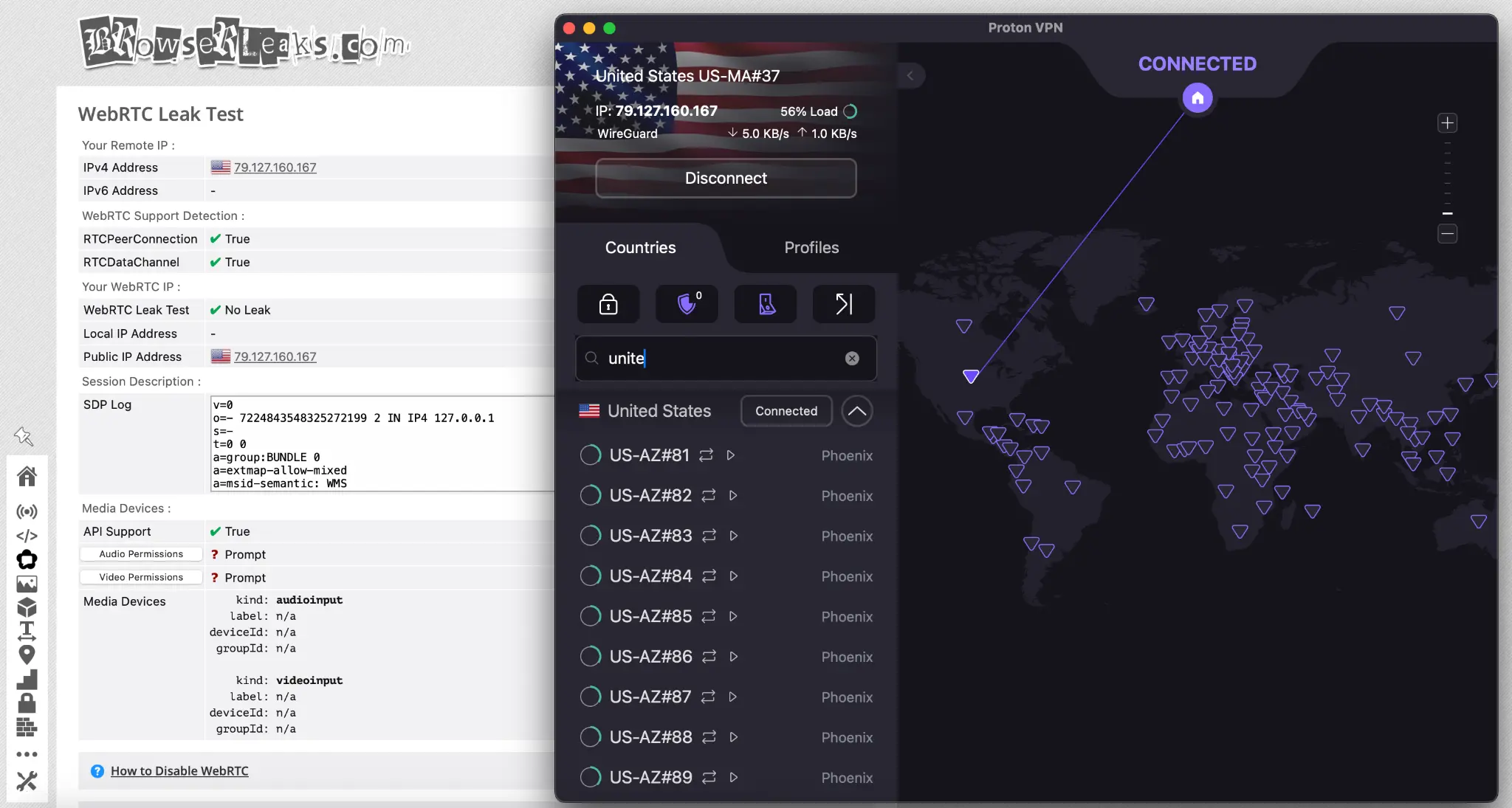
Test the kill switch before you need it. A kill switch is supposed to cut your internet if the VPN drops, preventing your real IP from leaking. But some VPN kill switches are janky as hell. Disconnect your VPN while downloading something and see if it actually stops the download.
I tested this with all four VPNs by using ipleak.net while forcefully disconnecting the VPN. Proton and Mullvad passed with zero leaks. ExpressVPN had one IPv6 leak on the first test (fixed after I enabled IPv6 protection in settings). That cheap green-logo VPN I mentioned earlier? Leaked my real IP every single time. Total garbage.
Don’t Get Obsessed With Speed Tests
Speed matters less than you think. Yeah, everyone obsesses over speed tests, but honestly? Unless you’re doing 4K streaming or serious gaming, any decent VPN will be fast enough. Focus on privacy first, speed second.
Location Is Everything
Avoid anything based in the US, UK, Australia, or most of Europe. These countries have data sharing agreements (Five Eyes, Nine Eyes, Fourteen Eyes) and can compel companies to hand over data. Choose VPNs based in privacy-friendly countries like Switzerland, Panama, or the British Virgin Islands.
The Full Feature Breakdown
Here’s everything side-by-side so you can actually compare what you’re getting:
| Feature | Proton | ExpressVPN | Mullvad | NordVPN | Surfshark |
|---|---|---|---|---|---|
| No-logs (audited) | ✓ | ✓ | ✓ | ✓ | ✓ |
| Kill switch | ✓ | ✓ | ✓ | ✓ | ✓ |
| Servers | 15,000+ | 3,000+ | 700+ | 8,150+ | 4,500+ |
| Countries | 126 | 109 | 49 | 126 | 100 |
| Ad blocker | ✓ (NetShield) | ✗ | ✗ | ✓ (Threat Protection) | ✓ (CleanWeb) |
| Streaming | Excellent | Excellent | Poor | Great | Great |
| Torrenting | All servers | All servers | All servers | P2P servers | All servers |
| Open source | ✓ | ✗ | ✓ | ✗ | ✗ |
| Devices | 10 | 10 (Basic tier) | 5 | 10 | Unlimited |
| Crypto payment | ✓ | ✓ | ✓ (10% off) | ✓ | ✓ |
| Cash payment | ✓ | ✗ | ✓ | ✗ | ✗ |
| Email required | Yes | Yes | No | Yes | Yes |
| URL | Try Proton | Try ExpressVPN | Try Mullvad | Try NordVPN | Try Surfshark |
Key takeaway: Mullvad wins on pure anonymity, Proton wins on transparency and features, ExpressVPN wins on polish, Surfshark wins on device count, and NordVPN is the middle ground.
So Which One Should You Actually Get?
If you made it this far, here’s my actual recommendation laid out in a way that might actually help you decide:
| VPN | My Rating | Monthly Cost | Best For | Deal Breaker |
|---|---|---|---|---|
| Proton VPN | 9/10 | $3.59/month (2-year) | Privacy nerds, open-source fans | Free tier is limited |
| ExpressVPN | 8/10 | $3.49-7.49/month (2-year, tiered) | People who want it to just work | Still pricey at higher tiers |
| Mullvad | 8.5/10 | €5/month (~$5.50) | Absolute anonymity | No long-term discounts, occasional speed variation |
| NordVPN | 7.5/10 | $3.09-3.99/month (2-year promo) | Casual users, families | Price jumps on renewal |
| Surfshark | 7.5/10 | $1.99-3.19/month (2-year promo) | Budget buyers, big families | Renewal price hike, inconsistent support |
Get Proton VPN. It’s the best balance of privacy, price, and performance. The company has a proven track record, they’re based in the right country, and the apps are solid across all platforms.
If money isn’t an issue and you want maximum compatibility, go with ExpressVPN. You’re paying for polish and peace of mind.
If you’re genuinely worried about being tracked or you just don’t want to give anyone ANY information about yourself, Mullvad is your answer.
And if you just want something that works and don’t want to overthink it, NordVPN will do the job fine.
On a tight budget or need to cover a whole family’s worth of devices? Surfshark is your best bet—unlimited devices and solid performance for cheap.
Personally, I’ve got Proton running on all my devices and a Mullvad subscription as backup. That’s probably overkill for most people, but after dealing with that ISP letter and wasting money on garbage VPNs, I sleep better knowing my traffic is actually private.
Questions People Keep Asking Me
Since I started talking about VPNs with friends and family, I get the same questions over and over. Here’s the real answers:
Are no-log VPNs really private?
The good ones? Yes. Look for independent audits, not marketing promises. ExpressVPN’s servers got seized by Turkish cops—they found nothing because there was nothing to find.
What’s the best VPN for torrenting?
Mullvad or Proton VPN. Both have been tested in court and came up clean. NordVPN and Surfshark’s P2P servers work great too.
Can my ISP see I’m using a VPN?
They can see you’re connected to a VPN, but not what you’re doing through it. If they throttle you, switch from OpenVPN to WireGuard—usually fixes it.
Is it legal to use a VPN?
In the US and most Western countries? Totally legal. Using a VPN to do illegal stuff is still illegal though—it’s not a magic invisibility cloak.
Your ISP, your government, and random hackers on public WiFi don’t need to know what you’re doing online. That’s your business, not theirs. Get a real VPN and keep it that way.
Want to try them out? Here are the links: Proton VPN | ExpressVPN | NordVPN | Surfshark
Affiliate Disclosure (Because I’m Not Gonna Be Shady About It)
Look, I’m gonna be straight with you: some of the links in this article are affiliate links. That means if you click through and buy a subscription, I might get a small commission. It doesn’t cost you anything extra—the VPN companies just give me a cut of what you’d be paying anyway.
Here’s the important part though: I only recommend VPNs I’ve actually tested and would use myself (and do use, in Proton’s case). I’m not gonna tell you some garbage VPN is good just because they offer a bigger commission. That’s how you end up with those sketchy “TOP 10 VPN” listicles that recommend the same three trash services everyone else is pushing.
I tested almost 18 VPNs over the past year, wasted my own money on several that sucked, and I’m only telling you about the five that are actually worth it. The affiliate income helps cover the cost of subscriptions for testing and keeps me motivated to update this guide when things change.
If you don’t want to use my links, that’s totally cool—just go directly to the VPN’s website and sign up there. I’m not gonna lose sleep over it. What matters is that you get a VPN that actually protects your privacy instead of one of those garbage options that’s secretly logging everything.
Thanks for reading, and stay safe out there.