Revolut was built from day one as a borderless travel money app—yet thousands of Revolut Standard, Metal, Ultra, and Revolut Business users still get hit with sudden automated security freezes while traveling abroad. The culprit is almost never a physical tap of your debit card at a restaurant in Tokyo or a metro turnstile in Rome. Instead, automated account locks happen when you open the Revolut app over untrusted hotel Wi-Fi or while connected to a dirty, shared VPN datacenter IP address that clashes with your phone’s physical GPS and card terminal telemetry.
As a dedicated 100% Revolut Abroad spoke expanding on our Online Banking, PayPal, Wise & Revolut Abroad VPN Hub, this guide explains how Revolut’s machine-learning fraud engine (`Sherlock`) actually evaluates your connection in 2026. We cover when a VPN protects your Revolut balance, when a random VPN server can accidentally decline your card payments, and how to use NordVPN Home Meshnet, 1-to-1 Dedicated IPs, and Revolut’s own Street Mode together without friction.
The Revolut VPN paradox: location-based card security vs. public Wi-Fi protection
Unlike traditional web-centric platforms such as PayPal Abroad or Wise Abroad, Revolut is an app-first neobank with a built-in feature called Location-Based Security. When enabled, Revolut compares the country of the merchant’s physical card reader (POS terminal or ATM) against the last known location of your smartphone.
When You Need a Clean Home/Dedicated VPN IP
- Connecting over unencrypted hotel, cafe, or airport Wi-Fi where MITM packet sniffing or captive portal injection can occur.
- Sending high-value SEPA, Faster Payments, ACH, or SWIFT wire transfers (e.g., paying rent, invoices, or taxes back home).
- Logging into the Revolut Web App (`app.revolut.com`) or managing Revolut Business corporate payroll from a laptop abroad.
- Trading on Revolut X, buying Stocks/ETFs, or moving funds out of Savings Vaults while traveling outside the UK/EEA/US.
What Never to Do With a VPN on Revolut
- Never hop across random shared VPN countries (e.g., connecting to an Albanian or Turkish VPN server for cheap streaming and then immediately opening Revolut to send €3,000).
- Never spoof your Android GPS to a different continent right before swiping your physical Revolut Metal card at a local foreign ATM if Location-Based Security is turned on.
- Never use free VPN apps or Tor exit nodes when approving 3D Secure (`3DS`) push notifications inside the Revolut app.
Secure Your Revolut App & Transfers on Any Foreign Wi-Fi Network
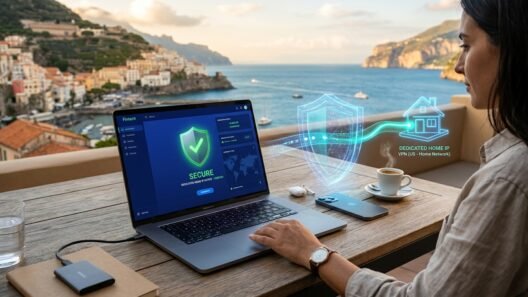
Avoid shared VPN datacenter flags by routing through your own home residential ISP IP with NordVPN Meshnet or a private 1-to-1 Dedicated IP.
Revolut activity risk matrix: everyday card swipes vs. high-value IBAN & crypto
Before you open the Revolut app on your trip, check how Revolut’s `Sherlock` risk-scoring system treats the specific transaction you are about to perform:
Why shared “Quick Connect” VPN servers trigger Revolut security holds
When a Revolut user posts on Reddit that their account was suddenly restricted while backpacking in Southeast Asia or South America, the underlying cause is almost always an Account Takeover (ATO) false positive combined with bad-neighbor IP reputation:
- Commercial Datacenter ASN Blacklists: Fraudsters who buy phished banking credentials use cheap shared commercial VPN nodes to test stolen logins. When you connect to that exact same shared IPv4 address on a standard VPN server and attempt to empty your GBP/EUR Savings Vault or wire $4,000 to a new IBAN, Revolut’s automated protection pauses the transfer and requests a live selfie video plus confirmation that you are not being coerced.
- Background VPN Country Hopping: If you use your phone to watch BBC iPlayer via a UK server at 8:00 PM, switch to a Brazilian server for a cheap subscription at 8:30 PM, and then open Revolut on a hotel Wi-Fi in Thailand at 8:45 PM, Revolut records three continents in 45 minutes.
- Trading & Crypto Jurisdiction Ring-Fencing: Revolut’s investment and crypto services (`Revolut Digital Assets Europe` / `Revolut Ltd UK`) are strictly licensed per region. Opening the investment tab from a non-EEA/non-UK IP address—or through a VPN exit outside your registered tax residency—can temporarily grey out buy/sell buttons.
Keep Your Revolut Account Safe From Public Wi-Fi & Shared IP Flags
Use NordVPN’s free Home Meshnet to route banking traffic through your home router, or pick a 1-to-1 Dedicated IP from ExpressVPN or Surfshark.
Best VPN setup for Revolut: Home ISP Meshnet, Dedicated IP & Split Tunneling
To get 100% encryption on hotel and airport Wi-Fi without ever triggering a datacenter IP flag on Revolut, use one of these three tested configurations:
1. NordVPN Home Meshnet (Best for Large IBAN Wires & Revolut Business)
Leave a computer or mini-PC running at home with NordVPN Meshnet enabled. Whenever you need to log into `business.revolut.com` or send a large bank transfer from abroad, route your phone or laptop through your home Meshnet peer. Revolut sees your genuine domestic residential ISP (`BT`, `Vodafone`, `Deutsche Telekom`, `Orange`)—eliminating every commercial VPN risk flag.
2. 1-to-1 Dedicated IP in Your Home Country (Best for Full-Time Nomads)
If you don’t keep a computer running at home, add a Dedicated IP (from NordVPN, ExpressVPN, or Surfshark) located in the exact country where your Revolut account is registered (e.g., London UK, Frankfurt DE, Warsaw PL, Zurich CH, Dublin IE, or New York US). Because no other VPN customer ever shares that IPv4 address, its fraud score remains spotless. Furthermore, ExpressVPN includes a complimentary 3GB to 5GB `holiday.com` international roaming eSIM (and Revolut Ultra/Metal plans also offer built-in eSIM data)—allowing you to approve urgent bank transfers over encrypted 5G cellular data instead of sketchy public Wi-Fi.
3. Split Tunneling on Android for Multi-Region Streaming Users
If you frequently switch VPN servers on your Android phone to unblock foreign sports or streaming catalogs, open Surfshark’s Bypasser or NordVPN’s Split Tunneling settings and add the Revolut app to the Bypass VPN list while on mobile data. That way, switching your VPN to Japan or Brazil to watch a stream will never expose your background Revolut session to rapid continent-hopping.
Pairing your VPN with Revolut Street Mode & Biometric Wealth Protection
In 2026, Revolut rolled out two physical-world security layers designed specifically to stop phone-snatching thefts in major tourist cities. If you use a VPN or travel router abroad, make sure you understand how they interact with your network setup:
- Wealth Protection (Biometric Liveness Lock): Protects your Savings Vaults, Pockets, and Crypto balances with an independent facial biometric scan—even if a thief sees your phone passcode and unlocks your device. This works seamlessly over any VPN or Dedicated IP connection.
- Street Mode (Trusted Locations): Street Mode lets you define physical “Trusted Locations” (such as your hotel room or Airbnb) and enforces a mandatory 1-hour transfer delay + extra biometric check whenever a transfer above your limit is initiated outside those trusted zones. Because Street Mode relies on iOS/Android system GPS rather than just IP address, keep Location Services enabled for Revolut when adding your hotel as a Trusted Location, exactly as you coordinate network security in our Remote Work Abroad VPN Router Guide.
Travel With Revolut Abroad Without Security Freezes in 2026
Get NordVPN for free Home Meshnet residential routing, or ExpressVPN for a private Dedicated IP + free holiday.com roaming eSIM data.
Frequently Asked Questions (FAQ)
Does Revolut ban you for using a VPN while traveling abroad?
No. Using a VPN to encrypt your connection on hotel or airport Wi-Fi does not violate Revolut’s terms for existing verified customers. Account restrictions happen when users connect through abused, shared VPN datacenter IPs or rapidly jump between multiple foreign countries right before initiating a high-value transfer.
Do I still need to tell Revolut before I travel to another country in 2026?
No—Revolut does not require manual travel notices. Instead, it uses automated telemetry (Apple Pay/Google Pay device tokens and optional Location-Based Security) to verify that your phone is in the same country where your physical card is being tapped.
Why does the Revolut app say “Something went wrong” when my VPN is turned on?
If the Revolut app fails to load balances or displays a network error while your VPN is active, either your VPN’s DNS ad-blocker (`Threat Protection` / `CleanWeb`) is blocking a Revolut telemetry endpoint, or the shared VPN IPv4 address you connected to is rate-limited by Cloudflare. Switching to your Home Meshnet IP or a 1-to-1 Dedicated IP fixes this immediately.
Can I open a brand-new Revolut account using a VPN in an unsupported country?
No. Revolut is a licensed financial institution that requires government-issued ID, facial biometrics, a tax identification number (TIN), and valid legal residency documents in a supported country (UK, EEA, US, Australia, Japan, Singapore, Switzerland, Brazil, or New Zealand). A VPN is strictly for protecting your already-verified Revolut account when you travel abroad.