It’s the Super Bowl. The national anthem just ended, kickoff is seconds away… and suddenly your stream starts buffering. Frozen screen, spinning wheel, blurry pixels.
If this sounds familiar, you’re not alone. Super Bowl streams are notorious for lag, delays, and sudden quality drops especially during peak moments. Massive traffic spikes, ISP throttling, overloaded servers, and poor routing all play a role.
The good news? Most Super Bowl buffering issues are easy to fix in minutes. From choosing the right streaming platform to using a fast VPN that bypasses throttling, this guide shows you exactly why Super Bowl streams buffer and how to fix it fast before kickoff.
Common Causes of Super Bowl Stream Buffering
Before we fix it, let’s break down what causes buffering during high-demand live events like the Super Bowl.
1. Internet Congestion
Everyone in your neighborhood (and city) is online watching the same thing. ISPs often struggle to keep up with the traffic spikes, especially if you’re on a shared local network. This slows down your connection—even if you’re on a fast plan.
2. Throttling by Your ISP
Some internet providers detect when you’re streaming video and quietly throttle your bandwidth. Yes, they can do that—especially with popular events like the Super Bowl where traffic costs them money.
3. Low-Quality VPN or No VPN at All
If you’re using a VPN to bypass geo-restrictions but it’s a free or slow provider, buffering is almost guaranteed. Or maybe you’re not using one at all—and your stream is geo-blocked, forcing you to rely on sketchy third-party links.
4. Platform Server Overload
Even premium services like Peacock, Fox Sports, DAZN or YouTube TV can buckle under pressure. Their servers get hammered with requests, and if their infrastructure isn’t solid, your stream takes the hit.
5. Wi-Fi Weakness
Streaming in HD or 4K over Wi-Fi in a crowded household? A weak or unstable connection can drop your speeds fast. Add multiple users on Zoom, Xbox, or Netflix and your stream may not stand a chance.
How to Fix Super Bowl Stream Buffering (Fast)
Here’s how to troubleshoot and fix the issue—most of these steps take less than 60 seconds:
1. Use a Premium VPN (Seriously)
A high-quality VPN routes your traffic through fast, optimized servers—often bypassing throttling and giving you direct access to faster, less congested routes.
Here are the top 3 VPNs we recommend for Super Bowl 2026
- Try NordVPN – 77% Off + 3 Months Free »
- Try Surfshark – 87% Off + 3 Months Free »
- Get ExpressVPN – 78% Off + 4 Months Free »
These aren’t just for unblocking access—they actually improve stream stability by rerouting traffic, encrypting data, and avoiding ISP snooping. They also let you stream free from any location US, Canada, UK, Germany or anywhere else.
2. Switch to a Less Congested Server
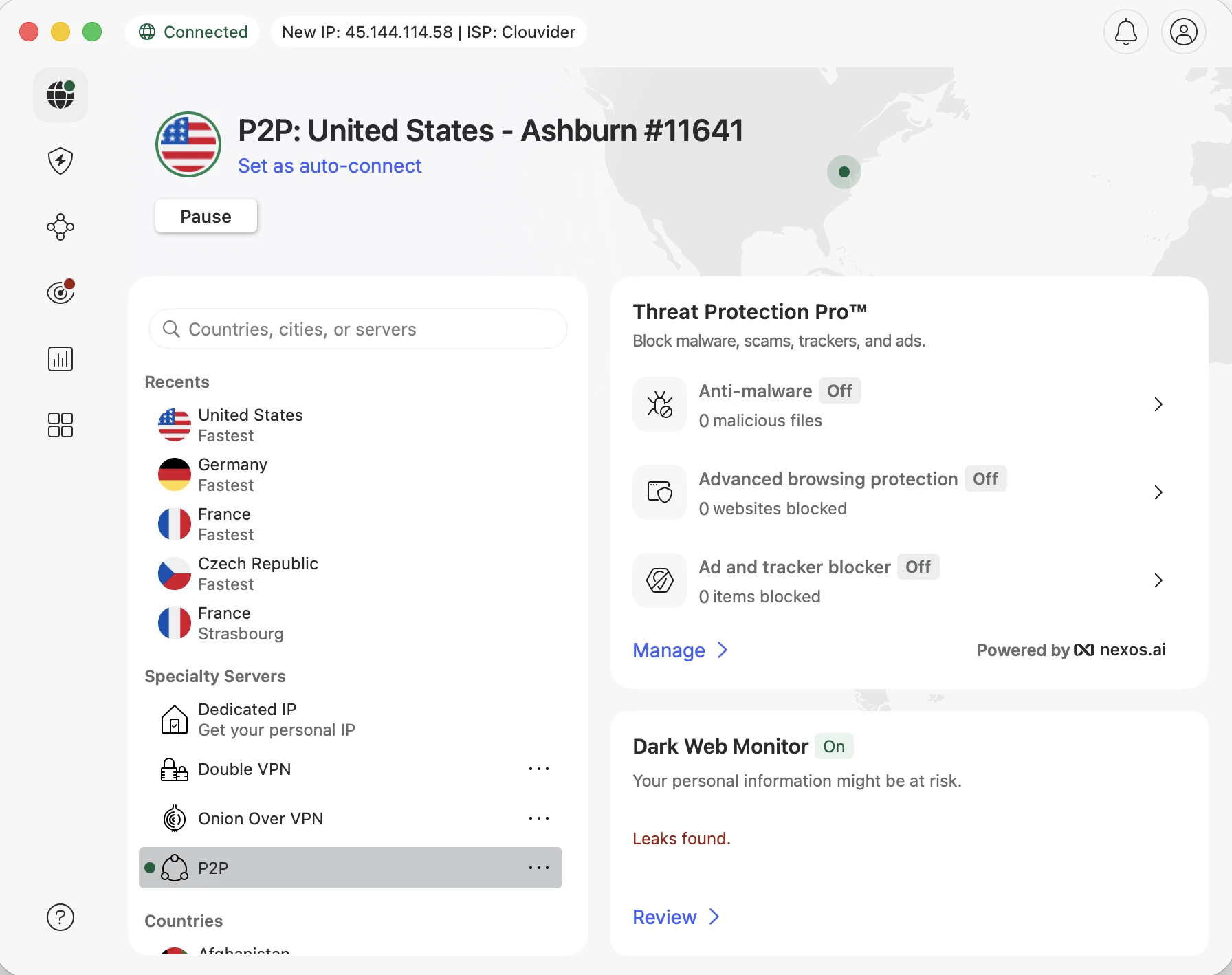
If you’re already using a VPN but still buffering, try switching servers. For example, if you’re connected to a New York server on NordVPN or Surfshark and it’s lagging, try one in Atlanta, Miami, or even Canada if you’re watching on a Canadian broadcaster like CTV or TSN.
Premium VPNs like NordVPN, Surfshark, and ExpressVPN offer dozens of optimized servers just for streaming—some even labeled “Streaming” or “Media.”
3. Restart Your Router (Yes, It Helps)
When was the last time you restarted your router? It’s a classic tip for a reason. A simple reboot can clear out memory issues, reconnect you to a better IP route, and stabilize your speeds—especially if you’ve had multiple devices clogging up the connection all day.
If you’re on Wi-Fi, try connecting your device directly via Ethernet or get closer to the router. You’d be surprised how much difference a few meters (or one thick wall) can make.
4. Avoid Free or Sketchy Streaming Sites
Free “mirror” sites might sound tempting if you’re abroad, but they’re a minefield. Even if they work, you’re often stuck with overloaded servers, constant buffering, malware-ridden pop-ups, or streams that go offline halfway through the second quarter.
Using a VPN with access to legit platforms (like Peacock in the US, ITV in the UK, or 7plus in Australia) is safer, cleaner, and often free anyway. For example:
- Watch Super Bowl free on ITV (UK) with a UK VPN server
- Stream via 7plus (Australia) with an Australian VPN server
- Use DAZN in Germany or CTV in Canada with the right server location
All easily unblocked with NordVPN, Surfshark, or ExpressVPN.
5. Choose the Right Platform for Your Region
Some platforms perform better depending on where you are. If you’re outside the US, your best bet may not be YouTube TV or Hulu—it might be an international broadcaster with lower server load and free access.
Here’s a quick cheat sheet:
| Country | Free Stream Option | Recommended VPN Server |
|---|---|---|
| USA | Peacock, CBS, NFL+ | USA – Miami, Dallas |
| UK | ITVX | UK – London, Manchester |
| Germany | DAZN or RTL+ | Germany – Frankfurt |
| Canada | CTV, TSN | Canada – Toronto |
| Australia | 7plus | Australia – Sydney |
Buffering often has less to do with you, and more to do with the platform you chose and the server you’re hitting. Pick wisely.
Final Tips to Keep Super Bowl Streams Smooth
- Close other apps – Zoom, downloads, torrents, or cloud backups can kill your stream
- Stream on one device only – Avoid “watch parties” on the same Wi-Fi
- Use browser instead of app – Some apps throttle faster than browser-based streams
- Don’t wait until kickoff – Connect to your VPN and open the stream 10–15 minutes before
🏆 Best VPNs for a Smooth Super Bowl Stream (No More Buffering!)
1) NordVPN – The Speed King with Stealth Mode
- Over 8900+ servers globally, including tons made for streaming
- SmartPlay feature helps unblock platforms without manual setup
- Bypasses throttling even on overloaded Wi-Fi
👉 Get 77% off + 3 months FREE »
2) Surfshark – Affordable, Reliable, and Limitless
- Fast speeds on Netflix, Peacock, DAZN, and more
- One account covers unlimited devices—ideal for family and friends
- Super cheap deal right now
👉 Get 87% off + 3 months FREE »
🚀 ExpressVPN – Most Consistent for Streaming Super Bowl 2026
- Blazing fast and ultra-stable on CBS, ITVX, and 7plus
- Easy split tunneling and private DNS for top performance
- Trusted by streamers around the world
👉 Get 78% off + 4 months FREE »
Conclusion: Don’t Let Buffering Ruin the Big Game
You’ve waited all year for this. Don’t let a sluggish stream or a “this content is not available in your region” message ruin the Super Bowl experience. A few quick adjustments plus the right VPN can make all the difference.
Set yourself up for a smooth, high-quality Super Bowl 2026 stream… no buffering, no blocks, just football.
Want to skip straight to the best VPNs for flawless Super Bowl streaming? Check out our top 3 picks here.
Need a step-by-step guide on where and how to stream the Super Bowl worldwide? Here’s the full breakdown.
Super Bowl Streaming FAQ
Why does my Super Bowl stream buffer even with fast internet?
Even fast connections can buffer during the Super Bowl due to ISP throttling, local congestion, or overloaded streaming servers. During major live events, speed alone isn’t enough. Stable routing and avoiding throttling matter more than raw bandwidth.
Can a VPN really reduce Super Bowl buffering?
Yes. A premium VPN can bypass ISP throttling, route your traffic through less congested paths, and connect you to faster streaming servers. This often results in smoother playback, fewer drops, and more stable HD or 4K streams.
What VPN location works best for Super Bowl streaming?
It depends on the platform.
For US streams like Peacock or CBS, choose US servers outside major hubs such as Miami, Dallas, or Atlanta. For free international streams, use a UK server for ITVX or an Australian server for 7plus.
Should I connect to my VPN before or after the stream starts?
Always connect before opening the stream. Ideally, connect 10–15 minutes before kickoff to secure a stable connection and avoid last-minute server congestion.