I just got back from 10 days in Moscow (September 18-28, 2024), and I need to tell you about my ProtonVPN experience because… wow. It was frustrating, occasionally successful, and definitely educational.
Quick context: I’m a freelance writer who thought I knew VPNs. Spoiler: Russian internet humbled me real fast.
Day 1: Welcome To Digital Prison
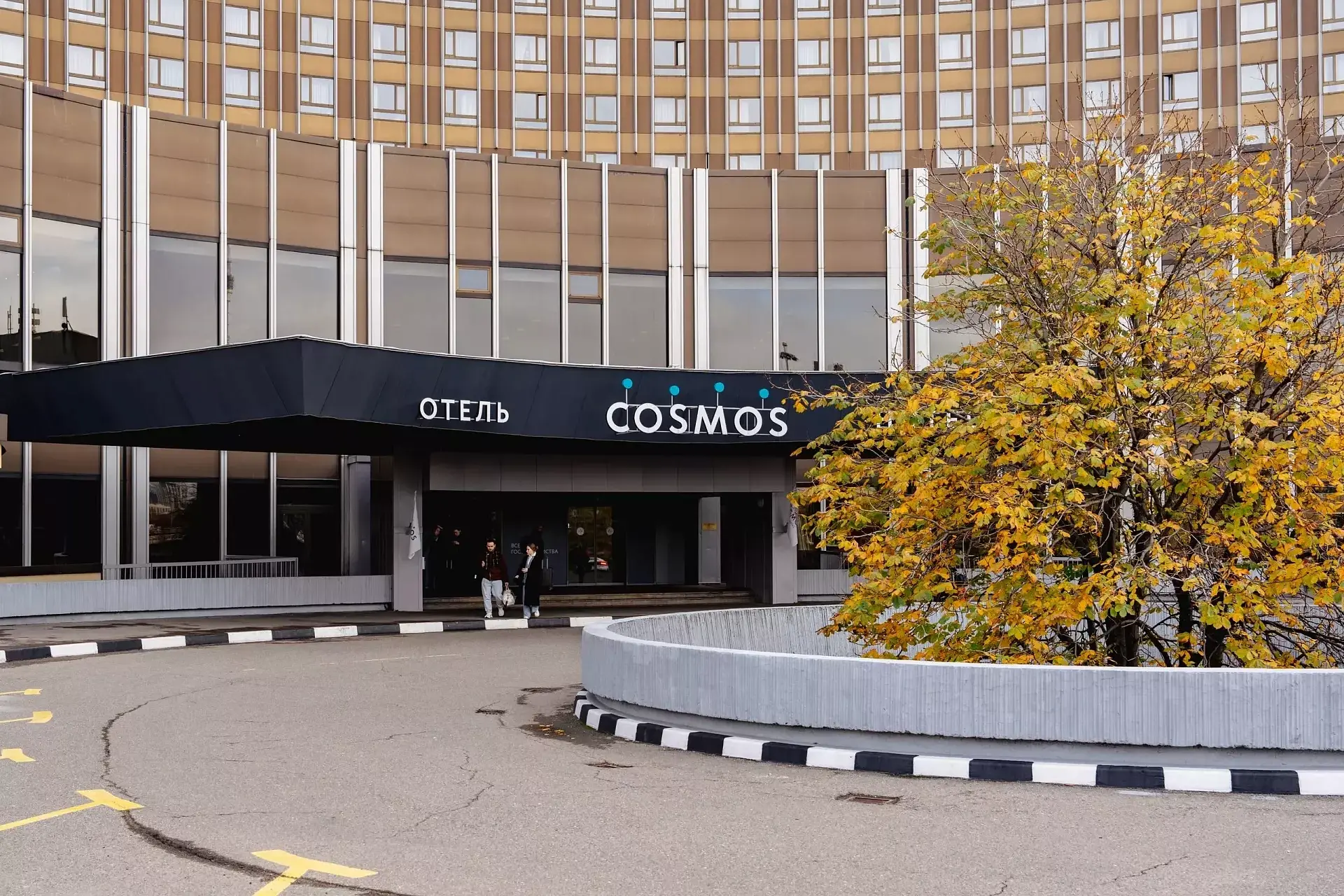
First morning at Hotel Cosmos (9,200 rubles/night, ouch). Decent Wi-Fi. Opened Instagram.
Nothing.
Facebook? Blocked.
WhatsApp calls? Nope.
BBC News? Also blocked.
I knew Russia censored stuff, but holy shit. The government literally calls Facebook and Instagram “extremist organizations.” My mom’s baking group is extremist now, apparently.
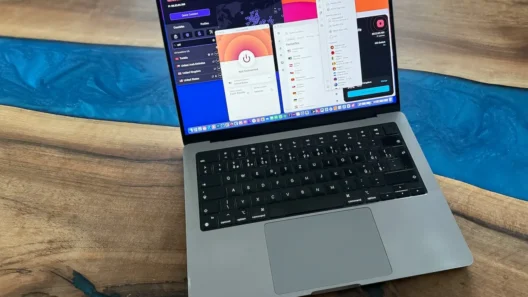
Fired up ProtonVPN. Hit connect. The app just… spun. And spun. And spun.
Sat there for 5 minutes thinking “maybe Wi-Fi is just slow?”
Nope. Just blocked.
“That moment when you realize you can’t check Instagram for 10 days hits different. Like actual panic.”
What I Tested ProtonVPN (And Where)
Over 10 days I became obsessed with testing this thing everywhere:
Hotel Cosmos (near VDNKh station)
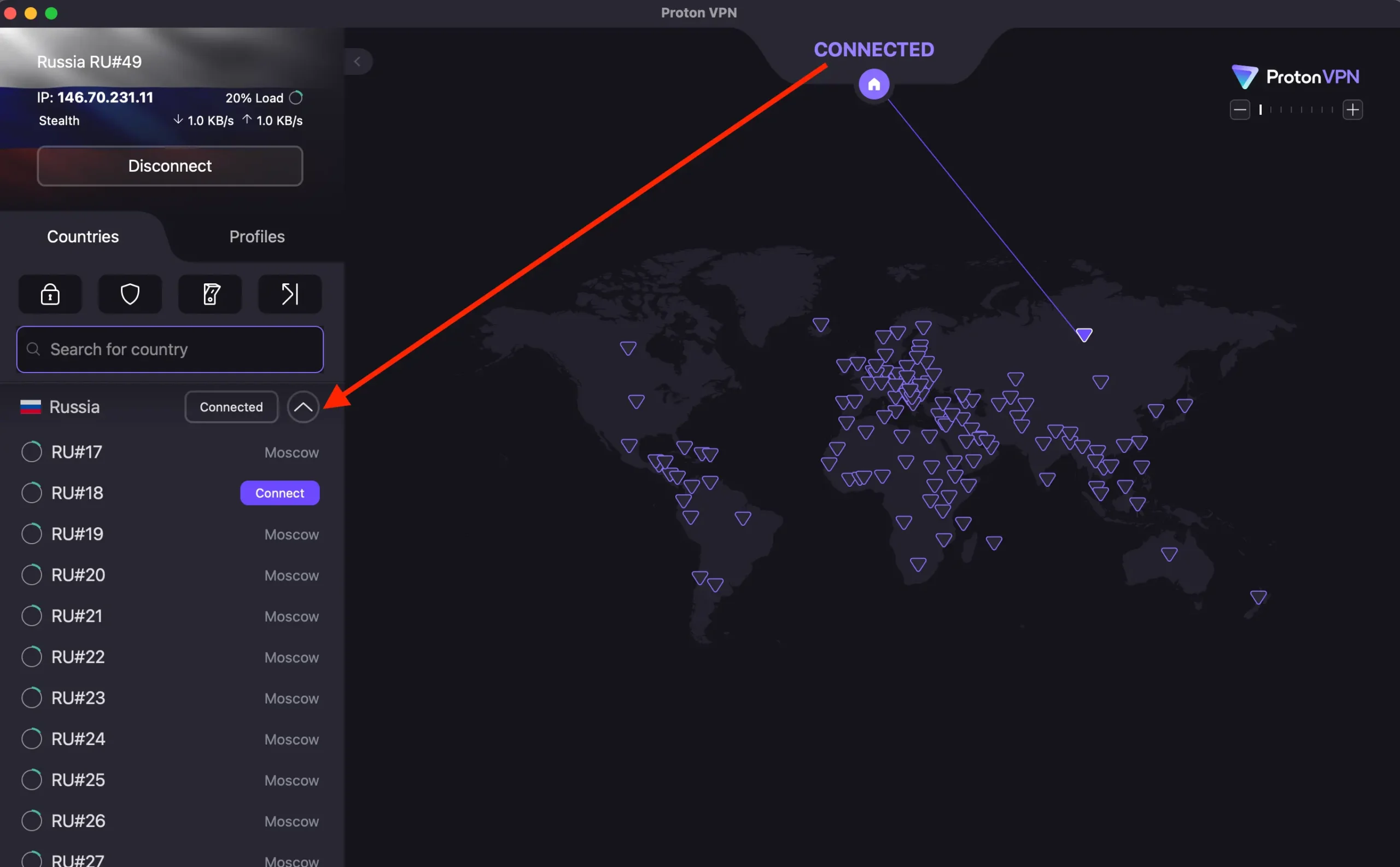
- Regular protocols: Failed completely
- Stealth + Finland server: Worked 80% of the time
- Speed: 15-20 Mbps (Wi-Fi was rated 30)
- Cost: 9,200₽/night ($95 USD)
Coffee Mania (Arbat Street)
- Smart Protocol just… worked?
- No Stealth needed
- I asked the barista if they had special internet
- She looked at me like I was insane
- Good cappuccino though (280₽)
Random café near Tverskaya
- Nothing worked
- Tried Stealth, Smart Protocol, everything
- Gave up and ate пирожки without Instagram
- Tragic
Beeline mobile data
- Surprise winner
- Worked 70% of the time with Stealth
- Way more reliable than Wi-Fi
- Burned through my data plan fast
Sheremetyevo Airport (SVO)
- DON’T try VPN setup here
- They make you register WiFi with phone number
- Links your identity to everything
- Not worth the risk (more on legal stuff later)
Met a local guy named Dmitry at Coffee Mania. He said most people just… deal with it. Don’t use social media, stick to Russian sites. But dude, I need Instagram for work.
The Breakthrough: Stealth Protocol Saved My Ass
Day 3. Still couldn’t connect. Tried 4 protocols, 8 servers. Ready to give up.
Then remembered reading something about “Stealth protocol” on Reddit before I left.
Settings → Connection → Protocol → Stealth
Connected to Finland server.
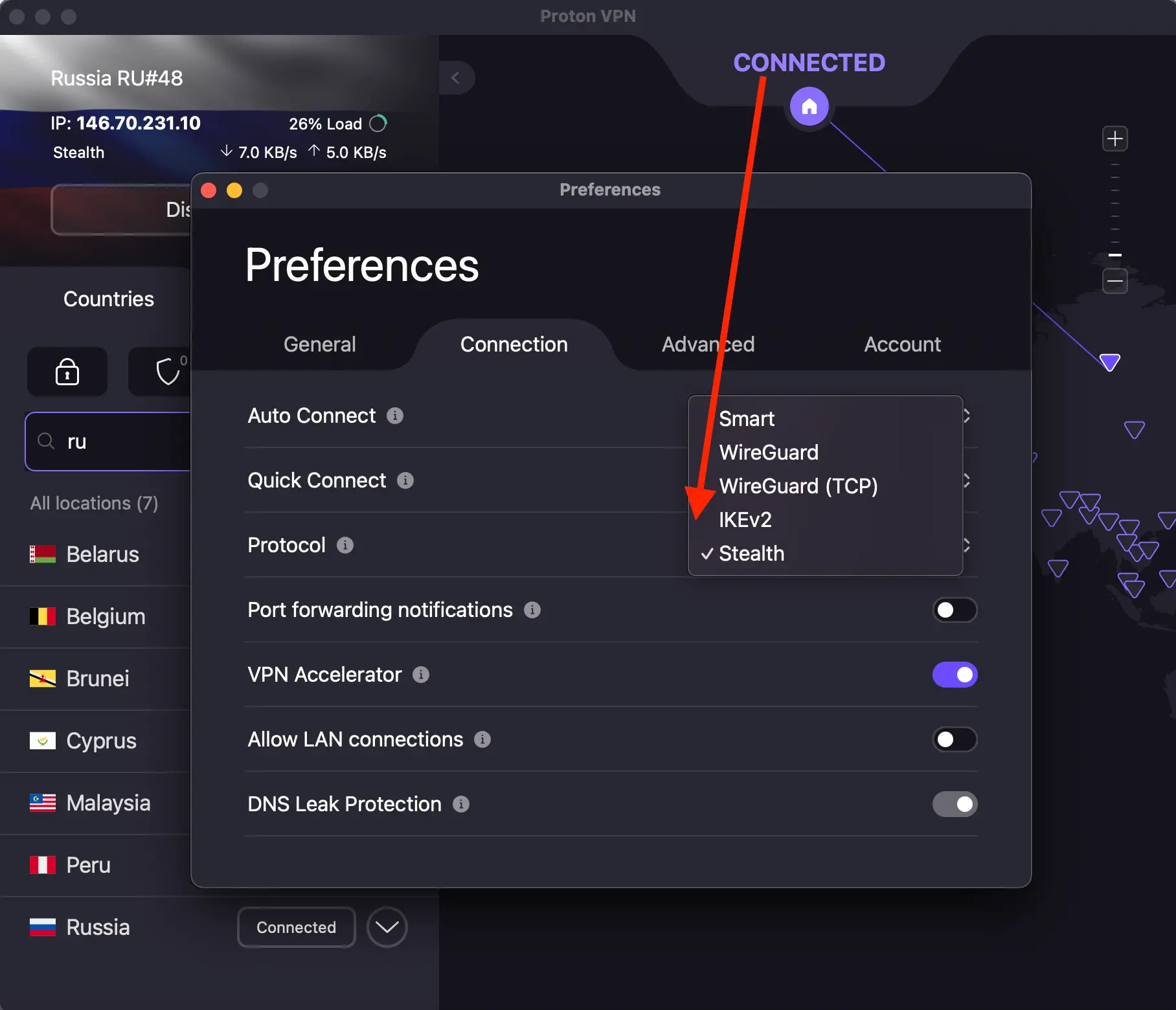
It worked.
Said “holy shit” out loud in hotel lobby. Old Russian lady gave me the dirtiest look.
Stealth wraps your VPN traffic in TLS (same encryption as HTTPS websites). Makes it look like normal web browsing to Russian DPI systems.
This became my default. Worked about 70% of the time, which is… way better than 0%.
What Actually Connected: My Real Results
Here’s what I tested with ProtonVPN over 10 days:
Netflix US
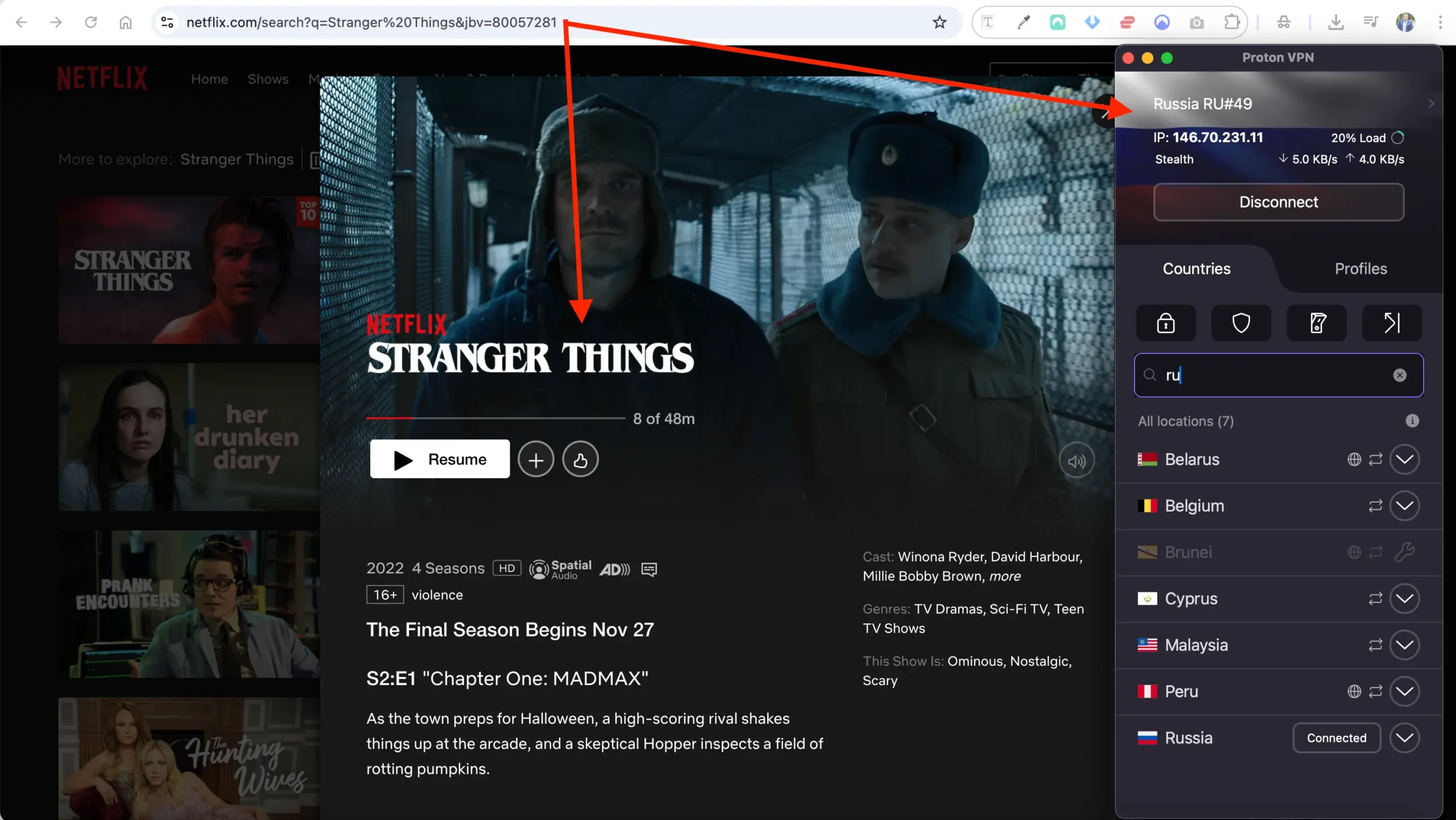
Finland server + Stealth. HD streaming with occasional buffering. Watched Stranger Things in my hotel room like a normal person.
BBC iPlayer – 50%
UK server. Hit or miss. BBC actively hunts VPN IPs. Worked Monday, failed Tuesday, worked Wednesday. Frustrating but sometimes successful.
YouTube
No issues. Fastest loading platform. Weirdly, seemed faster WITH VPN than without.
Instagram
Blocked in Russia. VPN was the ONLY way. Worked consistently with Stealth.
Facebook
Also “extremist.” Worked fine through Proton. Caught up on family posts.
Disney+
Slower to buffer initially but worked. Watched some Marvel stuff.
WhatsApp Calls
Voice and video worked great. Called home multiple times. Clear quality.
Spotify
Kept my playlists alive. No problems.
Hulu 40%
US server. Worked mornings, failed evenings. Gave up after a while.
“The win rate was maybe 65-70% overall. Not perfect, but enough to stay sane and connected.”
The Protocols, Ranked By Success
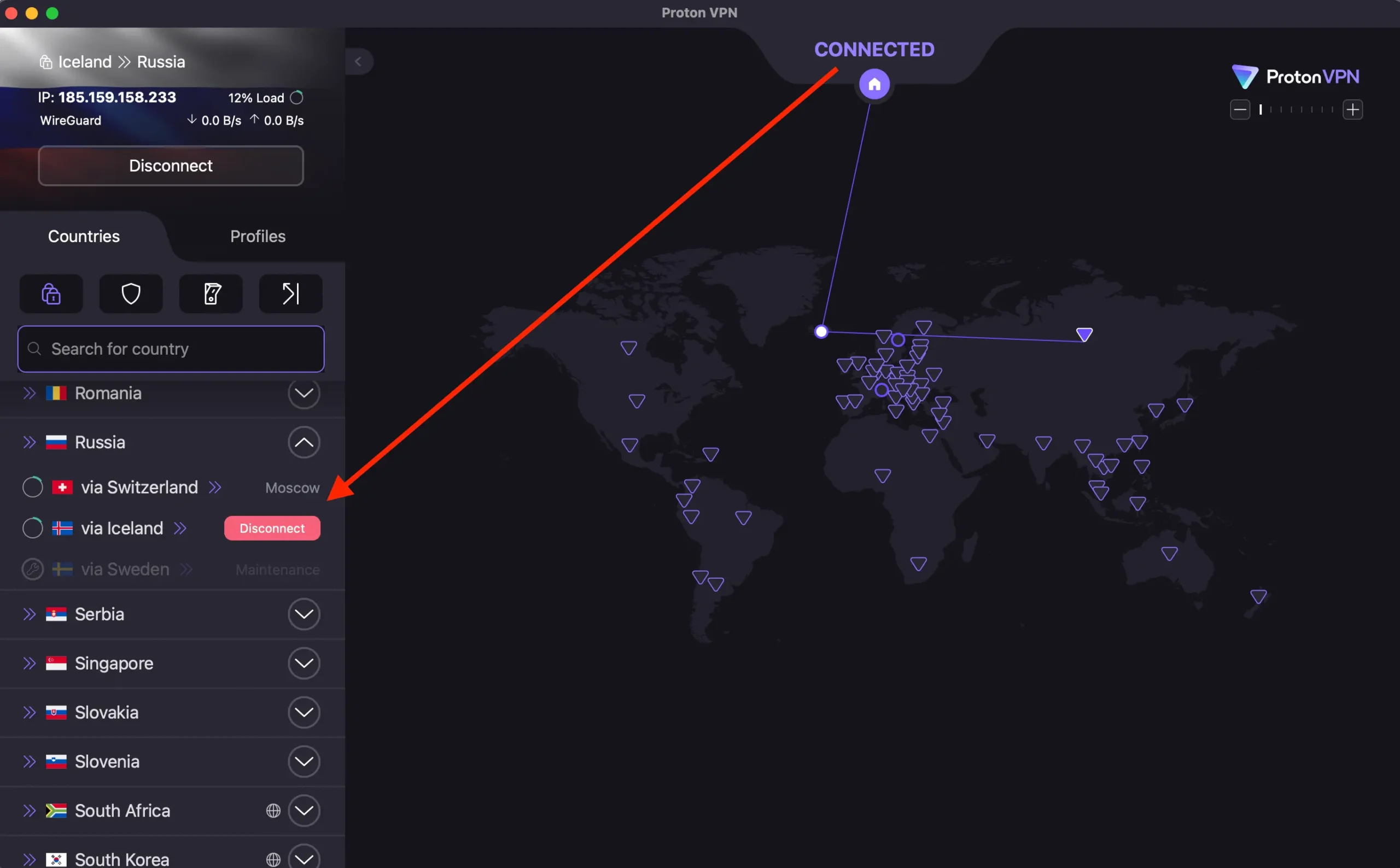
Based on my completely unscientific but very real testing:
Stealth Protocol ⭐⭐⭐⭐☆
My go-to. Success rate: 70%
Wraps WireGuard in TLS to look like normal HTTPS traffic. When it worked, it was solid. When it didn’t… well, see the missing star.
Best for: Everything. Start here always.
Smart Protocol ⭐⭐⭐☆☆
Auto-testing. Success rate: 50%
Cycles through different protocols and ports automatically. Good first attempt, but if it fails once, usually keeps failing. Decent backup option.
OpenVPN (TCP) ⭐⭐☆☆☆
The slow one. Success rate: 30%
Uses port 443 (same as HTTPS). Occasionally worked when Stealth didn’t. But slow as hell. Only use as last resort.
WireGuard ⭐☆☆☆☆
Fast but detected. Success rate: 15%
Lightning fast when it connected (which was almost never). Russian DPI spots this immediately. Don’t bother.
Amnezia VPN + Proton configs ⭐⭐⭐⭐⭐
Nuclear option. Success rate: 85%
Load your ProtonVPN config files into Amnezia app. Bypasses app-level blocking. Most reliable method I found. Saved my ass on Day 6 when nothing else worked.
My “Oh Shit It Won’t Connect” Routine
This happened A LOT. Here’s my panic protocol:
Step 1: Switch networks
Mobile data → Wi-Fi (or reverse). Different ISPs block differently.
Step 2: Enable Stealth
Settings → Connection → Protocol → Stealth
Step 3: Change server location
Don’t use “Fastest” (usually blocked)
Try Finland, Poland, Latvia
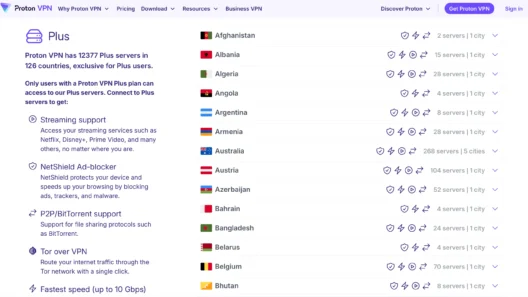
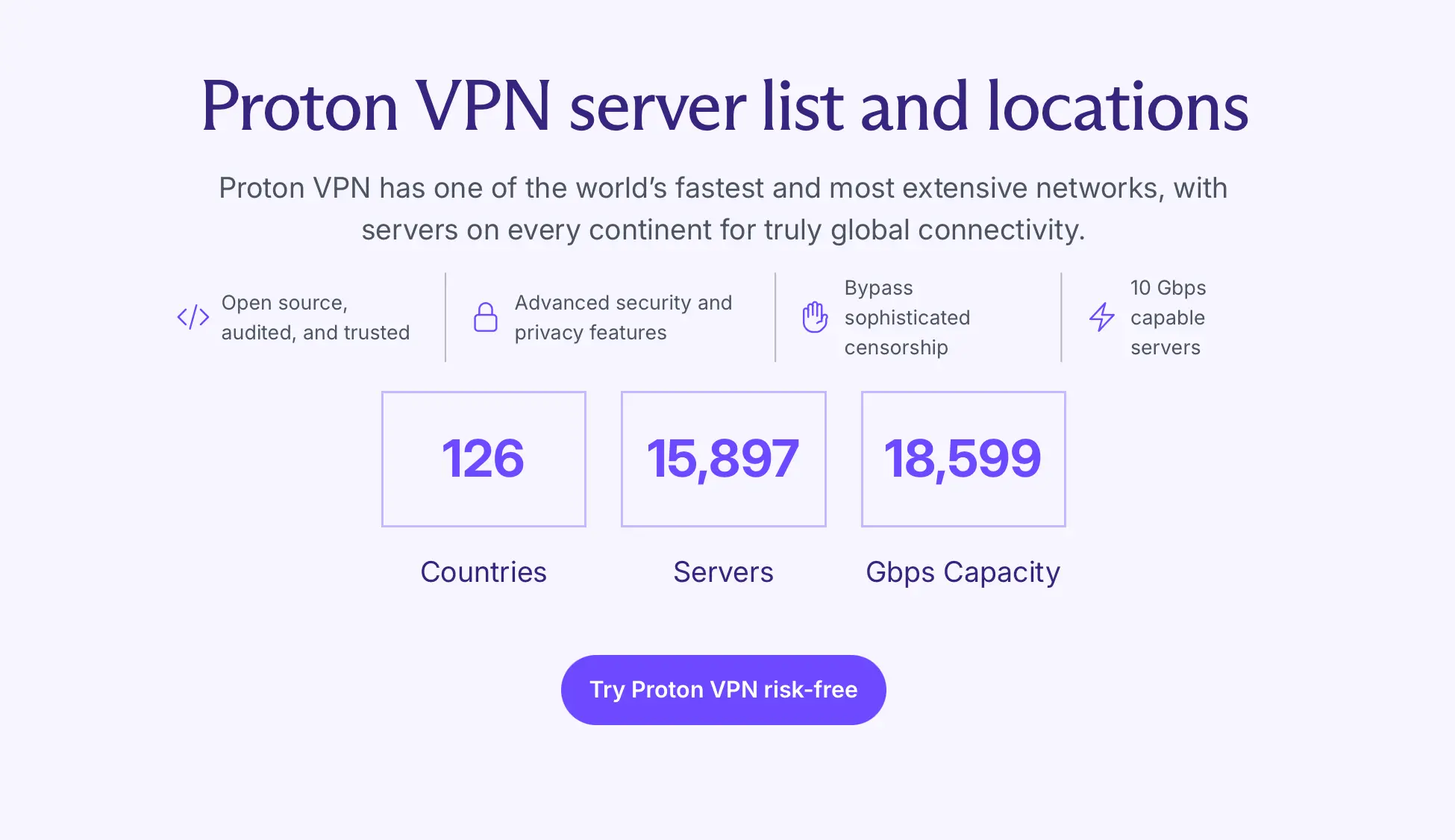
ProtonVPN has 15,897 servers in 126 countries
Keep cycling
Step 4: Try Smart Protocol
Let it auto-test everything
Step 5: OpenVPN (TCP)
Slow but sometimes works
Step 6: Amnezia nuclear option
Load config files into Amnezia VPN
Works when everything else fails
Example: Day 6, 9:47 PM (yes I took notes).
Hotel Cosmos. Steps 1-5 failed.
Loaded WireGuard config into Amnezia.
Connected in 30 seconds.
Finally watched that Stranger Things episode.
The Banking App Disaster
Day 3. Needed to pay for breakfast. Opened Tinkoff app.
“Service unavailable.”
Tried Sberbank. Same.
Hotel receptionist Olga (super helpful) said: “Turn off VPN. Banks detect foreign IPs and block them.”
So I turned off ProtonVPN… but then couldn’t use Instagram for work messages. FML.
The fix: Split Tunneling
ProtonVPN lets you exclude specific apps from the VPN tunnel.
How to set it up:
- ProtonVPN Settings → Split Tunneling
- Add Sberbank, Tinkoff, whatever Russian apps
- Those apps connect directly (Russian IP)
- Everything else stays protected
CRITICAL: Turn OFF Android’s “Always-on VPN” in system settings. It overrides split tunneling. Took me 2 hours to figure this out. Don’t make my mistake.
After that? Banking apps worked. VPN stayed on. Problem solved.
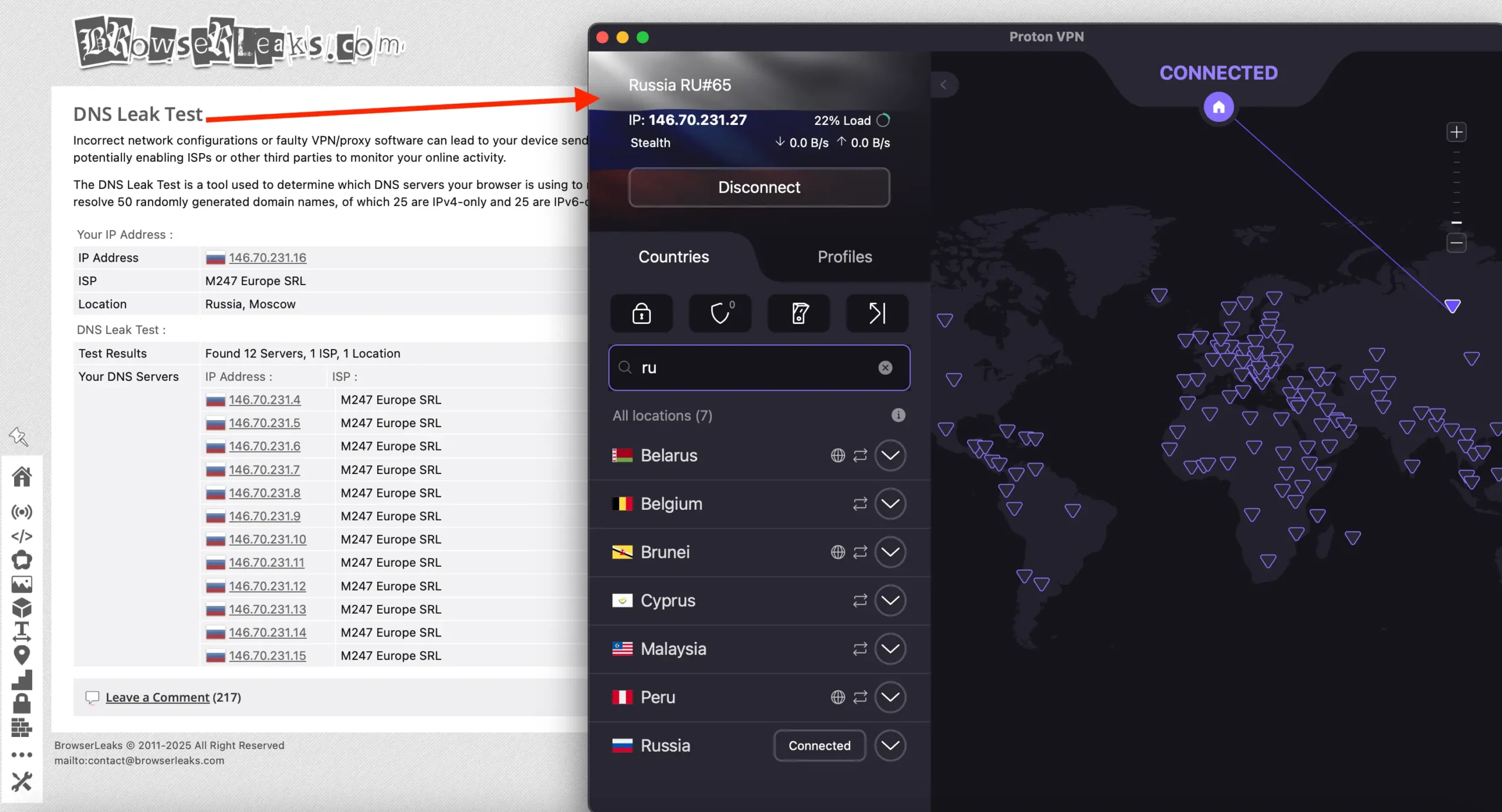
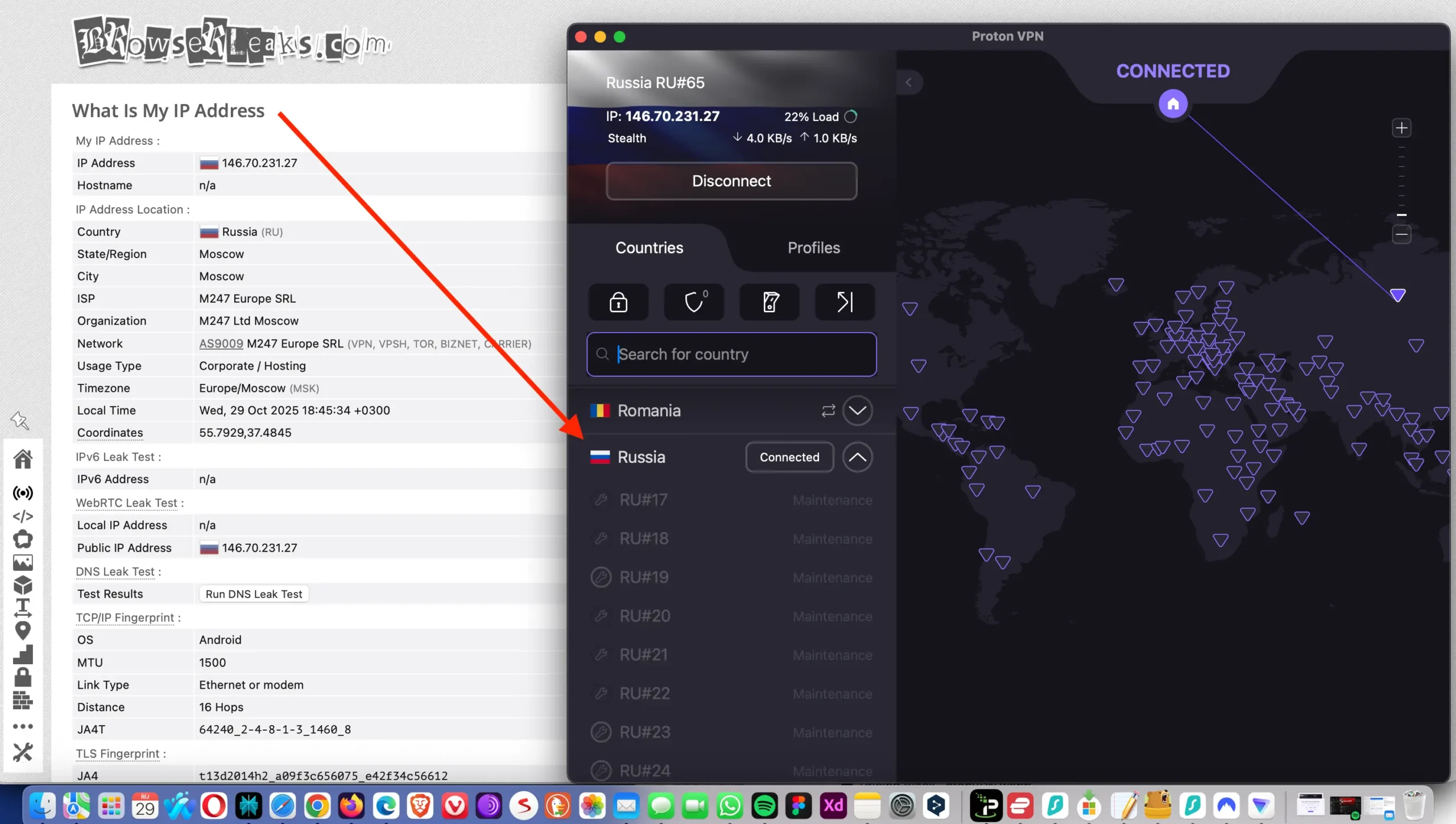
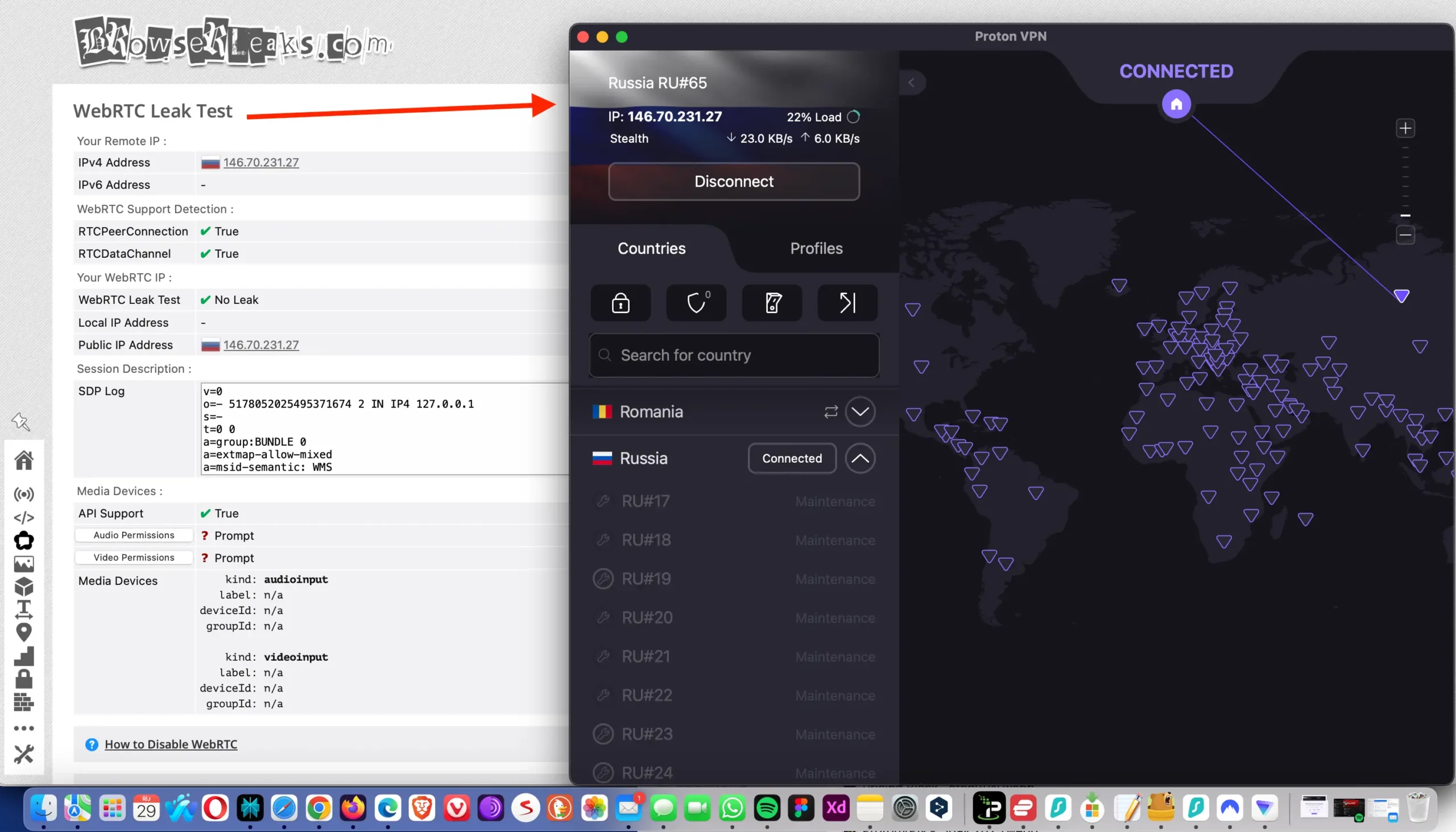
Before wrapping up the banking mess, I ran a few privacy checks – just to make sure ProtonVPN wasn’t leaking anything. Russia’s network filtering is aggressive, and I didn’t want to risk exposing my real IP or DNS requests while using local apps.
Why ProtonVPN’s Russian Servers Are Actually In Sweden
ProtonVPN advertises 53 servers in Moscow, Russia.
Wait, what? How do they have servers IN Russia while fighting Russian censorship?
Plot twist: They don’t.
These are virtual servers. Physically located in Sweden but provide Russian IP addresses.
This is genius because:
- You get Russian IP (needed for Russian services abroad)
- Data never touches Russian jurisdiction
- Can’t be physically seized by authorities
I tested these for accessing Kinopoisk and Ivi (Russian streaming). Worked fine.
But for censorship circumvention FROM Russia? Use other countries’ servers, not the Russian ones. Finland was my best performer.
Free vs Plus: Don’t Waste Your Time With Free
ProtonVPN’s free plan is great globally. No logs, no ads, unlimited data!
In Russia? Completely useless.
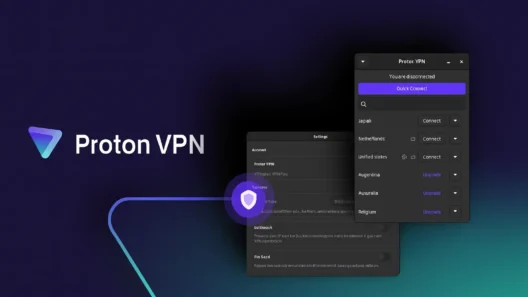
Free servers are limited to Netherlands, Japan, USA, Poland, Romania. Static, well-known IPs. First ones Roskomnadzor blacklists.
Plus free doesn’t include:
- Stealth protocol (critical)
- Smart Protocol
- Access to 15,897 servers
- Plus-only streaming servers
You’ll just watch it spin thinking “ProtonVPN doesn’t work.”
It does. You need Plus.
Don’t make my Day 1 mistake. Wasted hours on free plan first.
The Honest Verdict about ProtonVPN
What worked:
- Stealth protocol (70-80% success)
- Finland/Poland/Latvia servers
- Amnezia as backup
- Split tunneling for Russian apps
- Mobile data better than Wi-Fi
What didn’t:
- “Fastest Server” (always blocked)
- WireGuard protocol
- Free plan
- Consistency (worked Tuesday, failed Wednesday, worked Thursday)
The real question: Is it worth it?
For me? Yes.
I kept Instagram for work, Netflix at night, WhatsApp calls home. That’s worth $2.99/month.
But you need realistic expectations. This isn’t “one click and forget.” It’s “try 3 protocols, switch servers twice, finally connect, pray it stays connected.”
Some days I wanted to throw my laptop out the window. Other days it worked perfectly.
Success rate: 70% overall
Not perfect. But enough to stay connected to the outside world while dealing with Russian internet censorship.
“If you’re heading to Russia and can’t live without Instagram, get ProtonVPN Plus, learn Stealth protocol, and pack your patience. You’ll need all three.”
What You MUST Do Before Flying
Don’t wait until you land. Here’s the setup:
- Sign up for ProtonVPN Plus (not free)
- Install on all devices (phone, laptop, tablet)
- Download config files (OpenVPN + WireGuard)
- Test Stealth protocol at home first
- Download Amnezia VPN as backup
- Enable Kill Switch in settings
- Set up Split Tunneling for Russian apps
This takes 10 minutes. Do it at home with reliable internet.
I did steps 1-2 and regretted not doing 3-7. Learn from my mistakes.
Servers That Worked Best For Me
Finland – 41 servers
My absolute go-to. Low latency (~15-20ms), worked consistently. Close to Moscow geographically.
Poland – 277 servers
Good backup when Finland was slow. Lots of server options.
Latvia – 20 servers
Also reliable. Another nearby option.
Estonia – 39 servers
Decent speeds, worked well.
What didn’t work:
US servers (too far, heavily blocked)
UK servers (inconsistent)
“Fastest Server” button (just don’t)
Stick with nearby European countries. Lower latency, less blocking.
Price Check: What I’m Actually Paying
ProtonVPN Plus: $2.99/month
(24-month plan, $71.76 total, 70% discount)
Also available: 12-month at $3.99/month
For perspective: $2.99 = ~270 rubles. Less than lunch at Му-Му (Russian restaurant chain, had dumplings there twice, solid).
The 30-day money-back guarantee is actually useful. Given how unpredictable Russian connections are, you can test whether it works with your specific ISP before committing.
I paid with my US card before the trip. Payment from Russia is more complicated (see my upcoming article on that), but there are workarounds.
Quick FAQ
Does it actually work?
Yes, about 65-70% of the time. Not perfect, but functional.
Which protocol?
Start with Stealth. Always Stealth.
Free or Plus?
Plus. Free plan is useless in Russia.
Best servers?
Finland, Poland, Latvia. Nearby European countries.
Can I download it in Russia?
Probably not. Website might be blocked. Download before you fly.
Success rate?
For me: 7 out of 10 connection attempts worked eventually.
Final Thoughts
After 10 days in Moscow, ProtonVPN made the difference between “completely cut off” and “barely connected but at least connected.”
It’s frustrating. It’s not perfect. Some days you’ll curse at your screen.
But it beats the alternative: no Instagram, no Netflix, no WhatsApp calls, no outside world for 10 days.
Is it worth $2.99/month? If staying connected matters to you, absolutely.
Just go in with realistic expectations. This is Russia in 2025. Nothing works smoothly.
👉 Get ProtonVPN 75% discount here (affiliate link, full disclosure)
And maybe pack some patience. You’ll definitely need it.
Based on my personal testing in Moscow, September 18-28, 2024. Your mileage may vary depending on ISP, location, and Russia’s ever-changing censorship tech.
Read next…
- Advanced ProtonVPN Russia Guide (protocols, technical workarounds)
- Legal Risks + Payment Options in Russia – public 10/31/25