If you’ve ever tried streaming 7Plus outside Australia, you’ve probably hit a wall. Whether you’re living abroad, traveling for work, or just a die-hard AFL or cricket fan stuck in another time zone, that frustrating “Not available in your region” message is a dead end—unless you know how to get around it.
I’ve spent weeks digging through the tech, the rules, and the streaming setups. Here’s everything you need to know about watching 7Plus from anywhere in the world, in full HD, without paying a cent for a subscription. From VPN tricks to regional setups and even Smart TV configurations, this is the only guide you’ll need in 2026.
What is 7Plus and Why It’s a Big Deal in 2026
7Plus is the free streaming platform operated by Australia’s Seven Network. It runs entirely on ad revenue (no subscriptions, no hidden fees) and, as of late 2025, it’s become one of the biggest players in live sports and Aussie entertainment. That includes:
- Live AFL matches – every finals game, Brownlow Medal ceremony, and the AFL Grand Final
- Ashes 2025/26 series – the full test series, free and live
- Big Bash League (BBL15) – 34+ T20 matches streamed directly
- Original Aussie shows like Home and Away and Farmer Wants a Wife
- Exclusive international series from NBCUniversal (Suits: LA, Grosse Pointe Garden Society)
- FAST channels, including 24/7 cricket replays via “Cricket Gold”
Here’s the catch: all of this content is geo-blocked. If you’re not physically in Australia, you won’t get access.
How Geo-Blocking Works on 7Plus
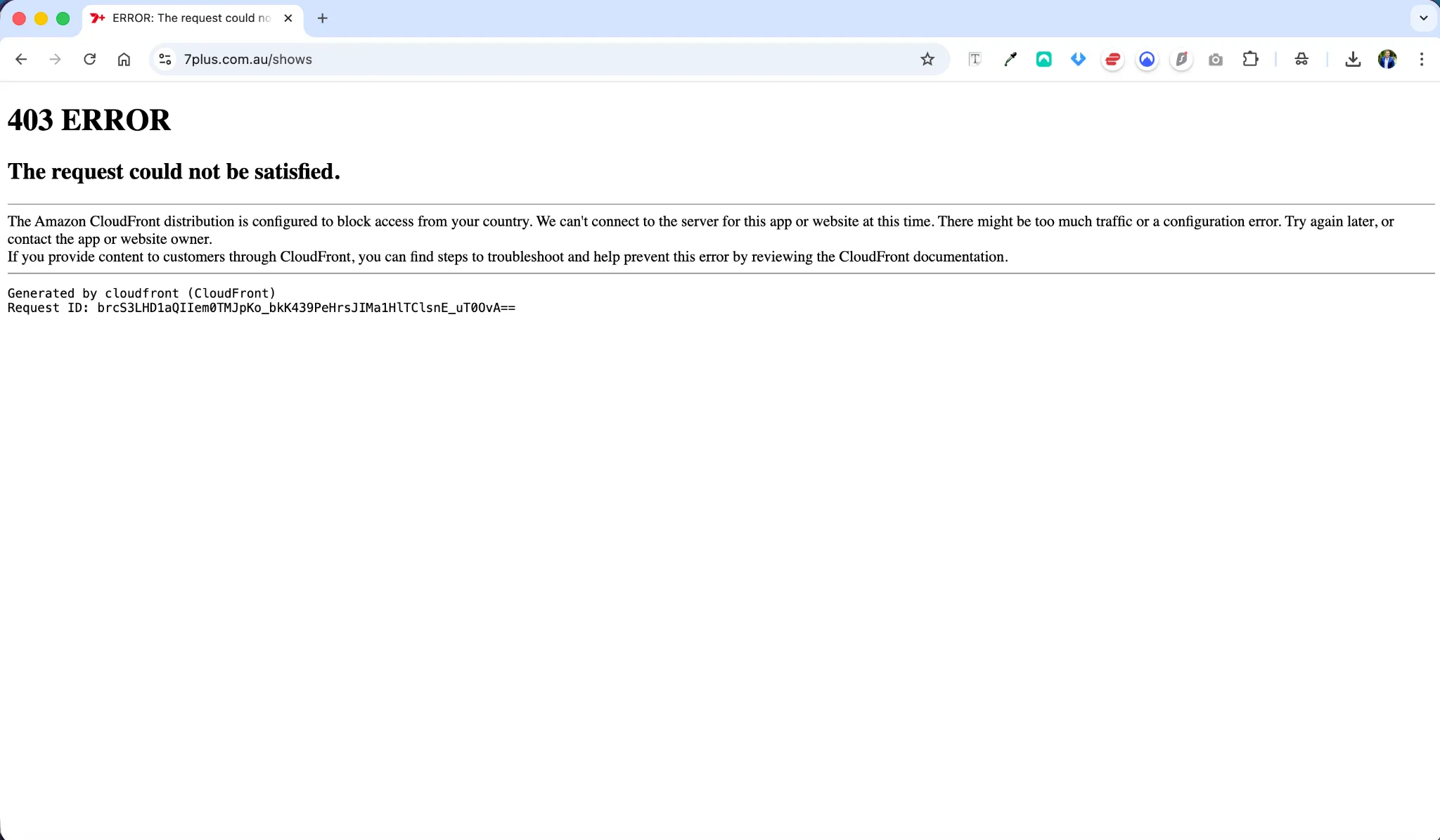
It’s not just about your IP address. 7Plus uses a layered system to block viewers from abroad:
1. IP & ASN Checks
If your IP doesn’t belong to an Australian internet provider (Telstra, Optus, etc.), you’re out. Most datacenter IPs used by low-end VPNs get flagged immediately.
2. VPN Detection
They scan for IPs tied to hosting services like M247 or Datacamp. If too many users are connecting through the same IP, they blacklist it.
3. GPS Conflict on Mobile
The 7Plus app checks your device’s GPS. If your GPS says you’re in London but your IP says Sydney, you’re blocked. This is why mobile setups require extra steps like GPS spoofing.
4. Streaming Latency
Even if you bypass the block, streaming live AFL or cricket from halfway across the world can cause buffering unless your connection is perfectly tuned.
How to Bypass These Restrictions (And Actually Watch)
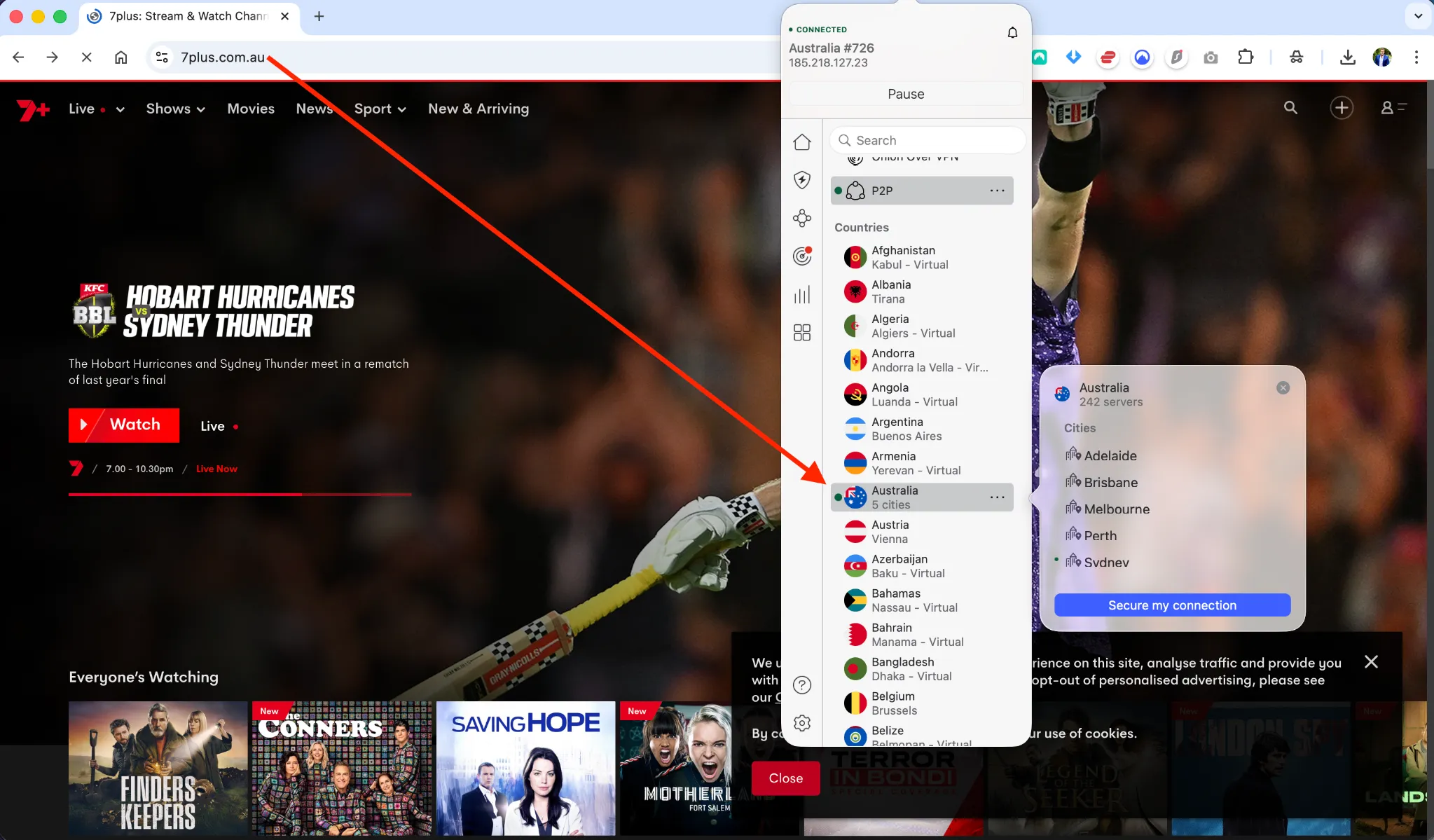
The most reliable way to unblock 7Plus is with a high-quality VPN—and no, the free ones won’t cut it. You’ll also need to choose the right server, protocol, and in some cases, configure your devices with Smart DNS or GPS spoofing.
Best VPNs for Watching 7Plus Anywhere
| VPN Provider | Strengths | Server Locations | Protocol |
|---|---|---|---|
| NordVPN | Best overall | 190+ in Australia | NordLynx (WireGuard) |
| Surfshark | Best value | Sydney, Melbourne, Brisbane, Perth | Camouflage Mode |
| ExpressVPN | Most reliable | Sydney, Melbourne | Lightway |
These three consistently bypass 7Plus detection and offer blazing speeds for HD and 4K streaming.
⚠️ Avoid free VPNs. Even if they offer Australian servers (like TunnelBear or Proton VPN), they come with data caps, slow speeds, or blocked IPs.
VPN Setup Tips for Different Regions
🌍 Europe (Czechia, UK, Germany)
- Latency: ~280ms, so use WireGuard or NordLynx.
- Best servers: Sydney or Melbourne (avoid Perth from Europe)
- Watch on demand: Use catch-up options or “Mini Matches” to avoid watching at 4am
🇺🇸 North America
- Latency: Better from West Coast (~150ms)
- Best servers: Sydney, Brisbane
- Routing: Trans-Pacific links are faster than Europe-AUS links
🇸🇬 Asia (Vietnam, Thailand, Singapore)
- Best server: Perth – closest geographically
- Use Stealth Mode if you’re in countries with censorship (e.g. China)
How to Watch 7Plus on Any Device
💻 PC or Mac
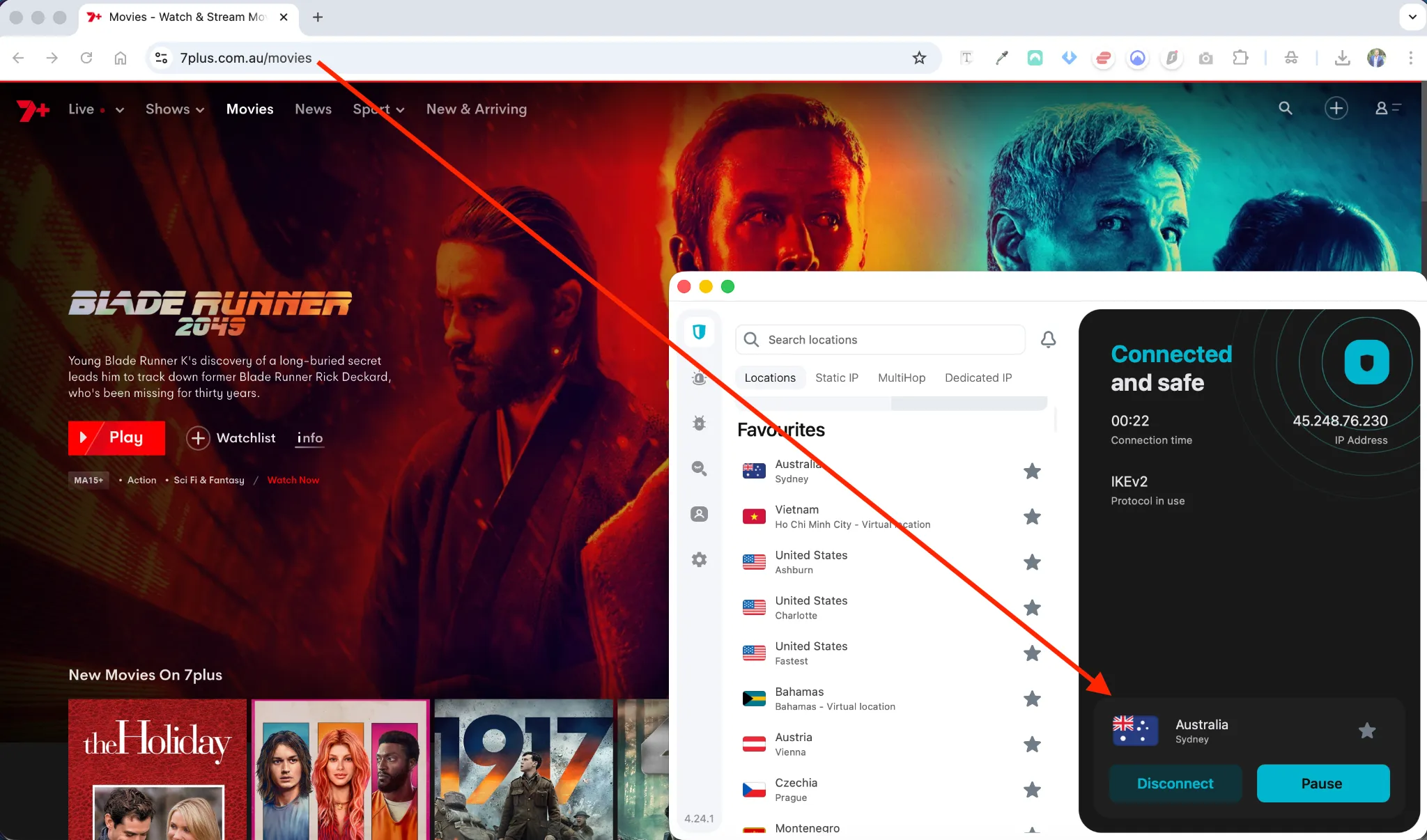
- Install your VPN ( like NordVPN, SurfShark, ExpressVPN )
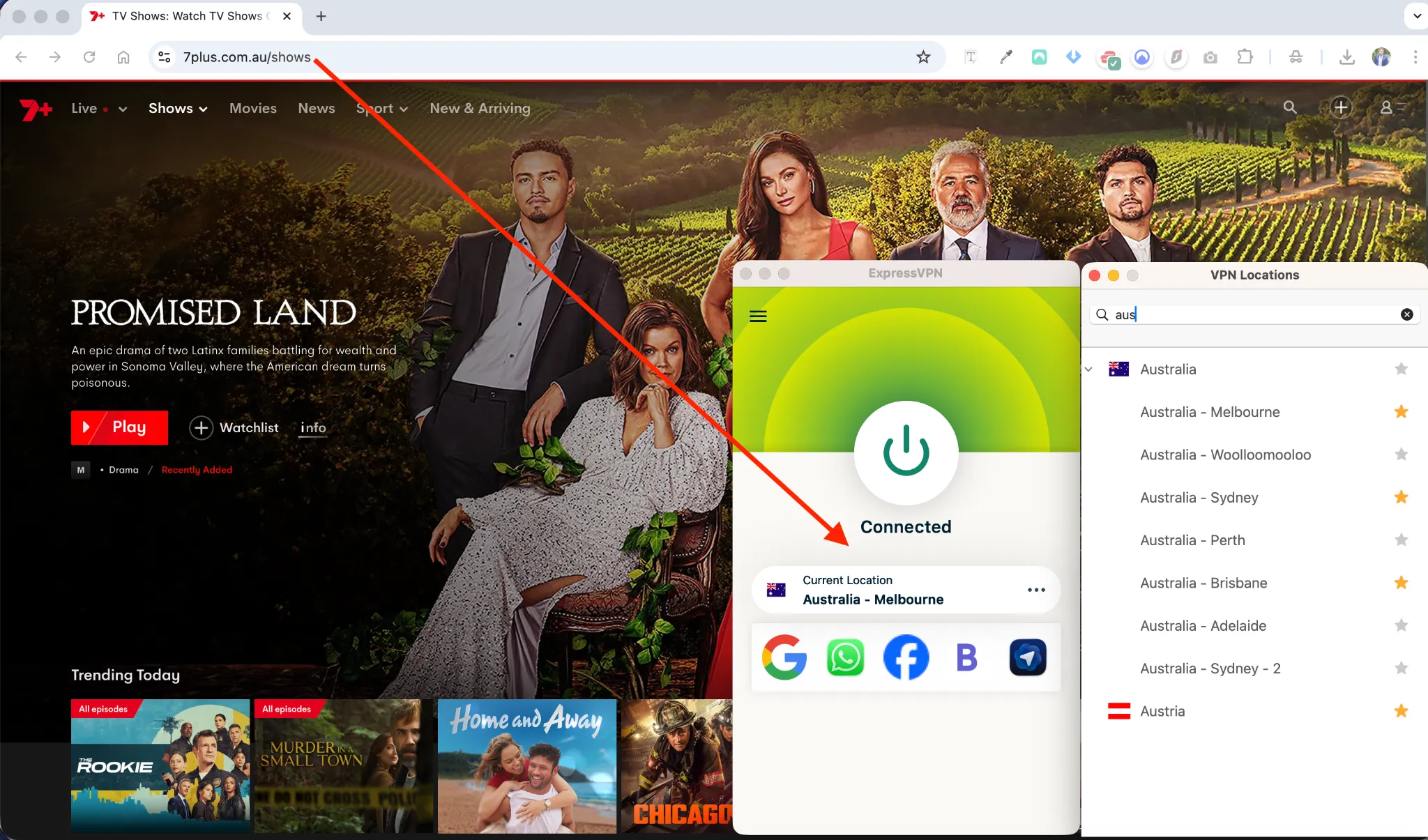
- Connect to an Australian server
- Clear cookies/cache or use Incognito
- Visit 7plus.com.au
- Optional: Disable WebRTC in your browser (stops IP leaks)
📱 iPhone / iPad
- Create a new Apple ID with region “Australia”
- Download 7Plus from the Australian App Store
- Don’t allow GPS access when prompted
- Use VPN with GPS spoofing if necessary
- Or just watch via Safari browser (it works better than the app in many cases)
🤖 Android
- Sideload 7Plus APK (via Uptodown or Aptoide)
- Install “Fake GPS” app
- Set your location to match your VPN server
- Use a VPN with split tunneling or stealth mode to avoid app detection
📺 Smart TVs & Streaming Devices
Firestick
- Install VPN app (NordVPN, ExpressVPN)
- Use Downloader to install 7Plus APK
- Connect to VPN, then launch 7Plus
Samsung & LG TVs
- These don’t support VPNs directly
- Use Smart DNS from your VPN provider
- You’ll also need to change your TV region to Australia
- That involves a factory reset and entering a special code (e.g. Mute > Volume Up > Channel Up > Mute)
Registration Tips (Avoiding Errors)
When signing up for a 7Plus account:
- Use a valid Australian postal code that matches your VPN server location:
- Sydney: 2000, 2001, 2010
- Melbourne: 3000, 3001
- Brisbane: 4000, 4001
- Don’t enter your real location or use .co/.uk emails – Gmail or Outlook work fine
- No credit card required – if a site asks for one, you’re probably on a phishing page
Troubleshooting Common Issues
“Content is not available in your location”
- Try a different server in the same city
- Disable IPv6 in your network settings
- Clear cookies or switch to Incognito mode
Buffering or Lag During Live Sports
- Use WireGuard or Lightway
- Switch to Ethernet instead of Wi-Fi on Smart TVs
- Lower resolution to 720p if connection is unstable
App asks you to turn off VPN
- Use Split Tunneling to exclude system apps
- Enable Obfuscation Mode in your VPN settings
Final Thoughts
7Plus is one of the last truly free streaming services offering world-class sports coverage without forcing you into a subscription. But it doesn’t make it easy for global viewers.
The good news? With the right setup—using a premium VPN like NordVPN, picking the correct server, spoofing your GPS, and setting up your device properly—you can unlock everything 7Plus offers, from the Ashes to the AFL Grand Final.
I’ve tested it across Europe, Asia, and the US, and once it’s configured right, the streams are smooth and reliable. Just be ready to adapt—7Plus updates their detection methods regularly, so switching servers or protocols is sometimes necessary.
If you’re serious about Aussie sport or just want a solid, free streaming platform, this is your go-to setup for 2026.