You are standing at a train station ticket kiosk in London, or perhaps checking out of a boutique hotel in Kyoto. With only a moment to spare, you grab your phone to transfer funds from your Savings to your Checking account before the transaction hits. Fingers crossed, you tap the red-and-yellow stagecoach icon. The app loads. The wheel spins. And spins. And spins.
Finally, you get a vague, frustrating message: “System Unavailable,” “Technical Difficulties,” or simply “We are unable to process your request at this time.”
You check your Wi-Fi. It’s working. You check Instagram. It loads fine. So why is Wells Fargo down?
Here is the hard truth: Wells Fargo isn’t down. It has simply locked you out.
Wells Fargo is famously conservative when it comes to international security. Their fraud detection algorithms are among the strictest in the US banking industry. To their system, your attempt to log in from a foreign Internet Service Provider (ISP) looks indistinguishable from a cyber-attack.
If you are stranded without access to your money, don’t panic. This guide will explain exactly what is happening under the hood and guide you through a step-by-step fix using a Virtual Private Network (VPN).
The “Domestic Shield”: Why Wells Fargo Blocks Travelers
Unlike some global banks (like HSBC, Citi, Chase or BofA), Wells Fargo’s primary focus is the domestic US market. As a result, their security infrastructure operates on a “Guilty Until Proven Innocent” basis regarding foreign traffic.
The IP Address Mismatch
Every device connected to the internet has an IP address, which acts like a digital return address. When you are at home, your IP says “United States.” When you connect to hotel Wi-Fi in Spain, your IP says “Spain.”
Wells Fargo’s automated security bot sees this:
- User:
JohnDoe123 - Usual Location: Denver, Colorado.
- Current Location: Madrid, Spain.
- Risk Assessment: HIGH.
The bank assumes your credentials have been stolen by a hacker in Europe. To prevent the “thief” from draining your account, the bank silently blocks the connection. They often don’t even tell you you are blocked—they just throw up a generic “System Error” message to confuse the attacker.
The “Silent” Ban
One specific quirk of Wells Fargo is the “Silent Ban.” Sometimes, the login page won’t even load. You type wellsfargo.com into your browser, and the page times out. This happens because the bank has completely blacklisted the range of IP addresses belonging to the foreign ISP you are using.
The Fix: How to Tunnel Home
To bypass this blockade, you need to convince Wells Fargo’s servers that you are physically located in the United States. You do this with a VPN.
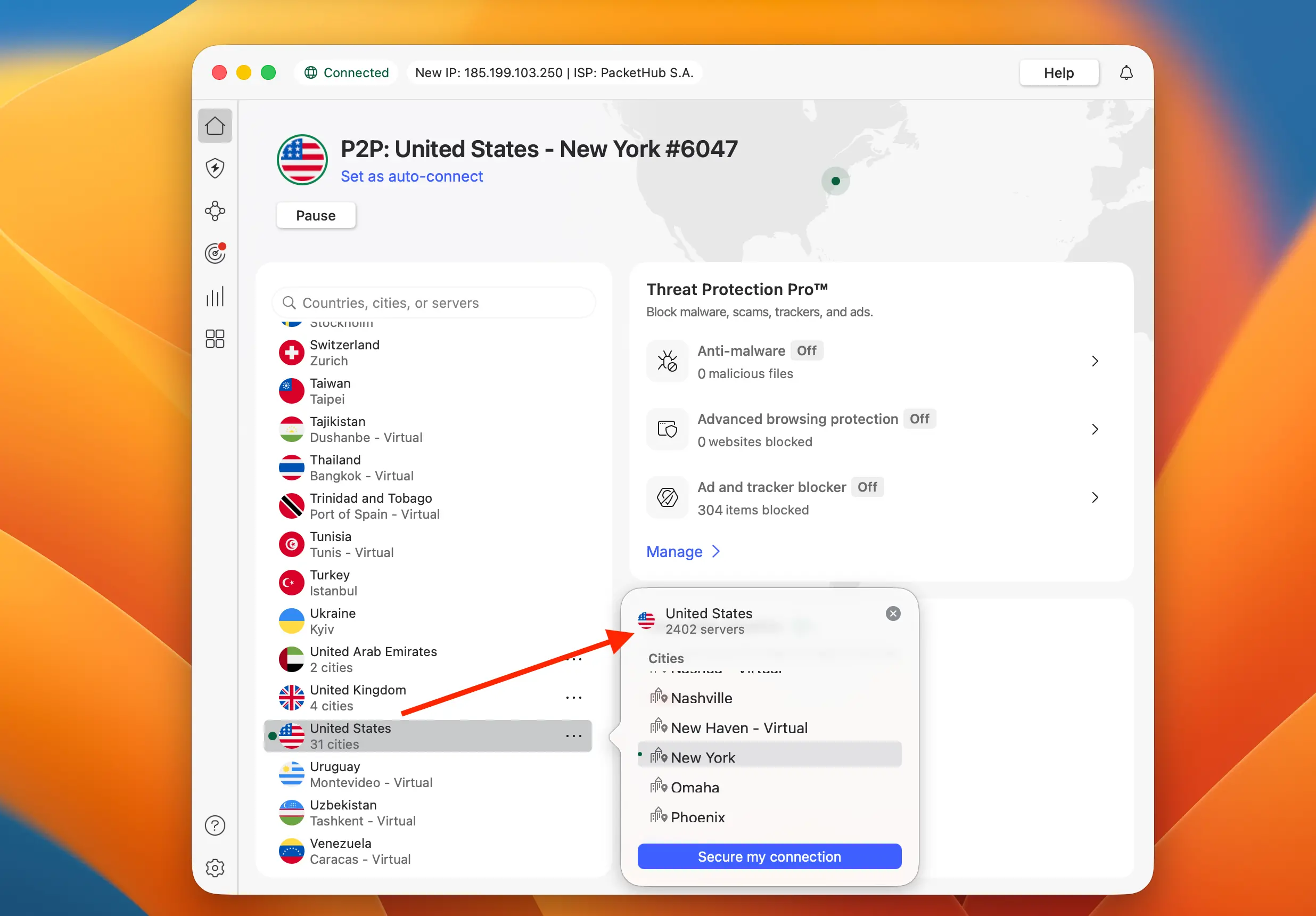
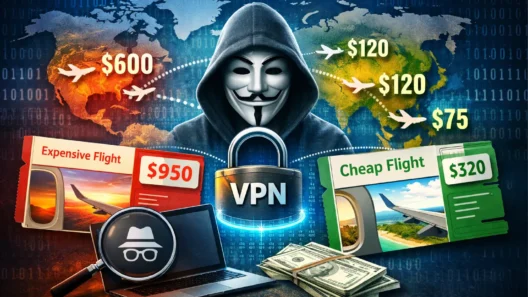
A VPN encrypts your data and routes it through a server in a location of your choice. It acts as a digital wormhole. You enter the tunnel in Madrid, and you exit the tunnel in New York. Wells Fargo sees the New York connection, recognizes it as “safe,” and opens the door.
Step-by-Step Recovery Guide
Follow these steps exactly. If you skip the “Digital Hygiene” step, the trick might not work.
Phase 1: Digital Hygiene (Crucial!)
Your browser and app cache store location data. If your IP address says “USA” but your browser cookies say “Madrid,” Wells Fargo will detect the discrepancy and lock you out again.
- Close the Wells Fargo App completely (swipe it away).
- Open your Mobile Browser (Chrome, Safari).
- Clear History and Website Data.
- Open an Incognito/Private Window. This ensures a fresh start.
Phase 2: The Connection
- Launch your VPN App.
- Select a US Server.
- Pro Tip: Try to pick a server in the state where you actually live. If you live in California, pick a Los Angeles or San Francisco server. This lowers the fraud score even further.
- Wait for the “Connected” Green Light.
Phase 3: The Login
- Do NOT use the App yet. The app has aggressive GPS tracking.
- Go to
wellsfargo.comin your mobile browser. - Log in.
- Once you have successfully logged in via the browser, you can try the App. If the App still fails, stick to the browser version for the rest of your trip.
Which VPN Should You Use? (Ranked for Wells Fargo)
Not all VPNs are created equal. Banking encryption requires stability and “obfuscation” (hiding the fact that you are using a VPN). Here are the top three tools that consistently work with Wells Fargo’s stubborn firewall.
| Best VPN for Bank | Offer + Discount | URL |
|---|---|---|
| SurfShark | 87% off + 2 months free | Try SurfShark |
| NordVPN | 77% off + 3 months free | Try NordVPN |
| ExpressVPN | 73% off + 4 months free | Try ExpressVPN |
1. Surfshark (The Traveler’s Best Friend)

Surfshark is currently the top recommendation for travelers on a budget who need powerful features.
- Why it wins for Wells Fargo: Surfshark has a feature called “Camouflage Mode.” This makes your VPN traffic look like regular internet traffic. Wells Fargo has started trying to block VPN users, but Camouflage Mode slips right past their detectors.
- The “CleanWeb” Feature: It blocks malicious ads and trackers, which adds an extra layer of security when you are on sketchy hostel Wi-Fi.
- Bonus: They allow unlimited device connections. You can protect your phone, your laptop, your spouse’s iPad, and your kid’s Switch all on one account.
2. NordVPN (The Speed King)
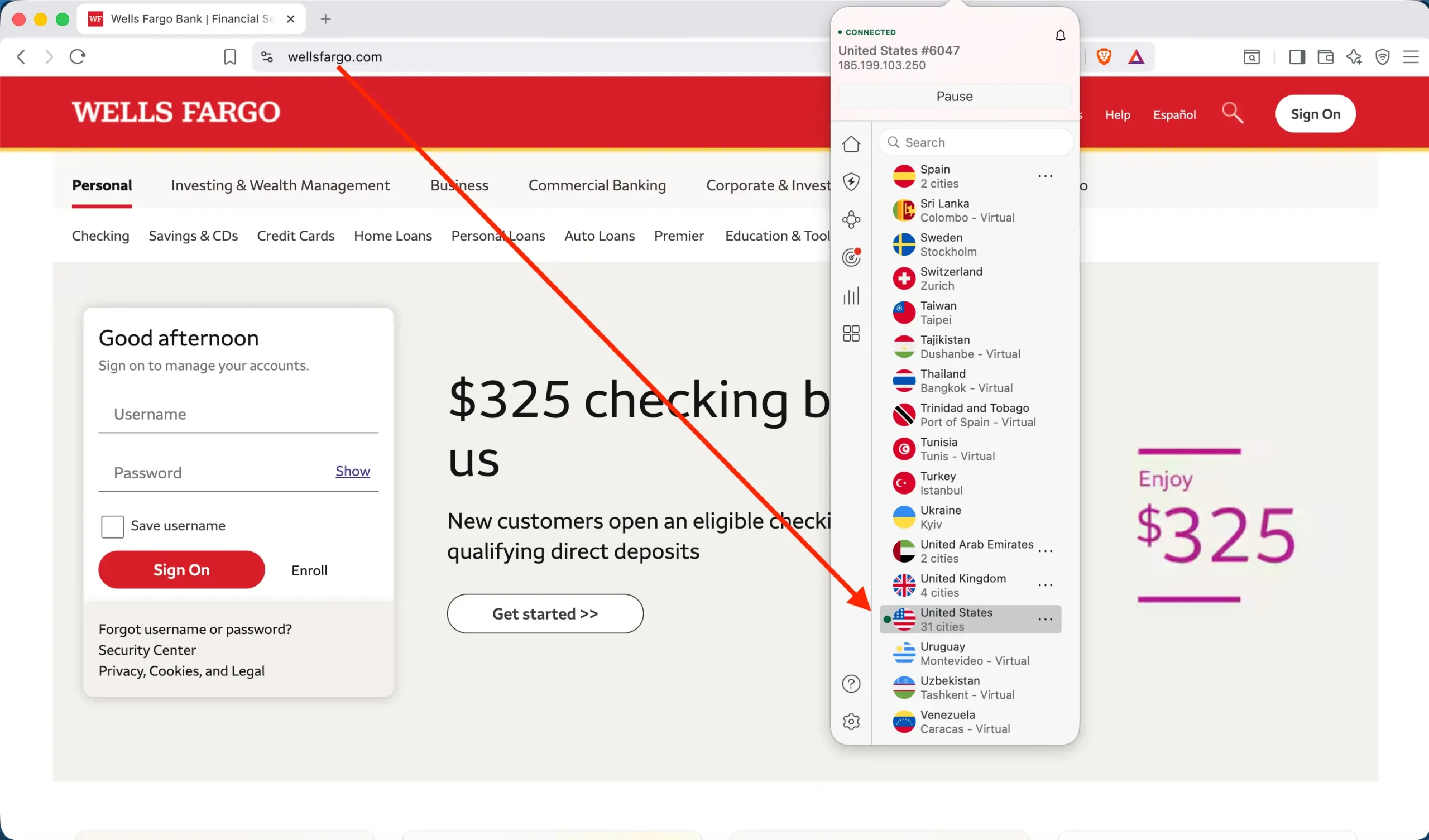
If Surfshark is the best value, NordVPN is the heavy hitter regarding raw power.
- Why it works: NordVPN offers “Obfuscated Servers” specifically designed to work in restrictive environments. If you are traveling in countries with heavy censorship (like China, UAE, or Turkey) where Wells Fargo is almost always blocked, Nord is your best bet.
- Threat Protection: It proactively scans downloads for malware, which is essential if you are banking on the go.
- Meshnet: This is a nerdy but powerful feature. It allows you to route traffic through your own computer back home (if you left it turned on), giving you a legitimate residential IP address that Wells Fargo will never flag.
3. ExpressVPN (The Old Reliable)
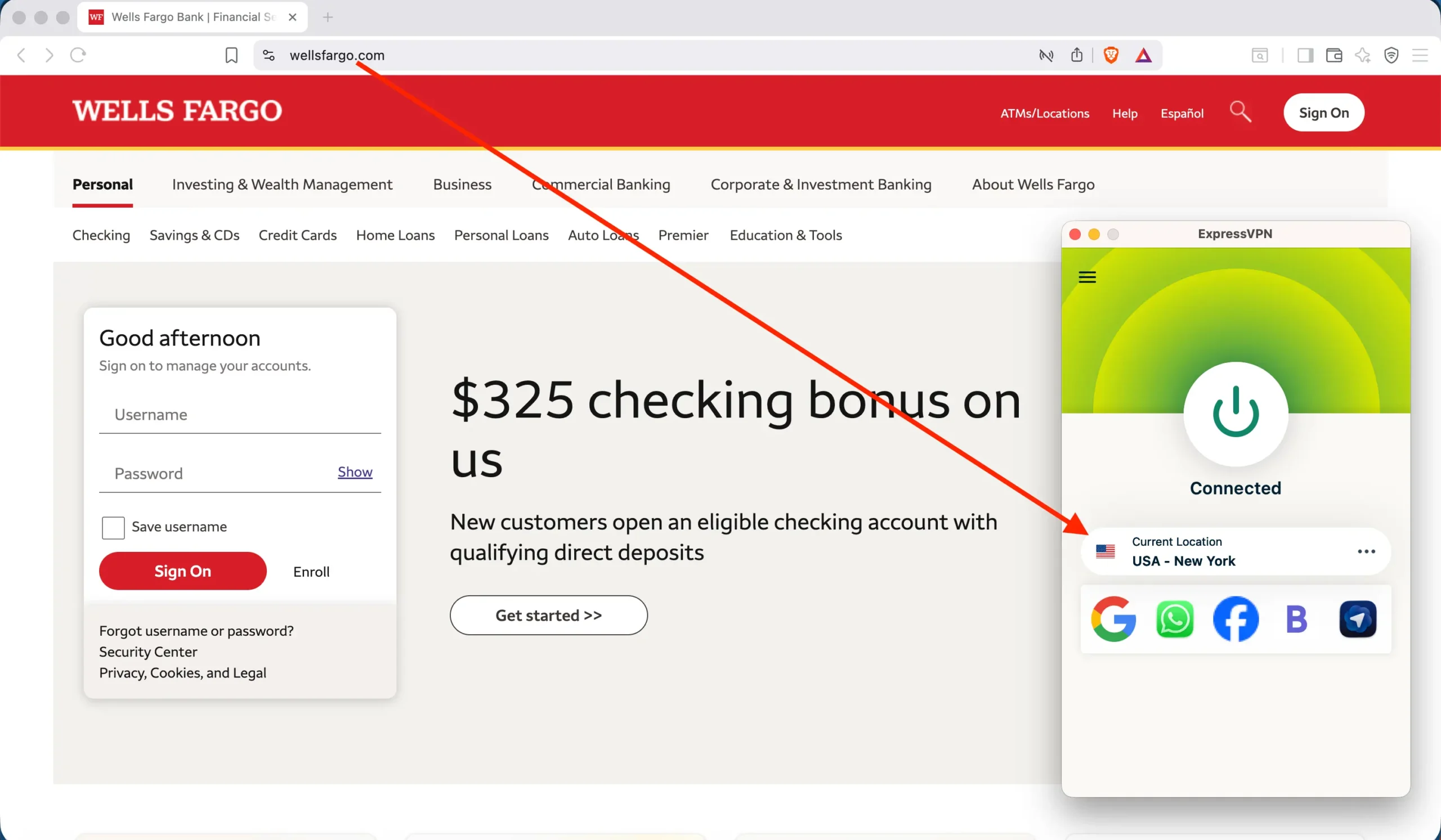
ExpressVPN is more expensive, but it has a reputation for “just working.”
- Why it works: They refresh their IP addresses constantly. If Wells Fargo blacklists a specific VPN server, ExpressVPN usually has a fresh one ready to go instantly.
- Simplicity: Their app is incredibly simple. Big “On” button. No complex settings. If you aren’t tech-savvy and just want to check your balance, this is a solid choice.
The “2FA” Trap: When the VPN Isn’t Enough
You have your VPN running. The login page loads. You enter your password. Then, you see this: “We need to verify your identity. Send a code to ()--1234.”
If that is your US mobile number and your US SIM card is sitting in your wallet (or back home), you have a problem.
How to bypass the 2FA hurdle:
Method A: The “Push” (Advanced Access) Wells Fargo has a feature called Advanced Access. If you enabled this before you left, the bank can send a push notification to the Wells Fargo app on your verified device instead of a text message.
- Requirement: You must be on Wi-Fi/Data (via the VPN).
Method B: Google Voice / VoIP If you ported your number to Google Voice before leaving, you can receive the SMS over the internet.
- Warning: Wells Fargo sometimes struggles with VoIP numbers. If the SMS doesn’t arrive, use the “Call Me” option. Have Google Voice answer the call, and a robot will dictate the code to you.
Method C: The Last Resort Call If you cannot receive the code, you must call them.
- Do not call the standard 1-800 number (it often doesn’t work from abroad).
- Call the International Collect line: 1-925-825-7600.
- Script: “I am traveling abroad. My VPN is on, so my connection is secure, but I cannot receive US text messages. Please verify me manually.”
Summary: Don’t Let a Glitch Ruin Your Trip
Wells Fargo’s security is annoying, but it is there to protect your life savings. They aren’t trying to ruin your vacation; they are trying to stop a hacker in a basement from stealing your identity.
Your Action Plan:
- Download Surfshark (or NordVPN) before you board the plane.
- Always connect to a US server before opening the Wells Fargo app.
- Use a Private Browser window if the app keeps crashing.
With these tools, you can sip your espresso in Rome and pay your bills in America without missing a beat.
FAQ
Why does the Wells Fargo app say “System Unavailable” when my internet is fine?
This is usually a “silent block.” Wells Fargo detects a foreign IP address and refuses to establish a connection to their servers to protect against fraud.
Can I just call Wells Fargo to unblock my travel location?
You can try, but it is rarely effective for online banking. Support agents can whitelist your credit card for swiping in stores, but they often cannot disable the automated security firewall that blocks foreign logins. You need a VPN.
Which VPN works best for Wells Fargo?
Surfshark is highly recommended because of its “Camouflage Mode” which hides the fact that you are using a VPN. NordVPN is also excellent for its speed and obfuscated servers.
Is using a VPN for banking safe?
Yes, it is actually safer than using public hotel Wi-Fi without one. A reputable VPN (like Surfshark or NordVPN) adds a layer of military-grade encryption to your data, making it impossible for hackers on the local network to steal your password.
Similar articles :
- Can’t Access Your Chase Account Abroad? Here Is The Fix
- How to Log In to Bank of America as If You Were Still in the US
- Why Your Citibank Account Is Locked Abroad (How to Fix It)
- Can’t Access Your Capital One Account Abroad? Here Is The Fix