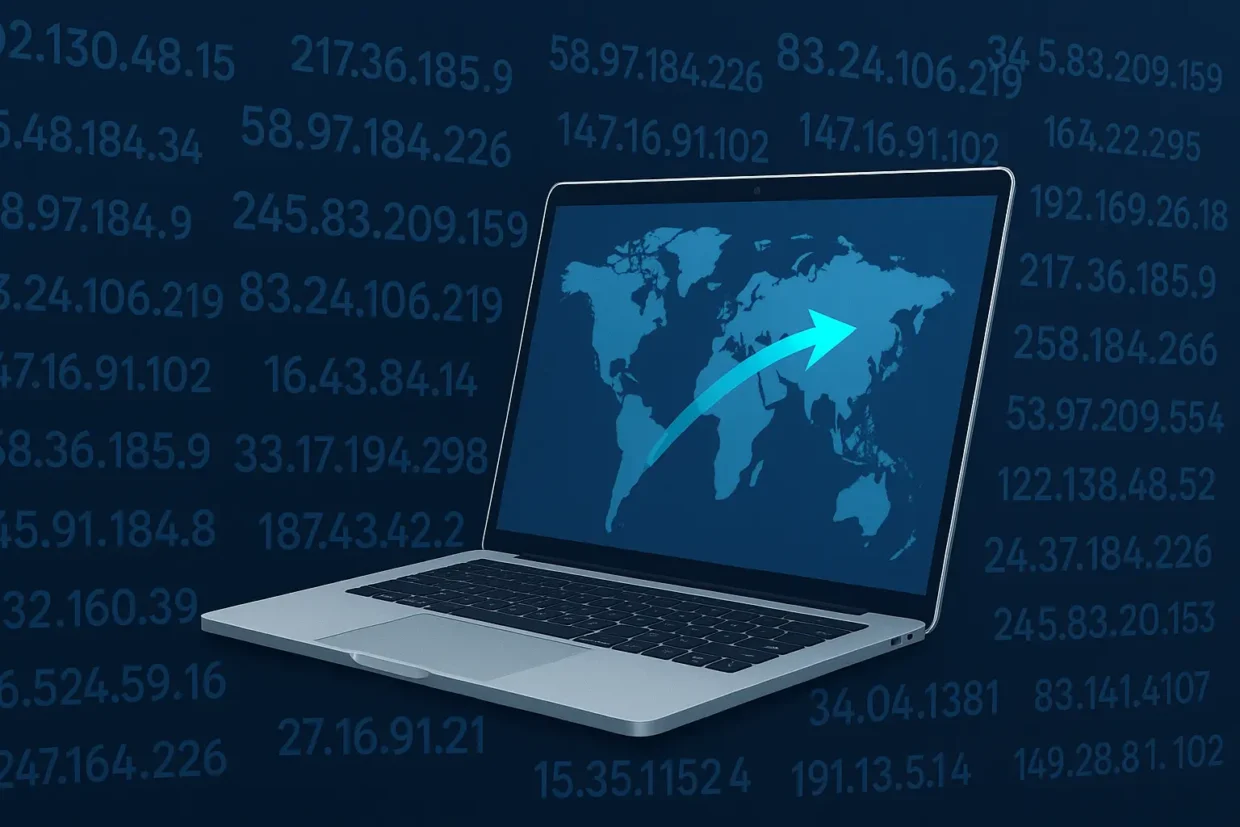
Changing your IP address to another country isn’t just about privacy anymore. It’s how people access websites, apps, or streaming services that are blocked in their region, how remote workers connect securely to company networks, and how travelers protect themselves on public Wi-Fi.
In this guide, you’ll learn exactly how to change your IP address to another country using a VPN, why it works, and which VPNs are reliable enough to do it safely.
What Is an IP Address and Why Change It?
Your IP address (Internet Protocol address) is like your digital home address. Every time you go online, websites and apps can see where you are connecting from.
That’s how streaming platforms know which shows to display in your country or why certain news sites or marketplaces appear blocked when you’re abroad.
Common reasons people change their IP address:
- To access geo-restricted content (Netflix, Hulu, BBC iPlayer, etc.)
- Find better deals on flights, hotels, or subscriptions
- To protect personal data on public Wi-Fi or when traveling
- Bypass censorship in countries that limit access to social networks or news
- Work remotely while appearing connected from another region
The safest, fastest, and most reliable way to do this is with a VPN (Virtual Private Network).
How a VPN Changes Your IP Address
When you connect to a VPN, all your traffic is routed through a secure server in another country. That server gives you a new IP address and to the rest of the internet, it looks like you’re located there.
For example:
- Connect to a VPN server in Germany → websites think you’re in Berlin.
- Connect to a VPN server in Japan → you appear to be browsing from Tokyo.
A good VPN hides your real IP, encrypts your data, and prevents your ISP or government from tracking what you do online.
Step-by-Step: How to Change Your IP Address to Another Country
- Choose a reliable VPN provider.
Not all VPNs can consistently change your IP or work with streaming sites. Below are several trusted services tested for speed, privacy, and stability.
- Download and install the VPN app.
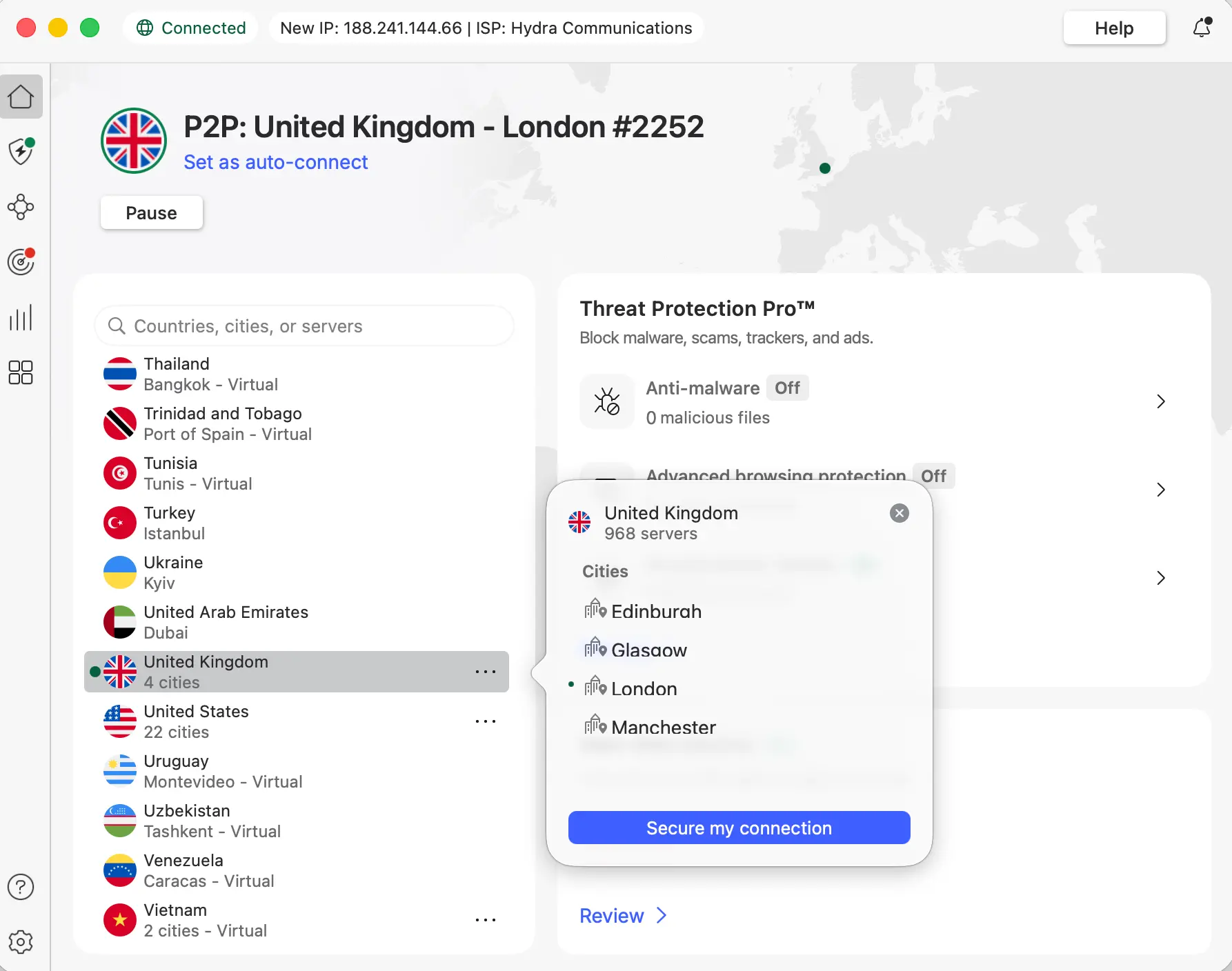
Every major VPN offers native apps for Windows, macOS, Android, iOS, and smart TVs. Install it on all the devices you plan to use. - Log in and open the server list.
You’ll usually see a list of countries or a map with available locations. - Select a country.
For example, choose United States to access US-only content, or United Kingdom for BBC iPlayer. - Click “Connect.”
Within seconds, your VPN will route your traffic through the selected country. Your new IP address will now reflect that location. - Verify your new IP address.
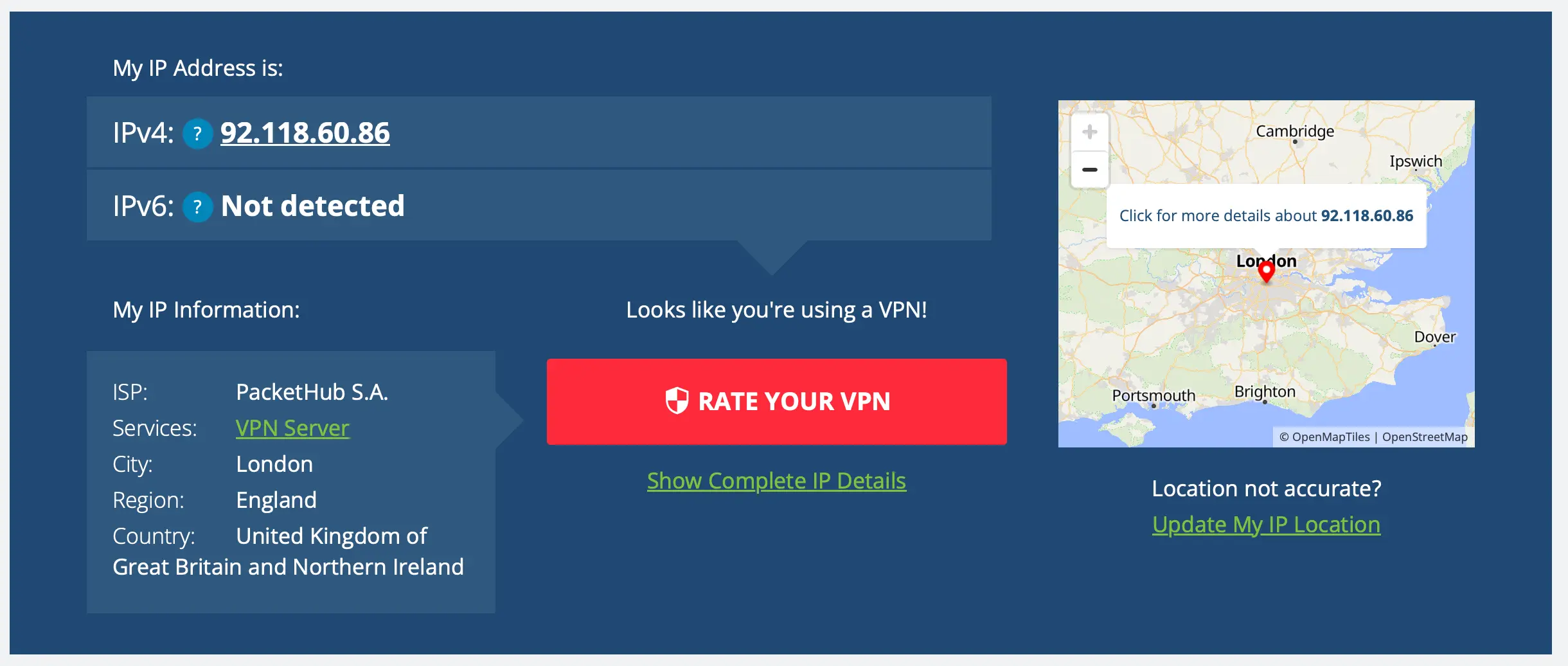
You can confirm the change by visiting a site likewhatismyipaddress.com. It should now display the country you selected.
That’s it. You’re now virtually located in another country.
Best VPNs to Change Your IP Address (Tested and Verified)
To save you hours of testing, here are seven of the most trusted VPNs that can reliably change your IP address to any country while keeping your data secure.
| VPN Service | Best For | Try It |
|---|---|---|
| NordVPN | Speed, privacy, and streaming access | Try NordVPN – 77% off + 3 months free |
| Surfshark | Unlimited devices, family use | Try Surfshark – 87% off + 3 months free |
| ExpressVPN | Premium performance & apps for all devices | Try ExpressVPN – 73% off + 4 months free |
| CyberGhost | User-friendly with optimized servers | Try CyberGhost – 82% off + 2 months free |
| PIA VPN | Advanced customization, excellent value | Try PIA VPN – 85% off + 4 months free |
| ProtonVPN | Swiss privacy & open-source transparency | Try Proton VPN – 75% off |
| IPVanish | Fast, reliable servers for gamers & streamers | Try IPVanish – 83% off |
All of these services can change your IP to over 60 countries, encrypt your traffic with AES-256, and include a Kill Switch to keep your connection private even if the VPN drops.
How to Pick the Right Country for Your New IP
Choosing where to connect depends on what you want to achieve:
| Goal | Recommended Location | Notes |
|---|---|---|
| Access Netflix libraries | USA, UK, Japan, Canada | Each region has unique content |
| Book cheaper flights | India, Mexico, Turkey | Prices vary by location |
| Stream sports | UK (BBC, Sky), US (ESPN, Fox) | Requires premium VPN servers |
| Maintain privacy | Switzerland, Iceland | Strong privacy laws |
| Work remotely | Nearest country to your company | Lower latency |
Tip: The closer the VPN server is to your real location, the faster your connection will be.
Alternatives to VPN (and Why They’re Risky)
There are a few other tools that can mask or change your IP address — but most have serious drawbacks:
- Proxy servers: Only hide your IP for specific apps and lack encryption.
- Tor browser: Excellent for anonymity but extremely slow for streaming or downloads.
- Smart DNS: Changes your apparent region for streaming but doesn’t protect privacy.
For full-device protection and true IP change, VPN remains the safest and most versatile solution.
Can You Use a Free VPN?
Free VPNs might look tempting, but most of them:
- Sell user data to third parties
- Have limited servers and slow speeds
- Fail to unblock major streaming platforms
- May expose your real IP through DNS leaks
If privacy or streaming access matters to you, always use a reputable paid VPN with a proven no-logs policy.
How to Test if Your VPN Is Working
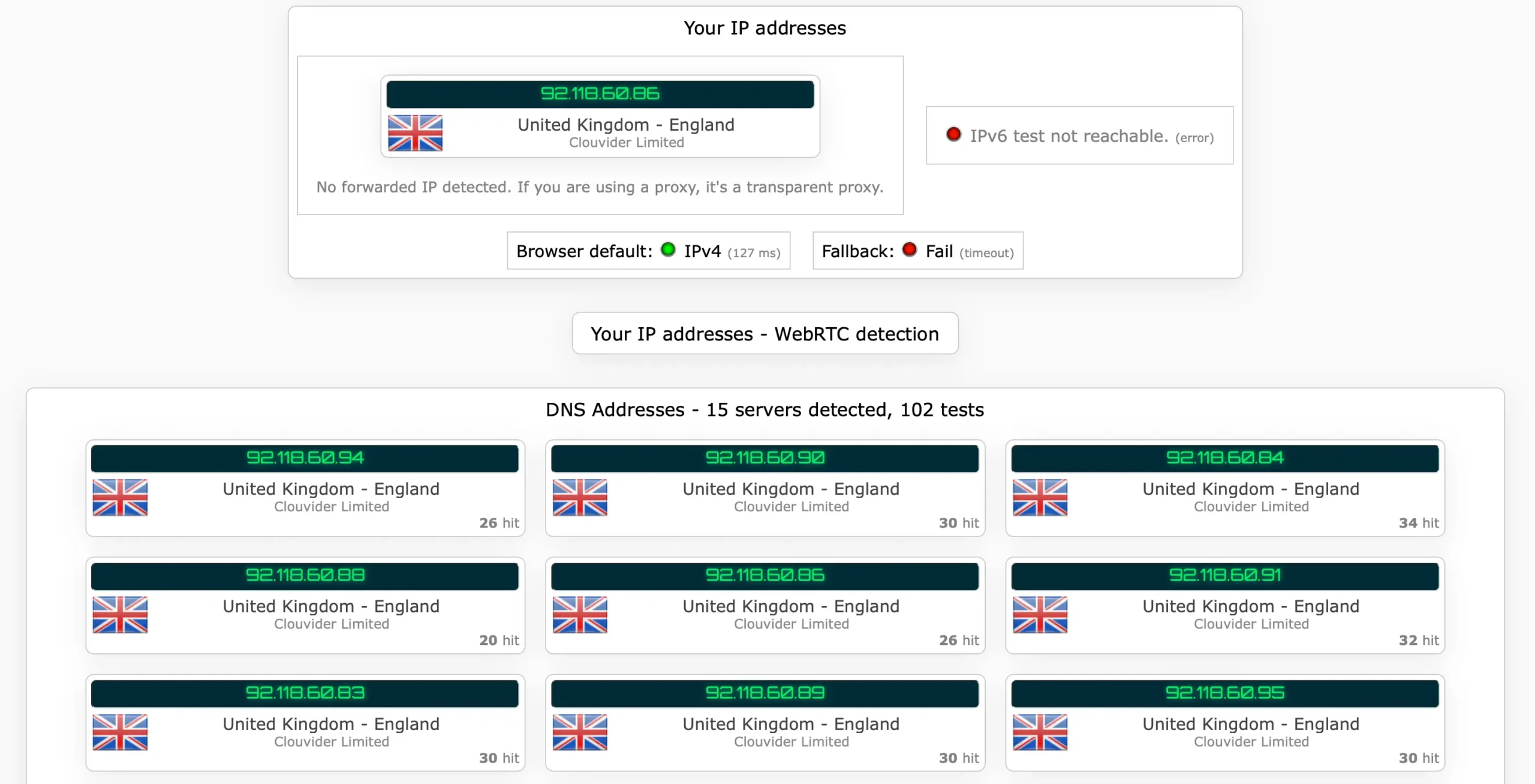
After connecting to a VPN:
- Visit ipleak.net or whatismyipaddress.com.
- Confirm that your new IP address matches your chosen country.
- Run a speed test (e.g.,
speedtest.net) to check performance.
If your location still appears as your real one, disconnect and reconnect to another server or clear browser cache.
Final Thoughts
Changing your IP address to another country is simple once you know how — but it’s important to do it safely. A premium VPN not only gives you access to global content but also protects your privacy, secures your data on public networks, and prevents tracking.
If you’re ready to take control of your digital identity, start with one of these trusted VPNs:
- Try NordVPN – 77% off + 3 months free
- Surfshark – 87% off + 3 months free
- Try ExpressVPN – 73% off + 4 months free
With a secure VPN, your IP address and your freedom online are always under your control.
FAQ
Can I change my IP address to any country?
Yes. With a reliable VPN, you can choose servers in dozens of countries and instantly switch your virtual location.
Is it legal to change my IP address?
In most countries, yes — as long as you’re not using it for illegal activities.
Will a VPN slow down my internet speed?
Slightly, yes, but premium VPNs like NordVPN or Surfshark keep the speed loss minimal
Can I use a free VPN to change my IP?
It’s possible, but risky. Free VPNs often sell user data and have limited servers.
How can I check if my IP address really changed?
Visit a site like whatismyipaddress.com and confirm the new country shown.