You know that feeling when a new tech tool comes out, and it sounds perfect for you – but surprise, it’s only available in the US for now? Yeah, that’s exactly what happened when I first heard about ChatGPT Health.
A smart assistant that can help you prepare for a doctor’s appointment, make sense of your blood test results, or sync up with apps like Apple Health and MyFitnessPal? Yes please. Except if you’re not in the US, you’re currently locked out of most of it.
But don’t worry. I’ve been testing this myself, and with the right VPN setup, you can unlock ChatGPT Health and actually make it work – securely and smoothly – even if you’re sitting in Europe, Asia, or anywhere else on the planet.
Let’s break down exactly how to do it.
What Even Is ChatGPT Health?
In case you missed the announcement, ChatGPT Health is a new part of ChatGPT designed specifically for health and wellness. It’s like having a smart, private assistant that can help you:
- Understand your lab results in plain English
- Prepare questions for your next doctor visit
- Track patterns in your health and fitness data
- Get personalized tips based on your medical records
And yeah – it can connect directly to platforms like Apple Health, Function, MyFitnessPal, Weight Watchers, Peloton, even Instacart and AllTrails.
The catch? All this deep integration (and the Health tab itself) is currently limited to users in the United States – especially if you want to link electronic health records (EHRs). So if you’re outside that bubble, you’ll see… nothing. No “Health” tab and no data sync. No access.
Unless… you take a little detour with a VPN.
Fast Track: How to Access ChatGPT Health Anywhere
If you’re short on time and just want the fastest way to test ChatGPT Health, here’s your quick-start plan:
| Step | Action | Notes |
|---|---|---|
| 1 | Get a reliable VPN | I personally use Surfshark and NordVPN – both tested and working |
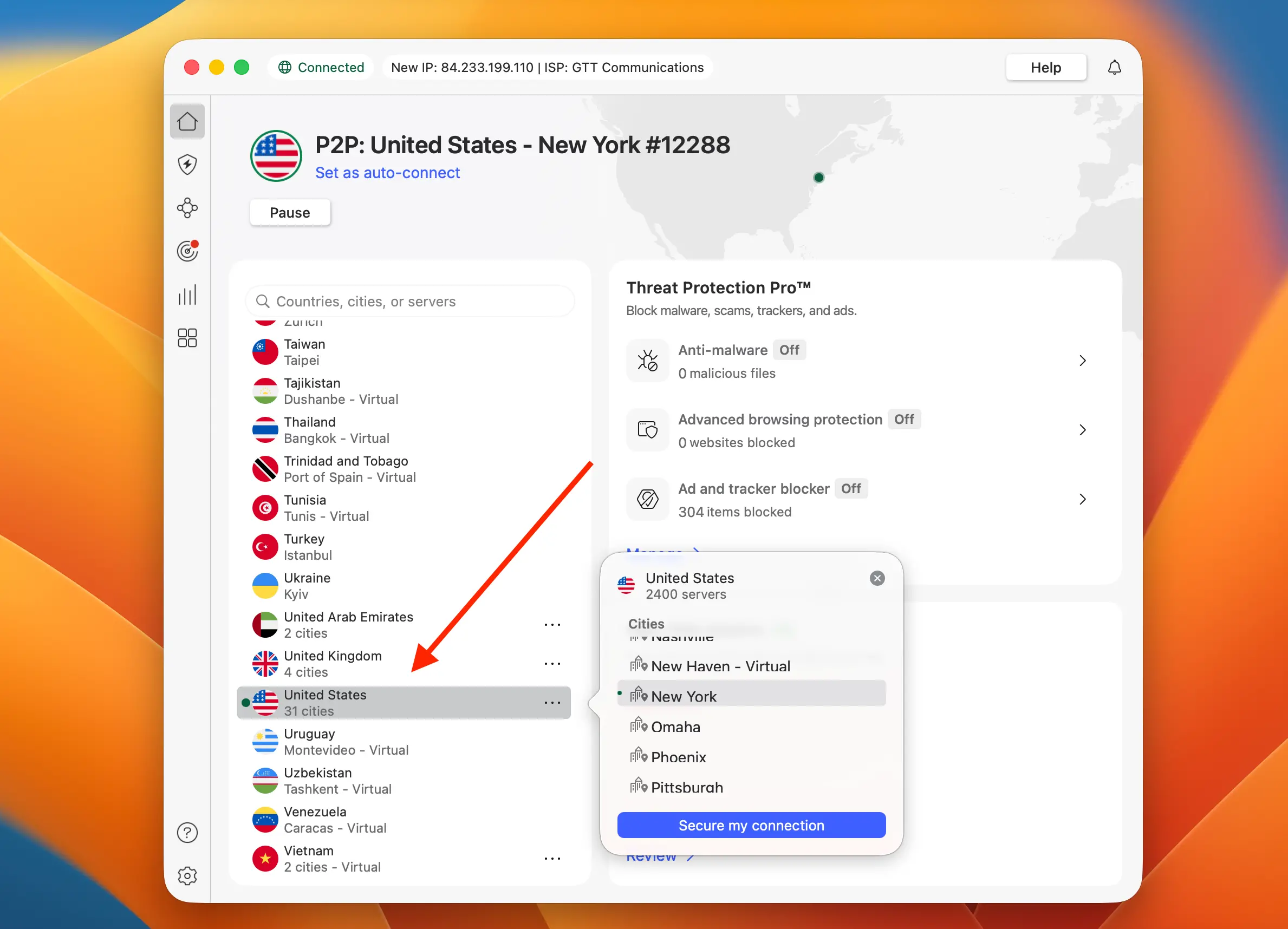
| 2 | Connect to a US server (preferably East Coast) | This helps with speed and minimizes detection |
| 3 | Log into ChatGPT with your Plus/Pro account | Only paid plans have access to tools like Health |
| 4 | Look for the “Health” tab in the left sidebar | If it appears, you’re in. If not, clear cookies and retry |
| 5 | Link your apps or upload medical files | Apple Health works only via iOS, others via web upload |
| 6 | Start chatting – and ask your health questions | Try stuff like “Explain my cholesterol results” |
You’ll need a bit of trial and error with servers and browser sessions, but once you crack the right combo, it works surprisingly well.
And yes – it’s private. Your VPN encrypts the connection, and ChatGPT Health is designed with strict privacy in mind. Double win.
VPN Tips to Keep It Smooth and Undetectable
Not all VPNs are created equal – and if you’re using a free or poorly configured one, you’ll hit a wall fast. ChatGPT is pretty good at spotting proxy traffic, and so are third-party apps like b.well or Function.
Here’s what worked best for me after testing on three different devices and multiple networks:
- Use a premium VPN: I recommend Surfshark, NordVPN, or ExpressVPN. All three have solid US server coverage, good speeds, and clean IP pools.
| 3 best VPN for ChatGPT | Offer + Discount | URL |
|---|---|---|
| NordVPN | 77% off + 3 months free | Try NordVPN |
| ExpressVPN | 73% off + 4 months free | Try ExpressVPN |
| SurfShark | 87% off + 2 months free | Try SurfShark |
- Avoid overcrowded cities: Try connecting to servers in places like Boston, Atlanta, or Denver rather than New York or LA.
- Enable obfuscation: Some VPNs call it “Stealth Mode” or “Camouflage” – it hides the fact you’re using a VPN.
- Clear cookies or use incognito mode: Especially if ChatGPT keeps showing your real country.
- Log in with a US-based OpenAI account: If you ever created your account while in the US or used a US billing address, your chances go way up.
VPNs also give you an extra layer of privacy, which is kind of a big deal when you’re dealing with sensitive health data online.
What You Can Actually Do with ChatGPT Health
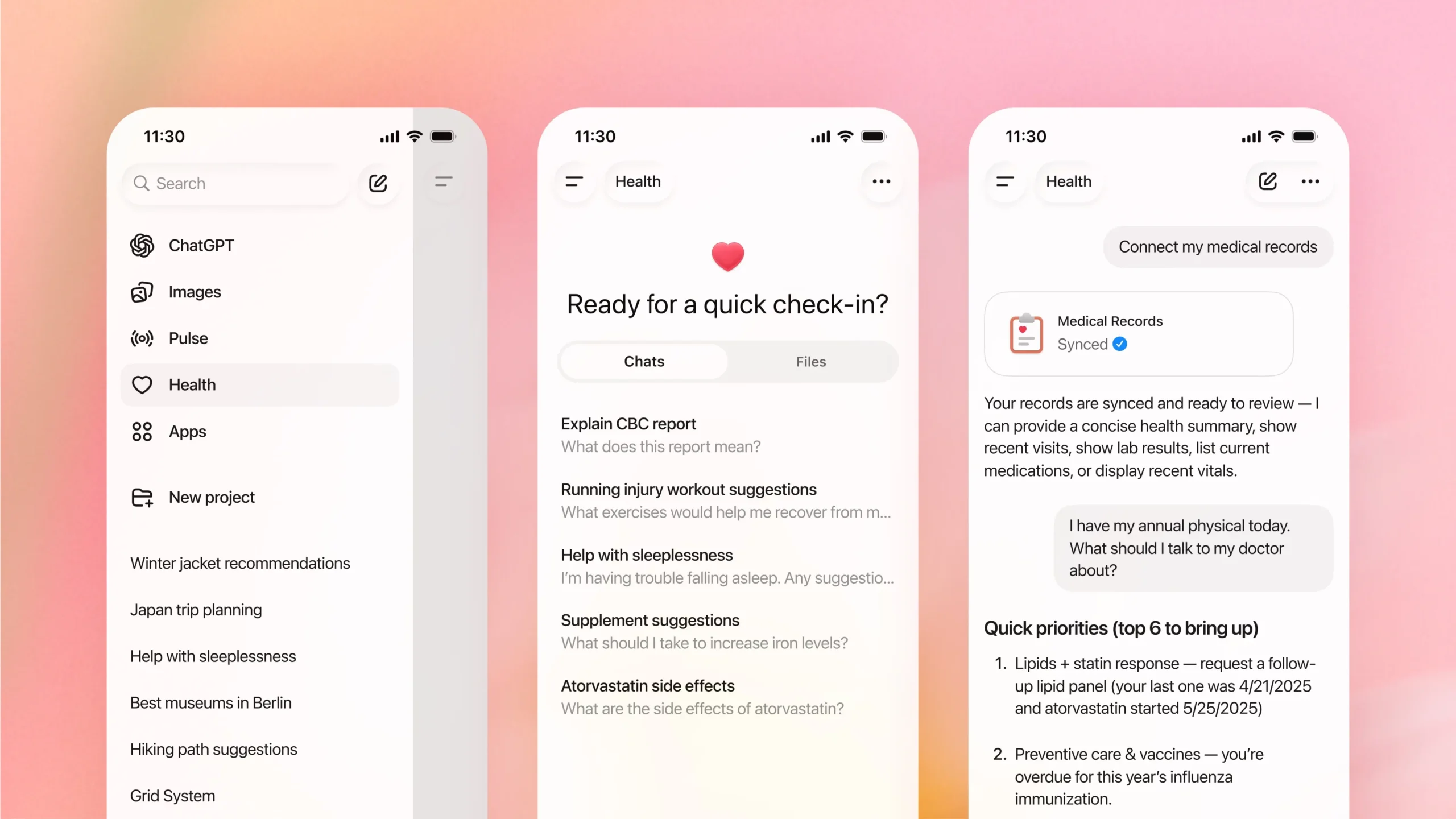
Once you’re inside the Health section, it’s honestly impressive how helpful it becomes – especially if you’re someone who tracks stuff regularly.
Here are just a few of the real questions I tried out:
- “What does my blood test from 2 weeks ago mean?”
- “Compare my cholesterol levels from this year vs. last year.”
- “Based on my Apple Health data, am I getting enough sleep?”
- “Give me a workout plan that fits my GLP-1 medication and low energy days.”
You can even upload PDF lab reports, photos of prescriptions, or sync fitness apps – and the chatbot will factor all of it into the responses.
Oh, and voice mode works too. Just press the mic and start talking like you would to a coach or doctor buddy.
Compatible Apps You Can Connect
This isn’t just about raw data – ChatGPT Health can link with real tools you probably already use. Here’s a sample of what’s supported:
| App Name | Purpose | Notes |
|---|---|---|
| Apple Health | Tracks fitness & health metrics | iOS only, needs permission |
| MyFitnessPal | Diet, macros, calorie tracking | Syncs recipes & nutrition tips |
| Function | Blood test insights | Focused on lifestyle labs |
| Peloton | Workout & meditation suggestions | Great for recovery days |
| AllTrails | Hiking & outdoor activity logs | Pairs well with Apple Health |
| Weight Watchers | Meal planning, GLP-1 advice | Needs account login |
This kind of integration turns ChatGPT Health into more than just a chat tool – it becomes your health dashboard with a brain.
Why It’s US-Only for Now (and How to Bypass That)
OpenAI is clearly taking its time rolling this out because of strict healthcare privacy laws like HIPAA. They’re also working with US-specific partners like b.well, which handles a massive network of health data in the States.
But let’s be real – if you’re in Europe, Asia, or Latin America, your health isn’t any less important. You’re just outside the early access bubble.
That’s exactly why a VPN becomes essential. It’s not about cheating the system – it’s about accessing a tool that can genuinely help you stay on top of your wellness, especially if you’re already using apps like MyFitnessPal or Apple Health.
As long as you’re smart about privacy and use a secure, high-quality VPN, there’s really no downside.
Final Thoughts: Is It Worth the Effort?
Absolutely. Even in its early form, ChatGPT Health is already way more useful than 90% of the generic health apps out there. It’s like having a smart assistant that speaks your language, knows your body (when you let it), and gives real context to stuff that usually feels confusing.
If you care about your health, track your wellness, or just want better insights before talking to your doctor, it’s worth testing out – even if you’re outside the US.
Just grab a VPN, set your region, and go for it. The setup takes maybe 10 minutes, and the value you get from it? Huge.
Want a quick VPN recommendation? Based on my tests, these three worked best:
| VPN Name | Best For | Try It Out |
|---|---|---|
| Surfshark | Price & obfuscation | ✅ |
| NordVPN | Stability & speed | ✅ |
| ExpressVPN | Easiest to use on iOS | ✅ |
Try them out and see which one works best for your setup. Once you’re in, you’ll probably wonder why it wasn’t global from day one.
FAQ
Can I really use ChatGPT Health if I’m not in the US?
Yes – but only if you use a reliable VPN set to a US location. That tricks the system into thinking you’re in the US, unlocking access to the Health tab and related features.
Is it safe to use ChatGPT Health with a VPN?
Absolutely. As long as you use a trusted VPN (like NordVPN, Surfshark, or ExpressVPN), your connection is encrypted. Plus, ChatGPT Health is built with strong privacy protections.
Do I need a paid ChatGPT plan to access the Health feature?
Yes. ChatGPT Health is only available to Plus or Pro users. If you’re on the free tier, you won’t see the Health tab even with a VPN.“ChatGPT”