Picture this: You have just landed in Tokyo, Rome, or Bali. You are tired, jet-lagged, and hungry. You sit down at a local café, order a meal, and pull out your phone to check your checking account balance before paying.
Open the Chase mobile app od desktop web. The wheel spins. Then, instead of your balance, you see a terrifying message: “Access Denied” or “We have detected suspicious activity and temporarily locked your account.”
Your heart sinks. You are 5,000 miles from home, your main source of funds is frozen, and making an international call to customer service will cost you a fortune in roaming fees.
This is a common nightmare for Chase customers traveling internationally. JPMorgan Chase has some of the most aggressive fraud detection systems in the banking world. While this is great for keeping hackers out, it is terrible for legitimate travelers trying to access their own money.

Here is why Chase locks you out, how to fix it if it happens, and the simple tool you need to prevent it from ever happening again.
The “Why”: The Chase Security Algorithm
To understand why this happens, you have to look at it from the bank’s perspective.
Chase manages trillions of dollars in assets. Every day, thousands of hackers from all over the globe try to brute-force their way into customer accounts. To fight this, Chase uses an automated security system that monitors your Digital Footprint.
This system looks for patterns.
- Normal Behavior: You usually log in from an IP address in Chicago, Illinois, between 8 AM and 10 PM.
- Suspicious Behavior: Suddenly, a login attempt is made from an IP address in Vietnam at 3 AM Chicago time.
The algorithm doesn’t know that you are on vacation in Vietnam. It assumes a hacker has stolen your credentials and is trying to drain your account. To protect your money, the system slams the digital door shut instantly.
It doesn’t matter if you have the correct password. The location itself is the red flag.
The Solution: The VPN (Your Digital Teleporter)
You cannot ask Chase to turn off their security system. However, you can make the system believe you never left home.
This is where a VPN (Virtual Private Network) becomes an essential travel tool, not just a tech geek toy.
| My 5 Best VPN for Banks | Offer + Discount | URL |
|---|---|---|
| NordVPN | 77% off + 3 months free | Try NordVPN |
| ExpressVPN | 73% off + 4 months free | Try ExpressVPN |
| SurfShark | 87% off + 2 months free | Try SurfShark |
| CyberGhost | 83% off + 2 months free | Try CyberGhost |
| PIA VPN | 82% off + 2 months free | Try PIA VPN |
How a VPN Tricks the Chase Algorithm
A VPN allows you to route your internet connection through a server in a different location.
- You are physically sitting in a hotel in Paris.
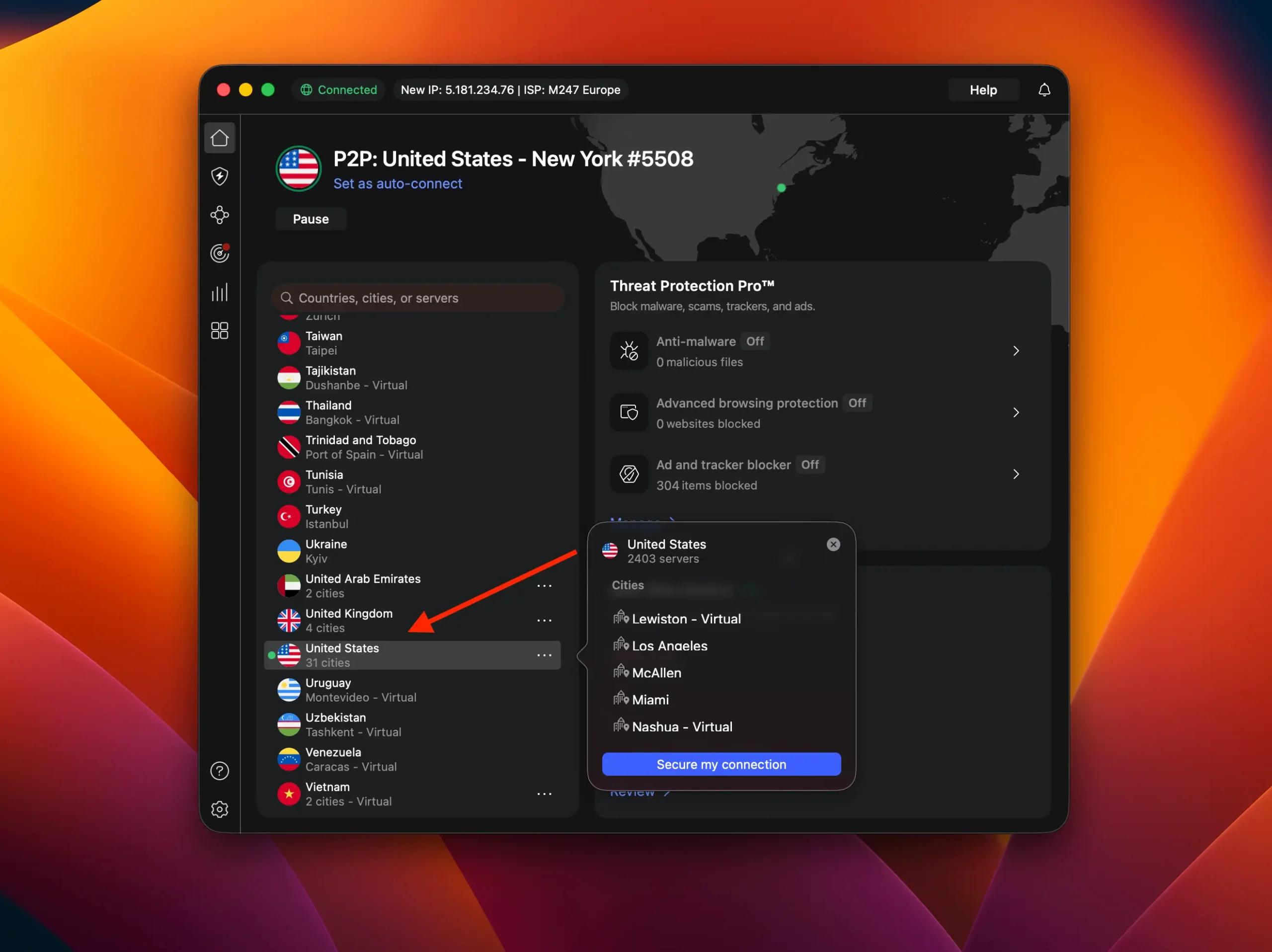
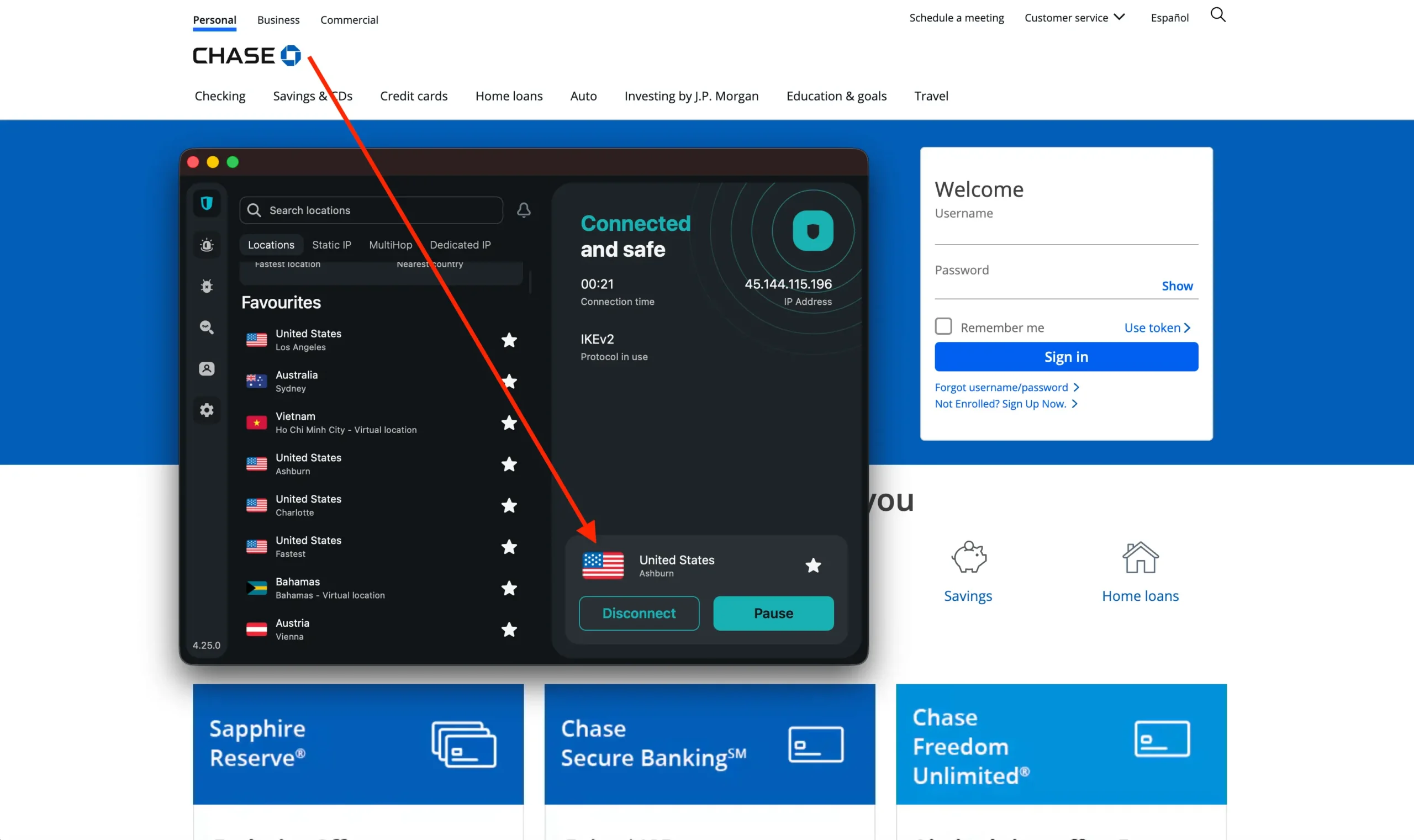
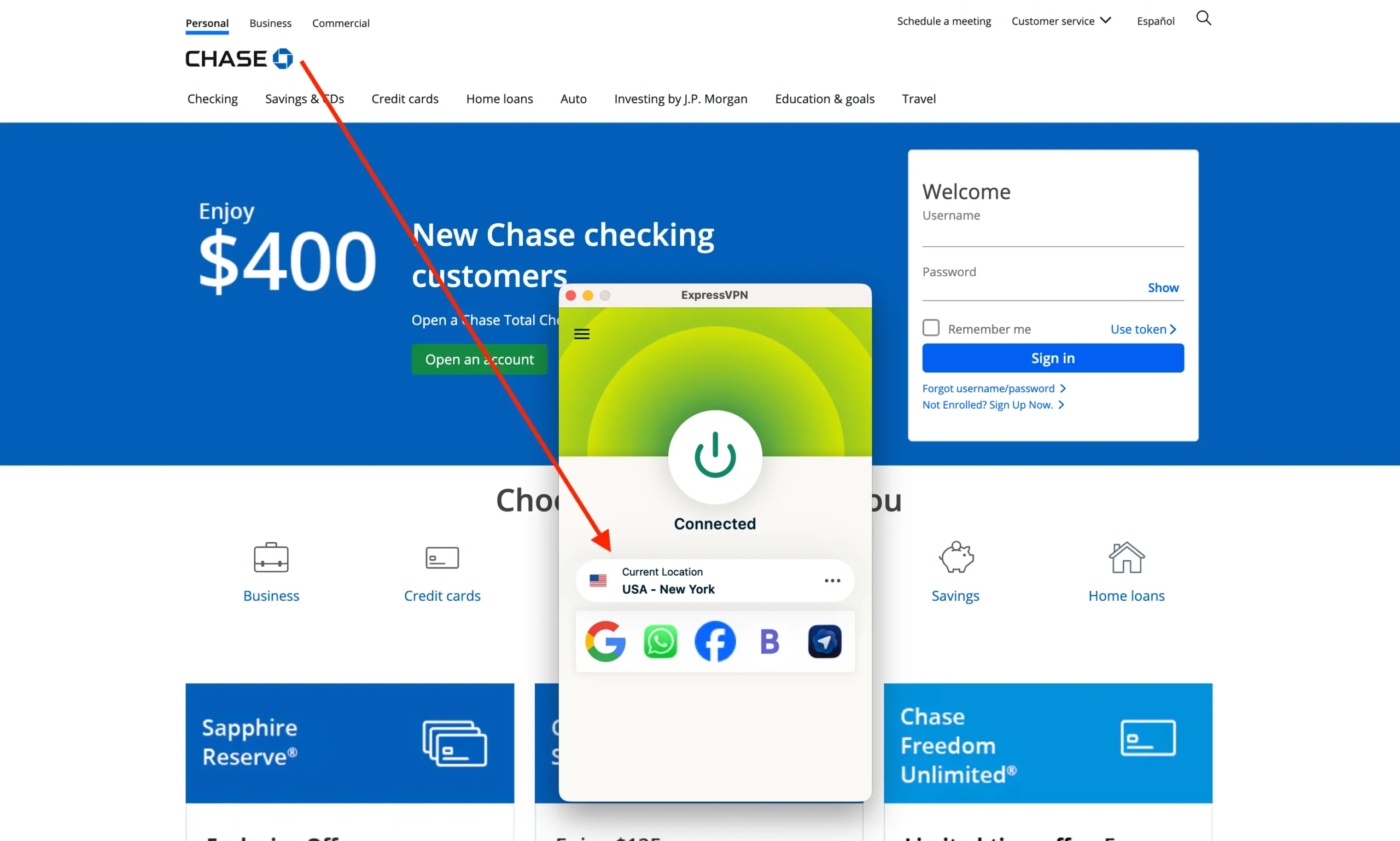
- You open your VPN app and connect to a “US – New York” server.
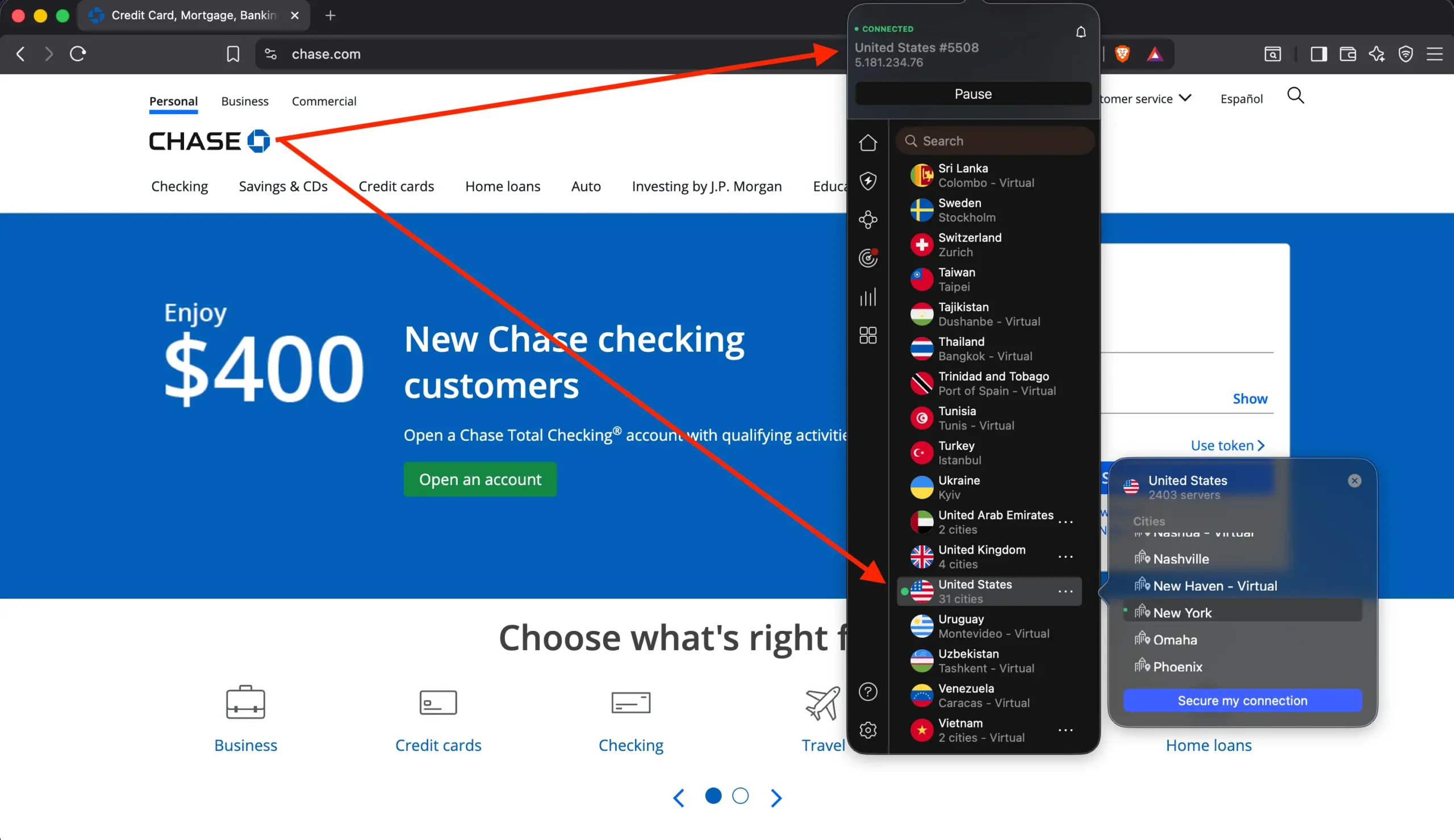
- Your data travels through an encrypted tunnel to New York before it hits the open internet.
- When you open the Chase app, the bank sees a connection coming from New York, not Paris.
Since the connection appears to be domestic, the security algorithm stays calm. You log in, check your balance, pay your bills, and transfer money just like you were sitting on your couch at home.
Step-by-Step: Accessing Chase Safely
- Don’t open the banking app yet. If you try to log in from a foreign IP first, you might trigger the block before you even start.
- Launch your VPN. Connect to a server in the United States. If your VPN offers specific cities, pick one close to your actual home (e.g., if you live in California, pick a Los Angeles server).
- Check your IP. Go to a site like
whatismyip.comto verify that the internet thinks you are in the US. - Log in. Now open the Chase app or go to Chase.com. You should breeze right past the security check.
The Silent Killer: Two-Factor Authentication (2FA)
Using a VPN solves the location problem, but there is another trap travelers fall into: The Verification Code.
When Chase detects a new device or a “new” login (even from a VPN), they will often ask to send a 6-digit code to your phone to verify it’s really you.
The Problem: Most travelers swap their US SIM card for a local SIM card to get cheap data abroad.
- If your US SIM is out of the phone, you cannot receive the SMS text code.
- If you can’t enter the code, you can’t get into your account, even with a VPN.
The Pre-Trip Fix (Do this BEFORE you leave):
- Download the Chase App: Push notifications often work over Wi-Fi/Data even if you don’t have cell service. Sometimes Chase allows you to verify via a push notification to the verified device rather than an SMS.
- Set Up Email Verification: Dig into your security settings on Chase.com and see if you can enable verification codes via email. This is much safer for travelers since you can access email anywhere with Wi-Fi.
- Google Voice: If you travel often, port your number to Google Voice. This allows you to receive SMS texts over the internet (Wi-Fi), regardless of what SIM card is in your phone.
Myth Busting: “I’ll Just Set a Travel Notice”
If you have been banking for a long time, you probably remember calling the bank to tell them: “I’m going to Italy for two weeks.”
Here is the reality for Chase in 2026: Chase has discontinued the ability to set specific travel notices for credit and debit cards. Their systems are now fully automated. They claim their algorithms are smart enough to recognize when you buy a plane ticket and then buy coffee at the destination airport.
However, this “smart” system applies mostly to card transactions (swiping your card at a store). It is much less forgiving when it comes to online banking logins.
Just because your credit card works at a French restaurant doesn’t mean the website will let you log in to pay the bill. The online login security is separate and much stricter. This is why you still need a VPN.
What to Do If You Are Already Locked Out
If you are reading this article because you are already blocked, don’t panic. Here is your game plan:
- Stop trying to log in. Repeated failed attempts will escalate the security freeze from “Temporary” to “Call us immediately.”
- Turn on your VPN. Connect to a US server.
- Use Skype or Google Voice. Do not call Chase directly from your mobile unless you have a cheap roaming plan. You will be on hold for 20 minutes, and the call could cost you $50+. Use a VoIP app to call their toll-free international number over Wi-Fi.
- Chase International Help Line: 1-302-594-8200 (Accepts collect calls/operator assisted).
- Verify yourself. When you get a human, explain: “I am traveling. My physical card works, but I cannot access the website.” They will verify your identity and manually whitelist your session.
Summary: The Traveler’s Banking Survival Kit
Chase is a fantastic bank with great travel rewards cards (like the Sapphire Reserve), but their digital security is paranoid. To ensure you never lose access to your funds:
- Get a reliable VPN before you leave home.
- Connect to a US Server every single time you open the Chase app.
- Keep your 2FA in mind (don’t lose access to the phone number registered with the bank).
It is better to have a VPN and not need it, than to be staring at a “Declined” screen in a foreign country with no way to fix it.
FAQ
Do I need to tell Chase I am traveling?
No. Chase no longer accepts travel notices. Their system attempts to automatically detect travel, but this often leads to errors where legitimate logins are blocked.
Can I use a free VPN to access Chase?
It is not recommended. Free VPNs often have IP addresses that are already blacklisted by major banks. Furthermore, free VPNs may sell your data, which defeats the purpose of secure banking.
Why does Chase block my login even if my password is correct?
Chase flags the location (IP address). If the login comes from a country you aren’t usually in, it treats the attempt as a hacker trying to break in.
What if I can’t receive the text message code?
If you swapped SIM cards, you won’t get the SMS. You must either use your US SIM (roaming) or call Chase’s international support line to verify your identity manually.
Similar article:
- How to Log In to Bank of America as If You Were Still in the US
- Can’t Access Your Capital One Account Abroad? Here Is The Fix
- Why Your Citibank Account Is Locked Abroad (How to Fix It)
- How to Login to Your Wells Fargo Account Abroad: Full Guide