







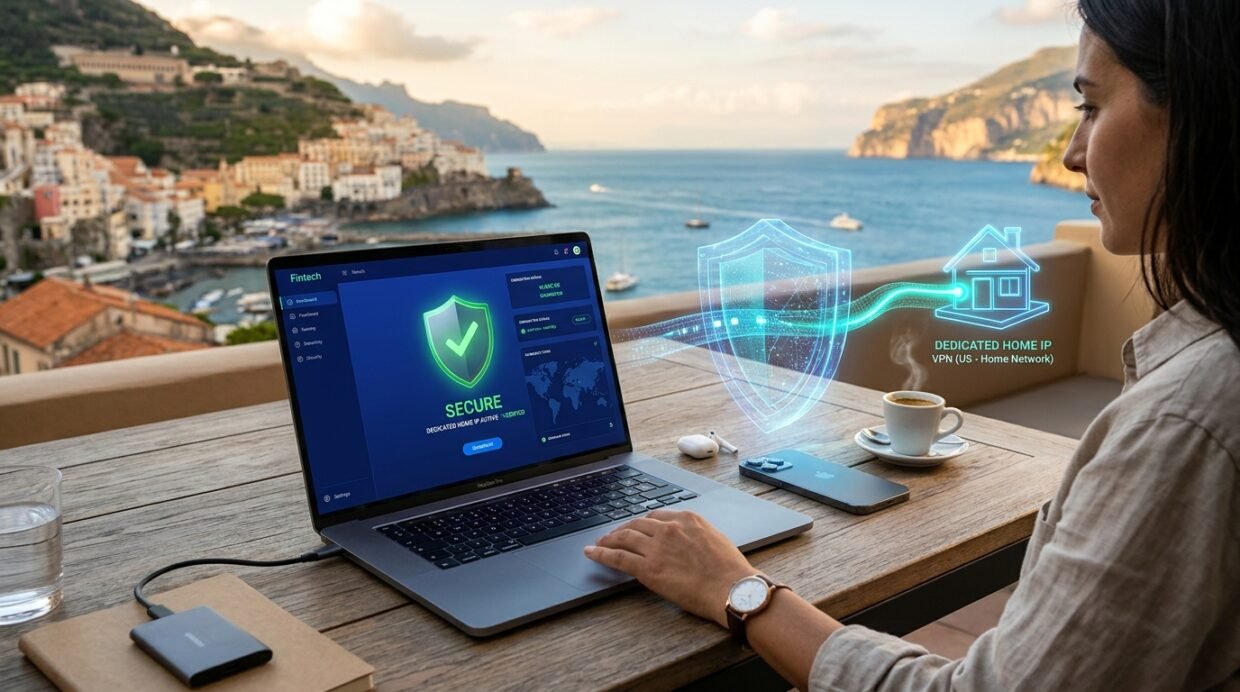
Few travel emergencies are more stressful than logging into your US, UK, Canadian, or European PayPal account from a hotel room in Bangkok, Bali, Medellín, or Istanbul—only to receive an instant automated email reading: “We’ve noticed unusual activity. Your account access has been temporarily limited.” Worse yet, turning on a standard shared VPN server before logging into PayPal abroad is actually the fastest way to trigger a permanent 180-day funds hold in 2026.
In this standalone PayPal Abroad VPN & Anti-Freeze guide—a dedicated 100% PayPal spoke from our Online Banking, PayPal, Wise & Revolut Abroad Hub—I break down how PayPal’s automated risk engine works in 2026. You will learn why PayPal permanently locks accounts to the country where they were opened, why shared commercial VPN IPs (`M247`, `Datacamp`, `Choopa`) set off automated fraud alarms, and the two proven ways to access PayPal safely from anywhere on Earth: routing through your own home residential ISP IP via NordVPN Meshnet or using a pre-seasoned Dedicated IP.
Why PayPal freezes accounts abroad (and why shared VPN servers make it worse)
Unlike multi-currency fintech apps that let you update your country of residence with a few taps, PayPal enforces a strict Country-of-Registration Lock. A US PayPal account is legally underwritten by PayPal, Inc. under US state/federal money-transmitter regulations; a UK account is regulated by the FCA; and an EU account is regulated by the CSSF in Luxembourg. You cannot even change the country on an existing PayPal account without closing it and opening a new one.
Because of this regulatory structure, PayPal’s automated security system reacts aggressively to two scenarios when you travel:
- Mistake #1 — Logging in Directly From Foreign Hotel/Café Wi-Fi: If your US or UK PayPal account has logged in exclusively from Chicago or London for 5 years and suddenly attempts to send a $1,200 invoice payment or withdraw funds to a bank account from a public hotel Wi-Fi IP in Thailand, Colombia, or Turkey, PayPal’s automated anti-takeover algorithm assumes your credentials were stolen in a phishing breach—and immediately places a Temporary Account Limitation demanding a local utility bill and photo ID.
- Mistake #2 — Clicking “Quick Connect” on a Standard Shared VPN Server: To avoid logging in from a foreign IP, many travelers open a VPN and click “United States” or “United Kingdom.” However, standard VPN servers are shared by 500+ simultaneous users, including bad actors who have previously attempted credit card fraud from that exact IPv4 address! The instant PayPal sees your session coming from a flagged commercial datacenter IP, it triggers an immediate security challenge or permanent limitation.
Access PayPal Abroad Safely via Your Home IP or a Private Dedicated IP
Avoid shared VPN blacklists with NordVPN’s free residential Meshnet routing or ExpressVPN’s zero-knowledge Dedicated IP.
How PayPal’s 5-layer risk engine flags logins: ASN reputation, impossible travel & cookies
Every time you load `paypal.com/signin` or open the PayPal mobile app, PayPal’s real-time risk engine evaluates five telemetry signals in under 200 milliseconds:
- IP ASN Classification (Residential ISP vs. Datacenter Hosting): PayPal queries MaxMind GeoIP2 and Spur.us intelligence feeds. An IP belonging to `Comcast`, `Verizon Fios`, `BT`, or `Deutsche Telekom` is scored as a low-risk Residential ISP, whereas a shared VPN node on `M247` or `Datacamp` is scored as a high-risk Commercial Proxy.
- IP Consistency & “Impossible Travel” Velocity: Logging in from New York at 10:00 AM, London at 10:45 AM, and Miami at 11:15 AM (because your VPN rotated servers) triggers an instant velocity lock.
- Device Fingerprint & Persistent Browser Trust Tokens: Clearing your browser cookies or using Incognito Mode right before logging into PayPal is a massive mistake! PayPal relies on long-lived local storage tokens and WebGL/Canvas device fingerprints to recognize your trusted laptop.
- Mobile App Hardware GPS & SIM MCC/MNC Country Codes: Unlike desktop browsers, the native PayPal iOS and Android apps can read your local cellular carrier country code (`MCC/MNC`) and GPS coordinates.
- 2FA Authentication Method (Passkey / TOTP Authenticator vs. Roaming SMS): Relying on SMS text codes when traveling abroad can lock you out if foreign roaming SMS delivery fails.
2026 PayPal abroad connection comparison: Home Meshnet vs. Dedicated IP vs. Shared VPN
Just as we demonstrated in our Crypto Trading & Dedicated IP VPN Guide and our Remote Work Abroad VPN Router Guide, here is how each VPN connection type performs with PayPal in 2026:
| Connection Method | How PayPal Sees Your IP | Account Freeze Risk | Best Provider | 2026 Cost |
|---|---|---|---|---|
| 1. NordVPN Meshnet (Home PC Exit Node) | 100% Real Home Residential ISP IP (Comcast/BT/etc.) | 0% (Safest Method on Earth) | NordVPN (Included Free in Basic) | $2.99/mo + 3 Mos Free |
| 2. Home WireGuard Router (GL.iNet / Asus) | 100% Real Home Residential ISP IP | 0% (Hardware Travel Router) | GL.iNet Beryl AX + Home Router | One-Time Router Cost |
| 3. Pre-Seasoned Dedicated IP (1 User Only) | Clean 1-to-1 Static IPv4 in Your Home Country | Very Low (When Seasoned at Home First) | ExpressVPN Pro / NordVPN / Surfshark | Included in ExpressVPN Pro ($7.49) or Add-On |
| 4. Shared Surfshark Static IP (Fixed Server) | Consistent City IP (Never Rotates Mid-Trip) | Low–Moderate (Better Than Quick Connect) | Surfshark ($2.49/mo) | $2.49/mo (Included Free) |
| 5. Standard Shared “Quick Connect” VPN | Rotated Datacenter IP Shared With 500 Strangers | HIGH — Frequently Triggers Limitations! | Avoid for PayPal Withdrawals | Do Not Use |
Method #1 (Gold Standard): Use NordVPN Meshnet to log into PayPal from your real home ISP IP
If you have a desktop PC, Mac Mini, old laptop, or Raspberry Pi that you can leave plugged in at home (or at a trusted parent’s/sibling’s house in your home country) before you travel, NordVPN’s free Meshnet feature completely eliminates PayPal’s ability to tell that you are abroad:
- Before Leaving Home: Install NordVPN on your home computer, open the Meshnet tab, toggle Meshnet ON, and enable “Allow traffic routing” for your travel laptop. Set your home computer’s power settings to Never Sleep when plugged in.
- While Abroad on Hotel or Airbnb Wi-Fi: Open NordVPN on your travel laptop, go to Meshnet → Route traffic, and click your home computer.
- Why PayPal Loves This: Your encrypted NordLynx tunnel travels from your hotel room in Bali or Lisbon directly to your living room computer back home and exits onto the internet through your real Comcast, Spectrum, AT&T, BT, or Virgin Media residential IP address—the exact same home IP you have used on PayPal for years!
Never Get Locked Out of PayPal or Online Banking While Traveling
Route your financial logins through your own home ISP via NordVPN Meshnet or lock in a clean 1-to-1 Dedicated IP.
Method #2 (No Home PC Needed): The pre-flight “seasoned” Dedicated IP protocol
What if you are a full-time digital nomad or long-term traveler who doesn’t have a desktop computer running at home? Then your best solution is a 1-to-1 Dedicated IP address in your home country (available via NordVPN Dedicated IP, Surfshark Dedicated IP, or included directly inside the ExpressVPN Pro bundle detailed in our ExpressVPN 2026 Pricing Guide).
Unlike a shared VPN server, a Dedicated IP is cryptographic-token-locked exclusively to you—no other human on Earth can taint its fraud reputation. To make PayPal trust your Dedicated IP completely, follow the 7-Day Pre-Flight Seasoning Rule:
How to “Season” Your Dedicated IP With PayPal Before You Fly
- Activate Your Dedicated IP 7–14 Days Before Departure: Pick a Dedicated IP city as close to your registered PayPal billing address as possible (e.g., New York, Dallas, Chicago, Los Angeles, London, Frankfurt, Toronto, or Sydney).
- Log Into PayPal From Home Over That Exact Dedicated IP 3–4 Times: While you are still physically in your home country (and have access to your home phone number for any initial 2FA check), connect to your Dedicated IP and log into PayPal in your normal desktop browser (Chrome/Safari/Brave—not Incognito!).
- Keep Those Browser Cookies Intact: Once you check a balance or pay a small bill over your Dedicated IP from home, PayPal writes a trusted `device_id` cookie associating your laptop’s fingerprint with that specific static IPv4 address. When you land in Mexico, Thailand, or Spain next week and connect to that exact same Dedicated IP before opening your laptop browser, PayPal sees zero change in your IP or device profile!
5 golden OPSEC rules for using PayPal Business & Personal accounts abroad
Even when you are connected to NordVPN Meshnet or your Dedicated IP, follow these five operational security habits whenever you manage significant balances on PayPal abroad:
- Use Your Laptop Browser (`paypal.com`), NOT the Mobile App: Uninstall or sign out of the PayPal app on your phone while abroad. Why? Because the PayPal mobile app runs background location checks and reads your foreign tourist SIM’s cellular tower country code (`MCC`) even when your VPN is off! Always access PayPal from your laptop browser with your VPN Kill Switch turned ON.
- Switch PayPal 2FA from SMS to an Authenticator App or Passkey Before You Leave: Go to
PayPal Settings → Security → 2-step verificationand link Google Authenticator, Proton Pass, 1Password, or an Apple/Windows Passkey as your primary 2FA method so you never get stuck waiting for a delayed SMS on foreign roaming. - Never Clear Your PayPal Browser Cookies (Create a Dedicated Browser Profile): Create a dedicated Chrome or Brave browser profile named “Home Banking & PayPal” that you only open when connected to your Home Meshnet or Dedicated IP. Never clear cookies in that profile, and turn on your VPN’s Kill Switch so that profile never leaks your hotel Wi-Fi IP (see our Hotel Wi-Fi & Airport VPN Guide).
- Avoid Linking Foreign Bank Cards or Changing Security Passwords Mid-Trip: Trying to add a foreign bank card or changing your primary email, password, and withdrawal bank account simultaneously while traveling is a high-scoring account-takeover trigger.
- Enable Wi-Fi Calling on Your Home SIM: Keep your home country eSIM active on Wi-Fi Calling in Airplane Mode so that if PayPal ever triggers an automated voice/SMS confirmation, the text arrives over your encrypted VPN tunnel at zero roaming cost.
Protect Your PayPal Balance & Business Cashflow Everywhere You Travel
Get NordVPN’s free residential Meshnet + Kill Switch or ExpressVPN’s private Dedicated IP—backed by a 30-day money-back guarantee.
Frequently asked questions (FAQ)
Can I call PayPal support before my trip to put a “travel notice” on my account?
Unlike traditional credit card issuers, PayPal’s automated risk algorithm cannot be overridden by a human customer service note. Even if a chat agent leaves a note on your profile saying you are visiting Thailand or Colombia for two weeks, PayPal’s automated security scripts still evaluate every login in real time and will automatically limit your account if you log in from a high-risk foreign IP or a blacklisted shared VPN server.
What should I do if PayPal already put a temporary limitation on my account while I’m abroad?
Do not keep attempting logins from different random VPN servers! Immediately connect to your Home Meshnet IP or a single clean Dedicated IP in your home country, open the PayPal Resolution Center on your primary laptop browser, and complete the requested verification steps (typically confirming your linked bank card or uploading your home government ID and a recent PDF bank/utility statement showing your home address).
Is it safe to click “Pay with PayPal” at checkout when shopping online abroad?
If you are making a small everyday purchase (e.g., booking a train ticket or paying for a digital subscription), connect to your Home Meshnet or Dedicated IP first so that the checkout popup matches your normal home country IP and saved browser session cookies.




Learned Mistake #2 the hard way two years ago when a random shared VPN server got my freelance PayPal Business account limited while we were in Chiang Mai! This year we left an old Mac Mini plugged in at my parents’ house in Chicago running NordVPN Meshnet. I route my MacBook through it before every PayPal transfer and haven’t had a single security prompt in 8 months.
Leaving a low-power Mac Mini or mini-PC on at a family member’s house with NordVPN Meshnet is the gold standard for freelancers and business owners on PayPal, Hannah—PayPal literally sees your parents’ residential Comcast/AT&T IP every single time!
Your 7-day pre-flight ‘seasoning’ tip for a Dedicated IP is spot on. I logged into my UK PayPal account over my London Dedicated IP four times from home before flying to Medellín, kept the cookies in a separate Brave profile, and removed the mobile app from my phone. Worked seamlessly for every client withdrawal.