








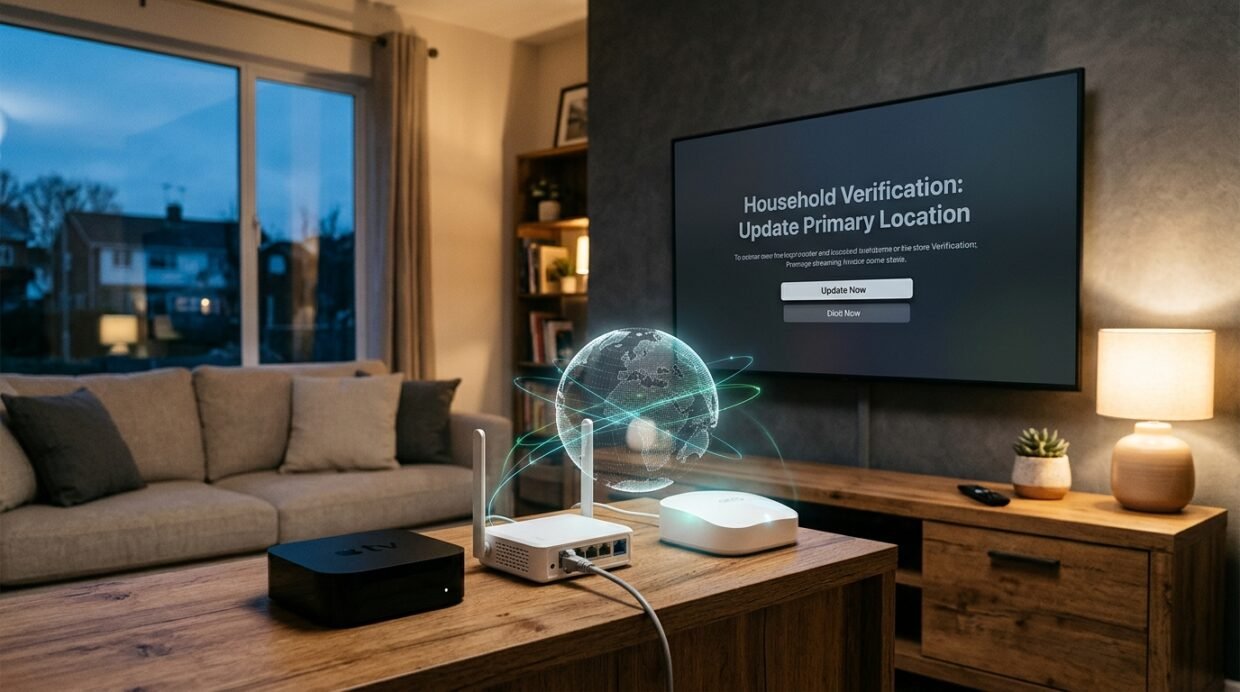
Nothing ruins a Friday night faster than grabbing the remote at your weekend cabin, university dorm, or hotel suite, opening Netflix on a Smart TV, and hitting the red roadblock: “This TV isn’t part of your Netflix Household.” While Netflix used to offer a painless 14-day “I’m Traveling” temporary code on television screens, its 2026 enforcement engine now limits how many times a single device can request a temporary code per year—and immediately locks out any Smart TV, Apple TV 4K, Roku, or Firestick that hasn’t checked in from your primary home router’s IPv4 address within the last 30 days.
You do not need to pay an extra $8.99/month per person for “Extra Member” slots—which don’t even support multiple profiles or full 4K Dolby Vision parity in every region—just to use the subscription you already pay for across two locations. After testing how Netflix’s 2026 household detection algorithm tracks TVs vs. mobile devices, I mapped out three permanent, 100% legal routing architectures that make any remote TV or laptop appear physically plugged into your main living-room Wi-Fi. Below is the complete technical breakdown, building on our 2026/2027 YouTube Premium, Spotify & Netflix Regional Pricing Guide and our Whole-Home WireGuard & VPN Router Setup Guide.
How Netflix actually detects “Your Household” in 2026 (IPv4, SSDP/mDNS & the 30-day check-in rule)
To beat the “This TV isn’t part of your Netflix Household” screen without triggering account security prompts, you first need to understand the sharp distinction Netflix draws between TV-class devices and portable devices in 2026:
- 1. TV-Class Devices Are Locked to Your Primary Residential IPv4 & ASN: The moment anyone signs into Netflix on an LG webOS TV, Samsung Tizen TV, Sony Bravia Google TV, Amazon Fire TV Stick 4K Max, or Apple TV 4K, Netflix designates the most frequently used residential ISP connection as the Primary Household IP. If a second TV-class device opens the Netflix app from a different public IPv4 address or a different Autonomous System Number (ASN—for example, Spectrum Cable in New York vs. Comcast Xfinity in Boston), Netflix immediately blocks playback and demands either “Update Netflix Household” or “I’m Traveling.”
- 2. Local Subnet Discovery (`SSDP` / `mDNS` & Device IDs): When your smartphone or tablet connects to your home Wi-Fi and opens the Netflix app, it sees the same public IPv4 address as your living-room Smart TV and exchanges local discovery beacons on your LAN. That handshake stamps your phone or laptop with a 30-day rolling trusted token.
- 3. Why Phones, Tablets & Web Browsers Are Treated Differently: Because Netflix knows subscribers commute and fly, smartphones, iPads, and laptops (running Netflix inside Chrome, Edge, or Safari) are exempt from instant IP blocking—provided that device connects to the Primary Household IPv4 address at least once every 30 days and plays a video for 30 seconds.
The Core Engineering Rule for Bypassing the Household Prompt
Connecting a remote TV to a random commercial VPN server in Dallas or London changes your catalog region, but it does not match your main house’s residential ISP IP address. To make the household error vanish permanently on a remote TV, Firestick, or dorm Apple TV, your remote device must tunnel its traffic directly through a device or router sitting inside your primary home—or both homes must share the exact same Static/Dedicated VPN IP.
Unlock Netflix on Your Second TV or Dorm Firestick Today
Route any remote TV through your home residential IP for free with NordVPN Meshnet ($2.99/mo) or lock both homes to a single Surfshark Static IP ($2.49/mo).
Tested bypass methods compared: NordVPN Meshnet vs. home WireGuard router vs. HDMI/AirPlay
Here is how the four working 2026 architectures compare across device compatibility, 4K HDR bitrate support, and setup time:
| Bypass Architecture | Works on Smart TVs, Firestick & Apple TV 4K? | How Netflix Sees Your Connection | 4K HDR / Dolby Vision Support | Cost & Best Use Case |
|---|---|---|---|---|
| 1. NordVPN Meshnet (Traffic Routing via Home PC / Apple TV / Mac) | Yes (Native app on Firestick, Google TV, Apple TV tvOS, Windows, macOS, iOS, Android) | 100% identical to your Primary Home Residential ISP IPv4 | Full 4K UHD (15.25 Mbps AV1/HEVC) via direct peer-to-peer NordLynx tunnel | Free feature inside NordVPN ($2.99/mo Black Friday deal); best for dorms, travel Firesticks & laptops |
| 2. GL.iNet Travel Router → Home Asus / Brume 2 WireGuard Server | Yes — All TVs (including closed-OS LG webOS, Samsung Tizen & Roku) | 100% identical to your Primary Home Router IPv4 | Full 4K UHD + Dolby Atmos across every TV at your vacation home | $0/mo recurring fee (one-time router hardware); best for vacation cabins & parents’ house |
| 3. Shared Surfshark Static IP or ExpressVPN Dedicated IP on Both TVs | Yes (Firestick, Android TV, Apple TV 4K, or Aircove routers) | Both homes exit from the exact same static VPN IPv4 address | Full 4K UHD + simultaneous Real-Debrid 1-IP compliance | Surfshark ($2.49/mo) or ExpressVPN Pro ($7.49/mo); best when you cannot leave a PC running at home |
| 4. Laptop / Phone 30-Day Home Check-In + USB-C to HDMI Cable | Bypasses TV OS completely (uses laptop/phone token on hotel TV) | Seen as a trusted portable device with an active 30-day token | Up to 4K UHD on Microsoft Edge / Safari macOS via HDMI 2.0+ | Cost of a $12 USB-C to HDMI adapter (Note: wireless Chromecast/AirPlay from Netflix mobile is now blocked on non-household Wi-Fi!) |
Method 1: Route any Firestick, Android TV or laptop through your home IP with NordVPN Meshnet
The easiest software-only fix in 2026 is NordVPN’s Meshnet feature. Instead of routing your traffic to a commercial datacenter server shared with thousands of strangers, Meshnet creates an encrypted, peer-to-peer NordLynx (WireGuard) tunnel directly between your remote device (such as a Fire TV Stick 4K Max in a university dorm or a Google TV streamer at a beach house) and a host device sitting inside your primary home.
Because your traffic exits onto the internet through your home fiber or cable modem, Netflix sees your exact primary residential IPv4 address and residential ISP ASN—meaning the “This TV isn’t part of your Household” banner never triggers.
- Set Up Your Home “Anchor” Device: Inside your primary home, install NordVPN on a device that stays powered on—such as a home desktop PC, Mac mini, NAS/Linux mini-PC, or an always-on Android TV box. Open the NordVPN app, go to the Meshnet tab, toggle it ON, and enable “Allow traffic routing” and “Allow local network access” for your linked devices.
- Install NordVPN on Your Remote Streaming Device: On your remote Fire TV Stick 4K, Sony/TCL Google TV, Nvidia Shield, laptop, or iPhone/Android phone, sign into the same NordVPN account (or invite a family member’s free NordVPN account as an external Meshnet peer).
- Connect via “Route Traffic”: Open Meshnet on the remote Firestick or TV, select your home anchor device (e.g.,
home-mac-mini.nord), and click Route Traffic. - Launch Netflix: Force-close and reopen the Netflix app. Because your public IP now matches your living room’s primary router 1:1, the TV is automatically recognized as inside your household.
Stop Paying $8.99/Month for Extra Member Slots
Install NordVPN on your Firestick, Google TV, or Apple TV 4K and tunnel directly to your home IP in 60 seconds.
Method 2: The permanent second-home fix (GL.iNet Beryl AX connected to your home Asus WireGuard server)
What if your second TV is a closed-OS LG OLED (webOS), Samsung QLED (Tizen), or Roku Ultra that cannot install the NordVPN app—or what if your parents aren’t tech-savvy enough to open a VPN app before watching TV? As we demonstrated in our 2026 Whole-Home WireGuard Router Guide and our Remote Work Abroad Travel Router Guide, you can bridge two houses permanently at the hardware level with zero monthly fees:
- Step 1 (At the Main House): Most modern routers (including Asus RT-AX86U Pro / GT-AX6000, GL.iNet Flint 2 / Brume 2, TP-Link Omada, and UniFi Dream Machine) include a built-in, one-click WireGuard VPN Server. Toggle the WireGuard Server ON in your main home router’s admin dashboard, enable free Built-in DDNS (so it tracks your home IP even if your ISP changes it), and export a client
.conffile. - Step 2 (At the Second Home / Dorm / Cabin): Plug a pocket-sized GL.iNet Beryl AX (GL-MT3000) into the vacation home or dorm router, upload that WireGuard
.conffile into the Beryl AX’s WireGuard Client tab, and connect the remote Smart TV or Roku to the Beryl AX’s Wi-Fi network. - Step 3 (Policy Routing for Speed): Using the GL.iNet admin page (`192.168.8.1`), you can set MAC-Address Policy Routing so that only the Smart TV or Apple TV 4K routes through your main home’s WireGuard server, while laptops and gaming consoles use the local cabin’s full ISP bandwidth directly.
Method 3: The smartphone & laptop loophole (30-day home check-in + USB-C HDMI)
If you are traveling for 2–8 weeks or living in student housing and mainly watch on a laptop, iPad, or smartphone, you can exploit Netflix’s 30-day mobile check-in grace period without keeping a VPN running 24/7:
- The 30-Second Monthly Check-In: Once every 25–28 days, turn on NordVPN Meshnet (or your home WireGuard profile) on your phone, iPad, or laptop for just 60 seconds. Open the Netflix app, press play on any episode for 30 seconds so Netflix logs a playback event from your Primary Household IP, and then disconnect the VPN. Your portable device’s 30-day travel token is now completely reset!
- Why Wireless AirPlay / Chromecast Fails—And Why Wired HDMI Works: In 2026, if you try to wirelessly Chromecast from your phone’s Netflix app to a hotel TV or non-household Chromecast, Netflix checks the receiving TV’s Wi-Fi IP and blocks the cast. However, if you plug a $12 USB-C to HDMI 2.0 cable from your laptop, iPad, or iPhone 15/16/17 directly into the TV’s HDMI port, Netflix renders the video locally on your verified mobile/laptop screen and mirrors the raw HDMI video signal to the big screen with zero household checks.
Why standard shared VPN servers fix catalog geo-blocks—but won’t fix household locks alone
A common mistake readers ask about in the comments is: “I turned on my VPN to New York on my Firestick, so why is Netflix still asking if this TV is part of my household?”
Here is the difference: standard shared VPN servers are designed to unlock country catalogs (for example, watching UK, Japanese, or US Netflix exclusives while traveling abroad) or to lock in lower regional subscription prices (see our 2026 Netflix, YouTube Premium & Spotify Regional Pricing Guide). However, if the main TV in your living room is NOT connected to that exact same VPN server IP, Netflix sees two TVs on two different IPv4 addresses.
If you cannot leave a home PC or router running for Meshnet/WireGuard, there is still a clever workaround using commercial VPNs: bind both TVs to the exact same Static or Dedicated VPN IP:
- Surfshark Static IP ($2.49/mo for 27 months on Surfshark One): Surfshark offers Unlimited Simultaneous Connections and includes dozens of free Static IP servers (in New York, London, Frankfurt, Tokyo, etc.) where the IPv4 address never changes. If you connect the Firestick/Apple TV at House A and the Firestick/Apple TV at House B to the exact same Surfshark Static IP server (e.g., New York Static #3) and click “Update Netflix Household” once, both TVs share an identical public IPv4 address—and as a bonus, all your Stremio + Real-Debrid 4K streams are protected from multi-IP bans too.
- ExpressVPN Aircove + Dedicated IP ($2.99/mo Basic / $7.49/mo Pro): With ExpressVPN on an Aircove router or Apple TV 4K, you can assign your streaming devices to a single location group or your private ExpressVPN Pro Dedicated IP so your household IP remains consistent even if you move apartments or travel internationally.
Ready to Stream 4K Netflix on Every TV You Own?
Every plan below includes native Apple TV 4K, Firestick & Google TV apps plus a risk-free 30-day money-back guarantee.
Dedicated YouTube Premium & YouTube Music Guide: If Google canceled your old Turkish or Ukrainian card subscription, follow our standalone How to Get YouTube Premium Cheaper With a VPN (2026) guide covering the ₹195/mo Indian Apple ID Gift Card trick and EU portability rules.
Frequently Asked Questions (FAQ)
Does NordVPN Meshnet still work on Firestick and Apple TV 4K in 2026?
Yes. The native NordVPN app on Amazon Fire OS (Fire TV Stick 4K / 4K Max / Cube), Android TV / Google TV, and Apple TV (tvOS 17/18+) supports Meshnet peer routing. As long as your main home has a PC, Mac, Linux machine, or Android TV box running NordVPN with “Allow traffic routing” enabled, your remote TV can tunnel through your home residential IPv4 address with one click.
Why does Netflix block AirPlay and Chromecast when I’m away from home?
When you use wireless Chromecast or AirPlay from the Netflix mobile app, your phone doesn’t actually send the video stream to the TV—it sends a URL token instructing the TV or Chromecast to fetch the stream directly from Netflix’s servers over the hotel or vacation Wi-Fi. Because that Wi-Fi IP doesn’t match your home IP, Netflix blocks the cast. Using a wired USB-C to HDMI cable bypasses this completely because the video is decoded on your verified phone or laptop and sent as raw HDMI display output.
How much upload speed do I need at my main house to stream 4K Netflix over Meshnet or WireGuard?
Netflix’s 4K UHD streams use the ultra-efficient AV1 and HEVC codecs, which require between 12 Mbps and 16 Mbps of sustained bandwidth (and only 5 Mbps for 1080p Full HD). As long as your primary home internet connection has at least 25 Mbps of upload speed, your remote TV will stream crystal-clear 4K HDR over NordVPN Meshnet or a home Asus/GL.iNet WireGuard server without buffering.
What happens if I just click “Update Netflix Household” at my second house?
If you click “Update Netflix Household” on the TV at your vacation cabin, Netflix immediately strips primary status from the TVs at your main house—meaning everyone back home gets locked out the next time they turn on their TV, and Netflix restricts how frequently you can switch primary households before locking the switch button entirely.






Installed NordVPN on my Fire TV Stick 4K Max in my college dorm and routed Meshnet through my parents’ desktop PC back in Chicago—the ‘This TV isn’t part of your household’ popup disappeared instantly and 4K HDR plays without a single hiccup!
That Fire TV Stick 4K Max + NordVPN Meshnet combo is a lifesaver for college dorms, Tyler! Because all traffic exits through your parents’ home fiber IP in Chicago, Netflix treats your dorm TV as if it’s sitting right in their living room.
Wait, so THAT is why AirPlay from my iPhone to our hotel TV stopped working on Netflix! I had no idea Chromecast/AirPlay tells the TV to fetch the stream over the hotel Wi-Fi IP. Packed a $10 USB-C to HDMI cable in my carry-on and it works every time now.
If I use the Surfshark Static IP method across two apartments because neither of us leaves a desktop PC running 24/7, do both Apple TVs have to stay connected to that exact same Static IP server?
Yes, Henrik—just pick one low-latency Surfshark Static IP server (for example Frankfurt Static #2 or London Static #1) on both Apple TVs and click ‘Update Netflix Household’ once. Since both apartments exit from the exact same IPv4 address, both TVs pass the household check and your Real-Debrid streams stay on one IP too.
Set up the GL.iNet Beryl AX at our mountain cabin connected to our Asus router’s WireGuard server at home. Even our LG OLED (which doesn’t have VPN apps in webOS) works seamlessly now.
Awesome setup, Paulina! Bridging the cabin to your home Asus WireGuard server via a Beryl AX is the cleanest zero-maintenance solution for LG webOS and Samsung Tizen TVs.