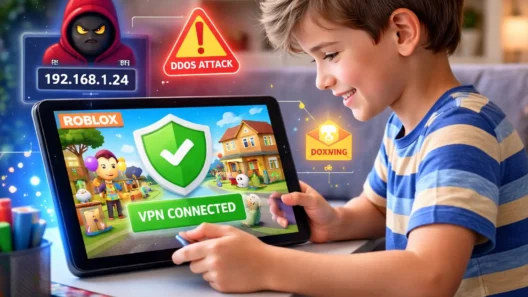
In 2026, raising kids in the digital world means more than just setting screen time limits. Today’s children go online to study, socialize, play, explore and yes, sometimes, expose themselves to unexpected risks. From school Wi-Fi tracking to targeted ads and even online gaming threats, parents are facing one big question:
When is the right time for my child to start using a VPN?
Let’s be clear: not every kid needs a VPN on their first device. But for many, especially from age 9 or 10 and up, it can be one of the smartest digital safety tools you’ll ever install.
Here’s a breakdown of what VPNs do, when they make sense for children, and how to explain it in a way they’ll actually understand.
What a VPN Actually Does (Kid-Friendly Version)
Before we talk about age, let’s define the tool.
A VPN (Virtual Private Network) protects your internet connection. It hides your real IP address, encrypts your data, and makes it much harder for websites, apps, schools, or even hackers to track what your child is doing online.
Put simply:
It’s like putting on an invisibility cloak when your kid goes online — no one can follow them around or see what they’re doing.
And in an age of constant tracking, that matters more than ever.
1) Ages 4–8: Probably Not Necessary Yet
At this stage, your child is likely:
- Using apps you’ve pre-approved
- Playing offline or semi-online games
- Not browsing freely or chatting online
Unless they’re using public Wi-Fi (e.g., on a tablet in a café), a VPN isn’t essential yet. Instead, focus on:
- App-level parental controls
- DNS filters (like CleanBrowsing)
- Limiting open web access
💡 If the device is used on shared school or public Wi-Fi, installing a VPN still makes sense — even if the child isn’t aware it’s there.
2) Ages 9–12: Yes, This Is the Sweet Spot
This is where VPN usage starts to make real sense. Why?
- Kids start using Chromebooks or tablets for school
- They explore YouTube, games with chats (like Roblox or Minecraft), and forums
- Many schools monitor traffic and filter content based on IP
- They use public Wi-Fi more often (cafeterias, libraries, friend’s house)
A VPN at this stage helps with:
- Privacy from school or third-party trackers
- Protection on open Wi-Fi networks
- Hiding IP address in games to avoid doxxing or targeting
You don’t need to scare them with hacker talk. Just say:
“This app keeps your internet connection private, so no one can see where you’re logging in from.”
Set it to auto-connect. Make it passive. Let them forget it’s even running.
3) Ages 13–17: Absolutely, and In Their Control
Teenagers are much more independent online. They:
- Use personal phones or laptops daily
- Join Discord, Reddit, Twitch, gaming servers
- Stream, download, share files
- Possibly explore controversial content or bypass school restrictions
At this point, VPNs are not optional — they’re essential.
But don’t just install it. Talk about it:
“Think of this like wearing a seatbelt online. You don’t always need it… until you do.”
Let them:
- Choose which server to use (e.g., Germany for better privacy, or US for certain content)
- Understand when to turn it on or off
- Know it’s not about “spying” — it’s about giving them more freedom, safely
Bonus tip: Use VPNs that come with tracker blocking, ad filtering, and malware protection like Surfshark’s CleanWeb or NordVPN’s Threat Protection.
How to Explain VPNs to Kids (By Age)
Ages 8–10
“This app makes sure your Wi-Fi is private. No one can see what games or videos you watch, and it keeps out bad guys online.”
Ages 11–13
“You know how some apps show ads based on what you look at? This hides where you are, so those companies can’t track you.”
Ages 14–17
“Some people online collect your IP to find out where you are. This stops that and helps you stay private — like browsing with the lights off.”
Don’t overexplain. Use analogies. Avoid fear tactics. Keep it empowering.
When a VPN Doesn’t Make Sense
There are a few cases where using a VPN might not be needed or could even cause issues if your:
- child is using heavily restricted school apps that block VPNs
- using child-focused DNS filters that conflict with VPN tunneling
- home router already has a network-wide VPN setup
In these cases, adjust settings or install the VPN on the router, so the device stays protected without issues.
Best VPNs for Kids in 2026 (Safe & Easy to Use)
Here are three trusted options for families:
a) NordVPN
- Excellent parental settings
- Works on phones, tablets, routers
- Comes with Threat Protection to block ads, malware, and tracking
👉 Try NordVPN – 77% off + 3 months free
b) Surfshark
- Unlimited devices on one account (perfect for large families)
- Built-in CleanWeb for ad/tracker blocking
- Easy to install and set to auto-connect
👉 Try Surfshark – 87% off + 2 months free
c) ExpressVPN
- Ultra-fast and super simple UI
- Works on all platforms, including gaming consoles and Smart TVs
- Great for older teens and tech-savvy kids
👉 Try ExpressVPN – 73% off + 4 months free
Final Thoughts: Start Early, but Smart
VPNs aren’t just for adults working remotely or unlocking Netflix libraries. In 2026, they’re becoming part of basic digital hygiene for kids, just like strong passwords and antivirus.
Start light. Build habits early. Talk to your kids about what VPNs do, why they matter, and how to stay safe online without living in fear.
Because privacy isn’t just for grownups anymore.