You know that annoying message – “This title isn’t available in your region”? Yeah, been there. That’s exactly why I started digging into which VPN server locations actually work when it comes to streaming.
I’ve been using Surfshark for a few years now, and it’s honestly one of the few tools that’s made my digital life easier. Whether it’s Hulu in the US, BBC in the UK, or anime from Japan — you just need to know where to connect.
Let me walk you through my personal list of the best Surfshark servers for unlocking the most popular streaming platforms. No fluff, just real tips.
🌍 Global streaming giants
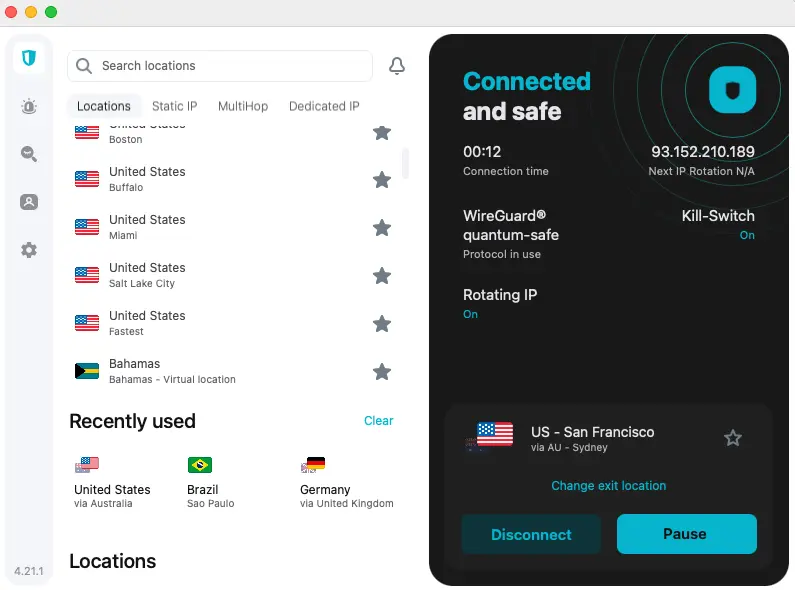
(They’re everywhere, but what you get depends on where you connect from.)
🎞️ Netflix
Simple rule: the bigger the country, the bigger the library.
- For action, stand-up comedy, or exclusive content – go with USA.
- Into anime? Japan is unbeatable.
- For a well-balanced mix, UK and Canada also deliver solid content.
🎥 Amazon Prime Video
Available pretty much everywhere, but US, UK, and surprisingly Germany tend to have the richest libraries.
- Some titles are region-locked, and subtitles vary, but with the right server, you’ll get way more variety than the default version in your country.
🧚 Disney+
Your best bet? USA (most content), followed by Netherlands or UK.
- They often get earlier access to new releases or exclusive features that other regions don’t see for weeks.
🍏 Apple TV+
Almost the same content globally, but US servers often get things a bit earlier.
- I stick to US servers when I want to be first in line for Apple originals.
📺 YouTube Premium / YouTube TV
- YouTube Premium works globally.
- But YouTube TV? US-only. Connect to a US server and boom – you’ve got access to live American news, sports, and tons of channels.
🇺🇸 US-only streamers
(If you’re outside the States, a VPN is your only ticket in.)
These platforms don’t even try to be international. But with Surfshark, I just connect to a US server, and it’s like I’m in New York eating wings and watching HBO.
| 🖥️ Platform | 🌎 Best VPN Location | 💡 Why It Works |
|---|---|---|
| Hulu | USA | Fully geo-blocked outside the US |
| HBO Max (Max) | USA | Early access to blockbuster shows and originals |
| Peacock | USA | NBC classics and exclusives |
| Paramount+ | USA, UK, Canada | Full US version has the complete library |
| Sling TV | USA | Live sports and American channels |
Pro tip?
HBO Max through a US server runs smooth — no delays, no drama. And Hulu? That’s where I find shows that don’t even make it to Netflix. Worth every second.
🇬🇧 British streaming
(Because sometimes I need a break from the American vibe.)
British content just hits different. The humor, the drama, the documentaries – it’s a whole vibe. But these guys are tough. They block most VPNs right away. Luckily, Surfshark’s UK servers pass the test.
| 📺 Platform | 🔐 Best Server | 💬 What You Get |
|---|---|---|
| BBC iPlayer | UK | Drama, docs, nature shows – a UK classic |
| ITVX | UK | Reality TV, comedies, and Love Island |
| Channel 4 (All 4) | UK | Edgier, more alternative content |
| Sky Go / NOW TV | UK | Sports, films, and HBO UK exclusives |
I’m hooked on BBC iPlayer – whether it’s Attenborough’s nature docs or gritty crime series. ITV is my go-to for something lighter. Just pick any optimized UK server on Surfshark and you’re good to go.
🇪🇺 Local European platforms
(Europe has hidden streaming gems too.)
There’s more to Europe than just Netflix libraries. Some of the local platforms offer exclusive content that’s not available anywhere else. And yes, you can access them easily with Surfshark.
| 🌍 Country | 🖥️ Platform | 🔐 Best VPN Location |
|---|---|---|
| Germany | Joyn.de, RTL+ | 🇩🇪 Germany (Berlin, Frankfurt) |
| France | Canal+, Arte.tv | 🇫🇷 France (Paris) |
| Italy | RaiPlay, Mediaset | 🇮🇹 Italy (Milan or Rome) |
| Spain | Mitele, RTVE Play | 🇪🇸 Spain (Madrid or Barcelona) |
Sure, knowing the language helps, but many of these have international or dubbed content too. And sometimes the regional version of Netflix just doesn’t compare.
🌏 Asian platforms
(Welcome to anime, K-dramas, cricket and beyond.)
Asia is a whole different universe when it comes to streaming. But once you’re in — you’re hooked.
| 🌍 Country | Platform | 🔐 Best VPN Server |
|---|---|---|
| Japan | U-NEXT | 🇯🇵 Tokyo |
| India | Hotstar / Disney+ Hotstar | 🇮🇳 Mumbai |
| China | Tencent Video | 🇨🇳 Mainland China (rarely works reliably) |
| Hong Kong / Korea | Viu | 🇭🇰 Hong Kong, 🇰🇷 South Korea |
U-NEXT is heaven for anime lovers. Hotstar in India gives you access to sports, Bollywood, and originals you won’t find elsewhere. Just make sure subtitles are turned on!
⚽ Sports streaming
(Where VPNs really pay off.)
Some sports rights are a mess. What’s blocked in one region is completely open in another. So, if you’re into F1, Premier League, or UFC, you’ll love this part.
| 🏆 Platform | 🌍 Best Location | 🎯 Why It Rocks |
|---|---|---|
| DAZN | Canada, Germany, Japan | Each region has different events |
| ESPN+ | USA | Perfect for NHL, NBA, UFC fans |
| FuboTV | USA | Live TV with tons of sports |
| beIN Sports | Qatar, France, Australia | Football, tennis, F1 – varies per region |
| Sky Sports (UK) | UK | Premier League, cricket, golf |
My weekend setup? Surfshark + German server + DAZN. I get F1 with no ads and great commentary. ESPN+ is also killer for MMA and hockey – just be aware of payment requirements.
🔑 My quick tips for choosing the right server
Here’s how I make streaming with Surfshark even better:
- Try multiple servers in the same country if one doesn’t work
- Use “fastest” or “recommended” servers for smoother playback
- For ultimate stability, grab a dedicated IP (totally worth it for services like HBO or Sling TV)
🎬 Final thoughts (and why I stick with Surfshark)
I’ve tried a lot of VPNs, but Surfshark’s combo of features keeps me loyal:
- 3,200+ servers in 100+ countries – always a good connection available
- RAM-only servers – no data stored, ever
- 10Gbps speeds – great for full-HD and 4K streaming
- MultiHop + unlimited devices – I use it on everything I own
And hey – unlimited connections means I can share it with family. No extra cost, no drama.
👉 Ready to stream everything?
If you’re looking to:
- unlock Netflix libraries worldwide
- watch BBC from your couch
- stream MotoGP on German DAZN
- or just enjoy your favorite shows without geo-restrictions
Try Surfshark VPN for 30 days, risk-free.
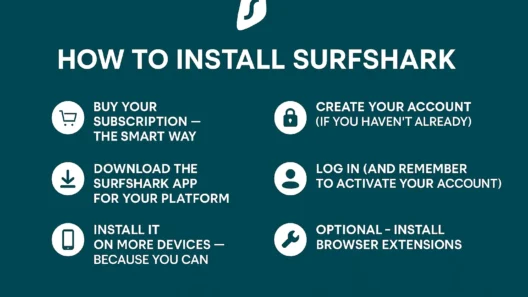
Install it, pick the right server, and open the door to a streaming world most people don’t even know exists. I use it daily — and honestly, I wouldn’t want to go back.
FAQ
Which Surfshark server is best for Netflix US?
Connect to any Surfshark server located in the United States (especially New York or Los Angeles). These consistently unlock the full Netflix US catalog with great speeds.
Can Surfshark unblock BBC iPlayer and other UK content?
Yes! Just choose a UK-based server (like London or Manchester). Surfshark works reliably with BBC iPlayer, ITVX, Channel 4, and NOW TV.
Is Surfshark fast enough for HD and 4K streaming?
Definitely. Surfshark runs on 10Gbps servers and supports WireGuard protocol, which delivers fast, stable, and buffer-free streaming – even in Ultra HD.