Making money on OnlyFans might sound like the perfect side hustle. Total control, flexible hours, fast income. But here’s the cold truth: once your content hits the internet, you’re not the only one in control anymore. Whether you’re a solo creator or working with a team, if you’re not protecting your digital identity, you’re one step away from being doxxed, stalked, or worse exploited by someone who knows exactly what they’re doing.
If you’re creating adult content (or even just risqué lifestyle content), you’re already on someone’s radar. So before you hit upload again, here’s what every creator should know and what tools you need to stay safe.
1. The Paywall Illusion: Why Paying Subscribers Aren’t Always Safe
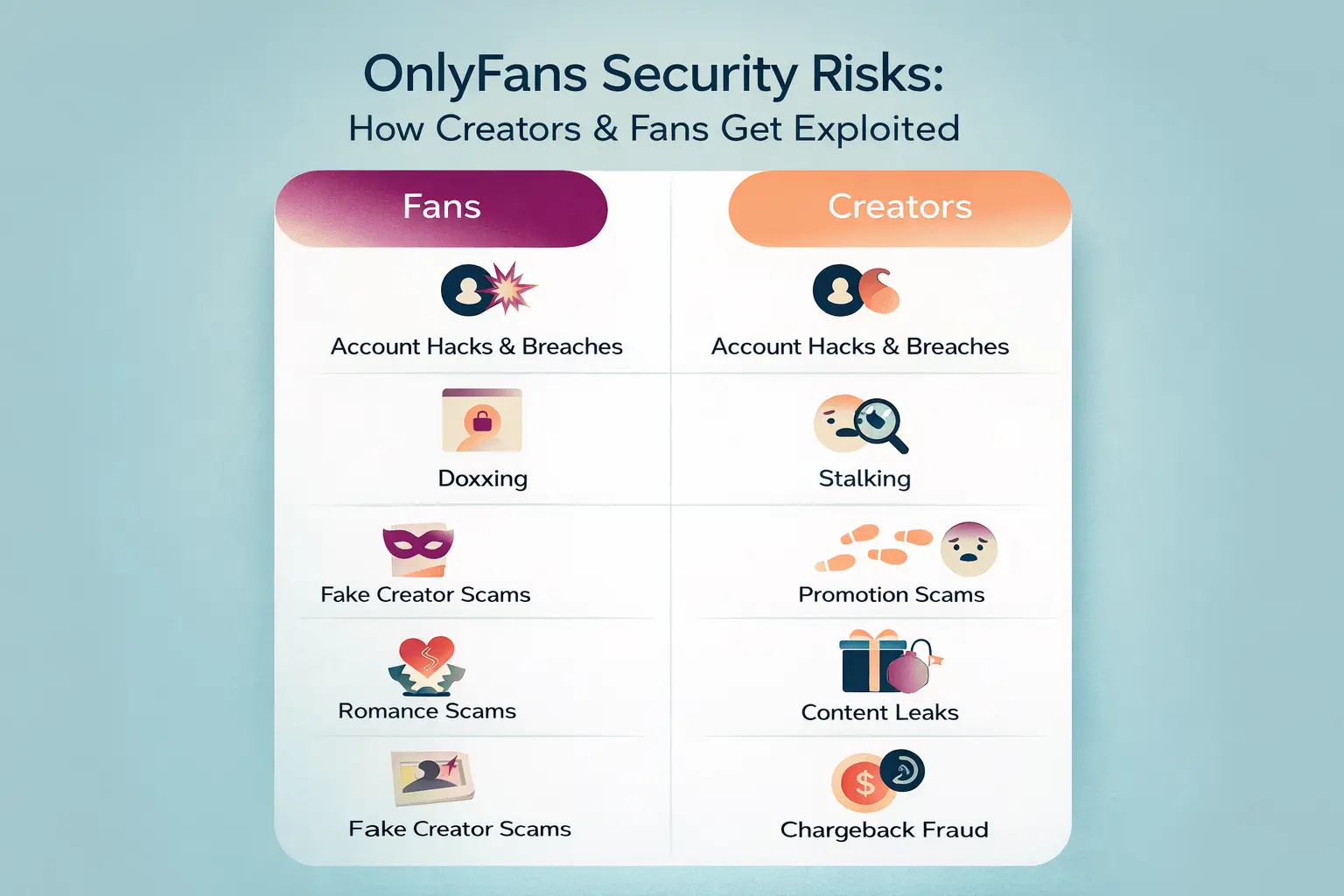
There’s a dangerous assumption in the OnlyFans world: that paywalls equal privacy. But once a user pays for access, they can download, screen-record, or redistribute your content with zero accountability.
Some creators believe “subscribers wouldn’t do that.” Unfortunately, they can and they do especially in online forums like Coomer or Telegram channels where stolen OF content is shared daily. There are even “pooling” models where one user pays and resells content to dozens of others.
Once your photo or video leaks publicly, it’s nearly impossible to erase it.
If that scares you, good. It should. The solution? Think of your content the way companies treat sensitive data it needs layers of protection from the moment it’s created.
2. Metadata = Digital Breadcrumbs
Every time you take a picture with your phone, your device stores metadata inside the file called EXIF data. That includes:
- GPS coordinates
- Exact date and time
- Device model and serial number
Some platforms strip this automatically. Others don’t especially in private messages or behind-the-scenes file exchanges with fans. All it takes is one persistent stalker and one unclean file. Suddenly, they know where you took the picture… and when.
What to do:
- Disable location access for your Camera app (iPhone or Android).
- Use free tools like ExifCleaner (PC) or Photo Metadata Remover (mobile) before uploading.
- Never send raw content directly from your phone. Use a VPN and upload via desktop.
| 2 Best VPN for Privacy | Offer + Discount | URL |
|---|---|---|
| NordVPN | 77% off + 3 months free | Try NordVPN |
| SurfShark | 87% off + 3 months free | Try SurfShark |
3. OSINT and Visual Clues: You’re Giving Away More Than You Think
There are people who analyze content frame by frame. Using OSINT (Open Source Intelligence), they can reverse-engineer where you live, which hotel you stayed at, or even what neighborhood you frequent.
Here’s what they look for:
- Reflections in windows, mirrors, or sunglasses
- Landmarks visible in the background
- Package labels, receipts, or brand names
- Audio like train station announcements or city-specific sirens
One chilling case involved a man who tracked a creator for months, broke into her home, and lived in her attic without her knowing. That’s not a horror movie it happened in real life.
If your content includes any identifiable visual or audio cues, clean it up. Blur backgrounds, mute background sounds, and avoid filming in spaces that scream “this is where I live.”
4. Your IP Address Gives You Away
Let’s talk about something most creators ignore: your IP address.
Every time you log in to your OnlyFans account, your IP reveals Your:
- Approximate location
- Internet service provider
- Device type and browser
If your account is ever compromised (say, via phishing), a bad actor can trace that info back to you. Or worse use it to impersonate you or blackmail you.
This is where a VPN becomes your best friend.
Why You Need a VPN for OnlyFans Work
A high-quality VPN like NordVPN or Surfshark encrypts your internet traffic and hides your real IP address. That means:
- Nobody can track where you’re uploading from
- Even your ISP won’t know what you’re doing
- Your account access becomes harder to spoof
Bonus: Both services offer malware protection, tracker blocking, and kill switches in case your internet drops during a session.
5. Don’t Trust Everyone: Fake Managers and Predatory Agencies
OnlyFans “management agencies” have exploded in the last few years. Some are legit many are not.
Red flags to watch out for:
- They ask for your OF login and full password
- They demand 50%+ revenue shares
- They write your DMs without consent
- They restrict your ability to leave or change your brand
These setups often include hired “chatters” who impersonate you and manipulate fans into spending more. You become a product, not a person.
Instead, use OnlyFans’ built-in Manager Permissions feature. It lets someone assist with your account without handing over full access. You stay in control, always.
6. Anonymity Matters More Than You Think
Think about the digital footprint you’re leaving behind.
If your creator account links to your real name, email, or social profiles, you’re just one Google search away from being exposed.
Protect yourself with these basic steps:
- Use a pseudonym that isn’t linked to any of your past online activity
- Create a unique email address for OnlyFans
- Register with fake info using Surfshark’s “Alternative ID” tool (creates fake names, DOBs, etc.)
- Enable 2FA via an authenticator app (not SMS)
Most importantly, separate your creator identity from your personal life. Don’t link your OF account to your Instagram, Facebook, or TikTok unless you’re fully prepared for your audience to overlap.
7. Legal Tools for When Things Go Wrong
Let’s be honest sometimes things do go wrong. Whether it’s leaked content, harassment, or extortion, there are legal resources available:
- Document everything: screenshots, URLs, emails, DM conversations
- Use services like BranditScan or Rulta to find and takedown stolen content
- File a DMCA notice with platforms and Google
- Report stalkers to local authorities laws against cyberstalking exist in most countries
- If needed, hire a digital reputation firm to help manage damage
Pro tip: don’t wait until something bad happens. Create a “Just in Case” file with your digital proof, logins, and backups. Store it securely (ideally encrypted) so you’re ready to act fast if needed.
Final Thoughts: Discipline Is Protection
Being on OnlyFans isn’t inherently dangerous — but being unprepared is.
If you’re serious about making money on the platform, you need to be just as serious about staying anonymous, protected, and in control.
A VPN isn’t a luxury. Metadata scrubbing isn’t optional. And trusting strangers with your account? That’s a one-way ticket to losing everything you built.
It’s not about being paranoid. It’s about being smart.
Recommended Tools for OnlyFans Creators
| Tool | What it Does | Link |
|---|---|---|
| NordVPN | Hides IP, blocks trackers, encrypts traffic | Try NordVPN – 77% off |
| Surfshark | Masks ID, creates fake profiles, unlimited devices | Try Surfshark – 87% off |
| ExifCleaner | Removes metadata from files | Free tool |
| BranditScan | Monitors and removes stolen content | Paid service |
| P.O. Box Service | Keeps your real address hidden | Use local provider |
Stay smart. Stay safe. Own your content and your privacy.
If you’re going to build a career on OnlyFans, make sure you’re not building it on a digital minefield.
FAQ: Frequently Asked Questions
Do I really need a VPN for OnlyFans if I don’t show my face?
Yes. Even if your content is anonymous, your device and IP address can still reveal your identity. A VPN hides your real location and encrypts all activity, which is crucial if you ever get targeted or hacked.
Can fans really track my location through pictures?
Unfortunately, yes. EXIF metadata and visual cues like reflections, street signs, or background noise can reveal your location. Scrubbing metadata and filming in neutral spaces is essential.
What’s the safest way to upload content to OnlyFans?
Use a desktop connection with a VPN active, remove all metadata from your files, and never upload raw photos directly from your phone. This workflow drastically reduces your risk of leaks or exposure.
How do I spot a fake OnlyFans management agency?
Watch for red flags like asking for your full login, promising huge profits with no effort, or writing DMs without your approval. Use OnlyFans’ Manager Permissions tool instead of giving away full access.